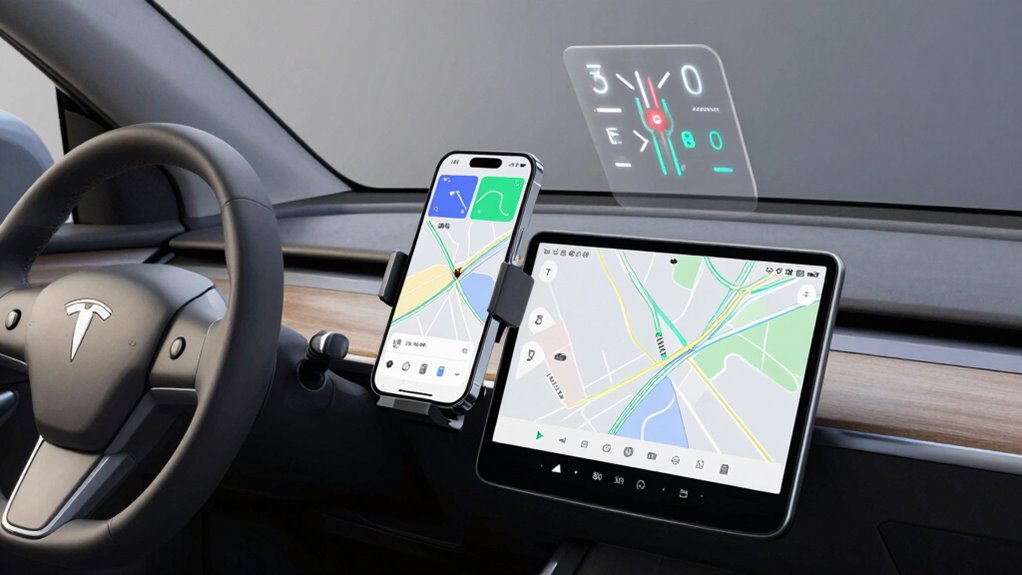

To choose between a HUD, phone mount, and standalone navigation, consider your driving habits and what’s most important to you. If you prefer minimal distraction and a sleek look, a HUD with voice commands could be ideal. For a balance of convenience and visibility, a phone mount with a clear display works well. If you want detailed visuals and advanced features, a standalone device may suit your needs better. Keep exploring to find the best fit for your driving style.

Get business pricing on garage and car supplies
- Business-only prices and quantity discounts
- Tax-exempt purchasing
- Multiple users, one account, clear invoices
Key Takeaways
- Consider your driving habits and prioritize safety features like voice commands and minimal distraction.
- Evaluate screen size preferences for clear visuals versus ease of glanceability.
- Determine if advanced features like traffic updates and route customization are essential.
- Check compatibility and integration with your vehicle systems for a seamless experience.
- Match device choice to your aesthetic preference, convenience needs, and focus on reliable, secure navigation.
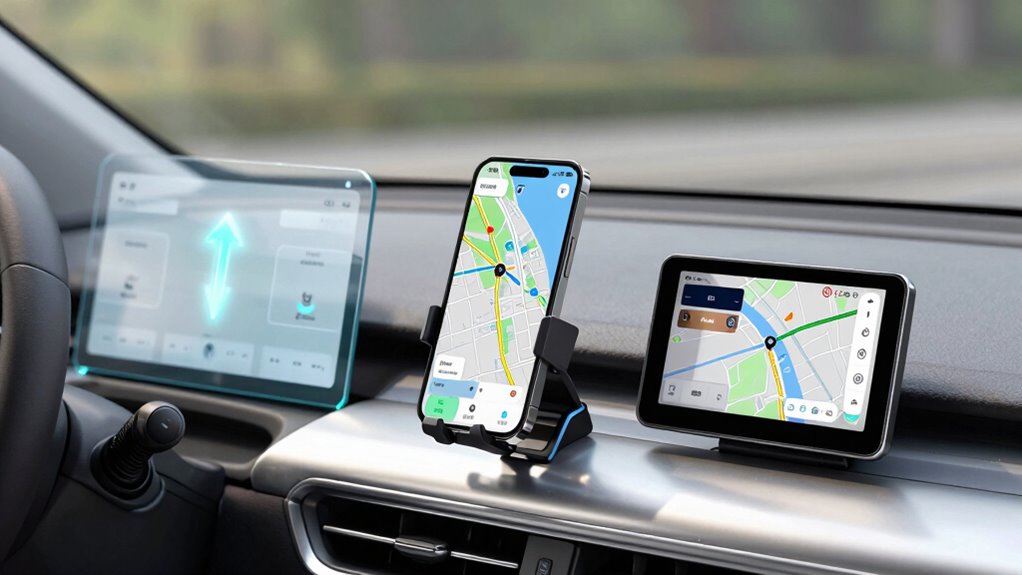
When it comes to finding your way, choosing the right navigation device can make all the difference. The decision often boils down to three main options: a head-up display (HUD), a phone mount, or a standalone navigation device. Each has its merits, but your choice depends on your driving habits, preferences, and what features matter most to you. One of the key factors to consider is voice commands. If you prefer hands-free operation, many devices now support voice commands, allowing you to keep your eyes on the road while adjusting routes or searching for destinations.
Screen size is another critical element. A HUD projects directions directly onto your windshield, giving you a heads-up view without diverting your attention from the road. It’s sleek, unobtrusive, and ideal if you want minimal distraction. Phone mounts, on the other hand, hold your smartphone within your line of sight, typically with a screen size ranging from 4 to 6.5 inches. This offers a familiar interface, easy updates, and access to a wide range of apps. However, the smaller screen size compared to a dedicated GPS might require more focus to read directions, especially if you’re driving at high speeds or in complex traffic.
Standalone navigation devices often feature larger screens, usually 5 to 7 inches, offering clearer visuals and detailed maps. These devices are designed specifically for navigation, often with advanced features like traffic updates, route customization, and superior GPS accuracy. They also tend to have more robust voice command capabilities, letting you input destinations or change settings without taking your hands off the wheel. If you prefer a dedicated device that doesn’t rely on your phone’s battery or data connection, a standalone unit might be the best choice. Additionally, security features like full audit trails and security scanning can help ensure your navigation system remains safe from cyber threats. Incorporating modern cybersecurity measures can further protect your personal data and enhance overall safety.
Another aspect to consider is the integration with other vehicle systems, which can enhance your overall driving experience and safety. The reliability of the device is also crucial, as a dependable system can prevent disruptions during your travels. Advancements in technology continue to improve the accuracy, security, and user experience of these devices, making informed choices easier. Ultimately, your decision hinges on how you want to interact with your navigation system. If you value convenience and a sleek look, a HUD or phone mount with voice command support may suit you best. If you prefer detailed visuals and advanced features, a standalone navigation device with a larger screen might be worth the investment. Whichever you choose, prioritize ease of use, safety features, and compatibility with your driving style. Remember, the best navigation device is the one that seamlessly integrates into your routine, keeps you focused on the road, and gets you to your destination efficiently.
As an affiliate, we earn on qualifying purchases.
Frequently Asked Questions
Are HUDS Compatible With All Vehicle Models?
HUDs aren’t compatible with all vehicle models. Your vehicle’s compatibility depends on factors like the make, model, and whether it has the necessary features for HUD installation. Before buying, check your vehicle’s specifications and consult the manufacturer or a professional to verify proper vehicle compatibility. If your car isn’t compatible, you might need a different navigation solution or consider aftermarket options designed for broader compatibility.
How Do Phone Mounts Affect Driving Safety?
Phone mounts act like a double-edged sword, offering quick access but risking driver distraction. They can create visual clutter, pulling your eyes from the road and increasing the chance of accidents. To stay safe, secure your phone properly and limit interaction while driving. Remember, a clear view and minimized distractions help you stay focused, turning your device from a hazard into a helpful tool on your journey.
Can Standalone Navigation Devices Be Integrated With Car Systems?
Yes, standalone navigation devices can be integrated with your car systems. Many modern units feature augmented reality, overlaying directions onto real-world views for easier navigation. You can also use voice commands to control the device hands-free, enhancing safety. This integration helps you stay focused while driving, providing real-time updates and seamless connectivity with your vehicle’s systems, making navigation more intuitive and less distracting.
What Are the Cost Differences Among HUDS, Mounts, and Standalone Devices?
You’ll find that HUDs tend to be the most expensive, with price comparisons ranging from a few hundred to over a thousand dollars, plus higher installation costs if professional setup is needed. Phone mounts are generally affordable, often under $50, with minimal installation. Standalone navigation devices fall in the middle, with prices from around $100 to several hundred dollars, and installation costs are usually low or nonexistent.
Do Navigation Devices Require Regular Updates or Subscriptions?
Navigation devices often require regular updates to stay accurate, especially with changing traffic congestion data and new routes. Some standalone devices or apps may need subscriptions for real-time traffic info or advanced features like voice recognition. You should check if updates are free or paid, as this impacts ongoing costs. Regular updates guarantee your device provides reliable directions, helping you avoid traffic congestion and use voice commands effectively.
smartphone car mount with adjustable holder
As an affiliate, we earn on qualifying purchases.
As an affiliate, we earn on qualifying purchases.
Conclusion
So, whether you’re captivated by the sleek allure of a HUD, the convenience of a phone mount, or the independence of a standalone GPS, remember: the right navigation device is your trusted co-pilot on every journey. Don’t let choice be your roadblock—embrace what suits your style and needs. After all, isn’t the true destination the peace of mind knowing you’re always on the right path? Choose wisely, and let your adventures unfold effortlessly.
standalone GPS navigation device 7 inch
As an affiliate, we earn on qualifying purchases.
As an affiliate, we earn on qualifying purchases.
voice-activated car navigation system
As an affiliate, we earn on qualifying purchases.
As an affiliate, we earn on qualifying purchases.
Fall Picks
fall essentials
As an affiliate, we earn on qualifying purchases.