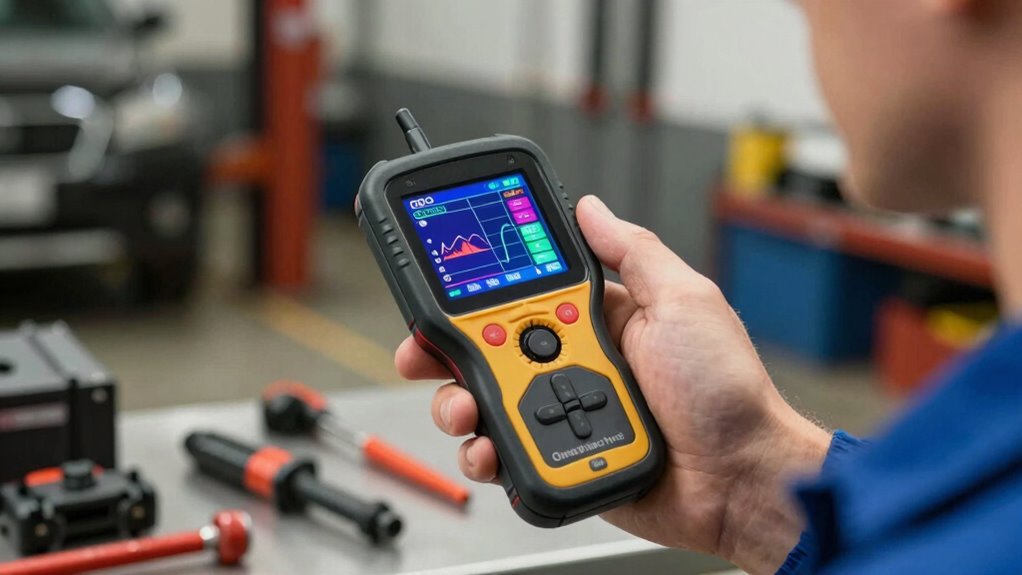

To make sense of your OBD scanner without feeling overwhelmed, start by focusing on common error codes like P0 for powertrain issues or P1 for manufacturer-specific problems. Look up specific codes online or in manuals to understand potential causes, and use live data like RPM or temperature to identify issues. Avoid rushing into repairs—diagnose first. If you keep practicing, you’ll find it gets easier to interpret scanner results and troubleshoot effectively.

Get business pricing on garage and car supplies
- Business-only prices and quantity discounts
- Tax-exempt purchasing
- Multiple users, one account, clear invoices
Key Takeaways
- Focus on understanding common error codes like P0 and P1 to simplify troubleshooting.
- Use online resources or manuals to interpret code meanings and live data.
- Record findings and steps taken to stay organized and reduce confusion.
- Learn to compare live data with normal ranges to identify issues quickly.
- Approach learning gradually, building confidence with each diagnosis rather than rushing.

Ever wondered how to truly understand the information your OBD scanner provides? It can seem overwhelming at first, especially when you’re faced with a sea of codes and data. But don’t worry—by focusing on a few key steps, you can turn what feels like jargon into actionable insights. Start by familiarizing yourself with common error codes. These codes are standardized, so once you recognize them, they become easier to interpret. For example, codes starting with P0 usually relate to powertrain issues, while codes beginning with P1 might point to manufacturer-specific problems. Learning these basics helps you quickly identify what’s wrong without getting lost in technical details.
Troubleshooting tips are your best allies in decoding your OBD scanner. When a code appears, don’t jump straight to replacing parts. Instead, look up the specific error code to understand its possible causes. Many online resources or repair manuals offer concise explanations of common error codes, which can guide your next steps. For instance, a code like P0300 indicates random/multiple cylinder misfire, which could stem from spark plugs, ignition coils, or fuel injectors. Knowing this narrows down your troubleshooting process, saving you time and frustration. As you work through these issues, keep track of what you’ve checked and what remains unresolved. This record helps you avoid repeating steps and can be useful if you need to consult a mechanic later.
Look up error codes first, track what you’ve checked, and avoid unnecessary part replacements.
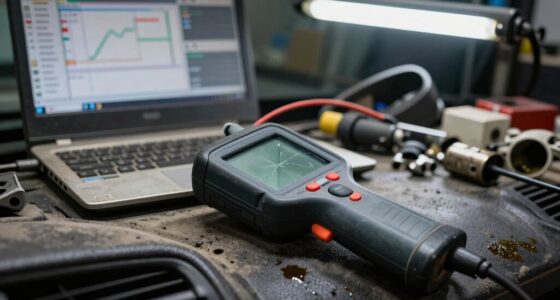
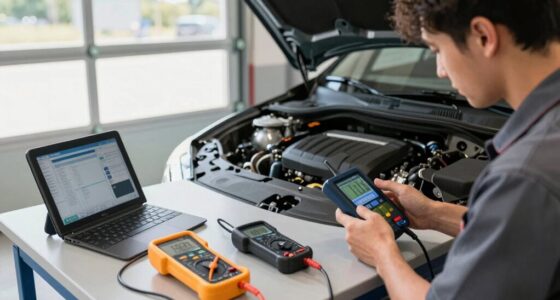
Another helpful tip is to understand the different types of data your scanner displays. Besides error codes, you’ll see live data such as engine temperature, RPM, and fuel system status. This information can give you clues about the overall health of your vehicle and whether specific sensors or components are functioning properly. When you encounter an error, compare the live data readings with normal operating ranges. If something’s off, that’s a sign to focus your troubleshooting efforts there.
Finally, don’t feel pressured to understand everything immediately. Take your time learning what each code and data point means. Use online forums, manufacturer resources, or tutorials to deepen your understanding step by step. Over time, you’ll become more confident interpreting your scanner’s output, turning what once seemed confusing into a valuable diagnostic tool. Remember, the goal isn’t perfection but progress—by applying these troubleshooting tips and familiarizing yourself with common error codes, you’ll find yourself feeling less overwhelmed and more capable of maintaining your vehicle confidently.
As an affiliate, we earn on qualifying purchases.
Frequently Asked Questions
What Are the Different Types of OBD Scanners Available?
You’ll find several types of OBD scanners, including basic code readers that display trouble codes and advanced diagnostic tools offering live data and detailed analysis. Entry-level code readers are affordable and simple to use, perfect for DIY fixes. More sophisticated diagnostic tools connect to computers or smartphones, providing extensive insights. Choose based on your needs—simple code readers for quick checks or advanced tools for in-depth diagnostics.
How Much Does a Basic OBD Scanner Cost?
Think of a basic OBD scanner as a simple key that unlocks your car’s hidden codes. It typically costs between $20 and $50, making it an affordable tool for everyday diagnostics. Look for one with essential diagnostic features and compatibility considerations for your vehicle. This way, you’ll confidently read trouble codes and understand your car’s health without feeling overwhelmed, like having a trusted map on a new journey.
Can I Use an OBD Scanner on Any Vehicle?
Yes, you can usually use an OBD scanner on most vehicles, but check for vehicle compatibility first. Some scanners have scanner limitations, meaning they might not work with older or specialized cars. Always verify if the scanner supports your vehicle’s make, model, and year. If unsure, consult the scanner’s manual or manufacturer to avoid compatibility issues and guarantee you get accurate diagnostic readings.
What Should I Do After Reading the Error Codes?
After reading the error codes, start with troubleshooting steps like checking your vehicle’s manual or online resources to understand the codes. Clear the codes and see if they reappear, which helps identify if the issue persists. If you’re unsure or the problem seems serious, it’s best to seek professional assistance. A mechanic can diagnose the root cause accurately and advise on necessary repairs, saving you time and potential further damage.
Are There Safety Precautions When Using an OBD Scanner?
Yes, there are safety precautions you should follow when using an OBD scanner to guarantee diagnostic accuracy and user safety. Always turn off your vehicle before connecting the scanner to prevent electrical issues. Keep your hands clear of moving parts, and avoid disconnecting the scanner while the engine runs. Use the device in a well-ventilated area, and follow the manufacturer’s instructions carefully to prevent damage and guarantee accurate readings.
As an affiliate, we earn on qualifying purchases.
Conclusion
Remember, an OBD scanner isn’t a puzzle meant to frustrate you but a map guiding you through your car’s health. Take it step by step, and don’t let the technical jargon drown you. With patience, you’ll see the signals your vehicle sends, like a whisper in a noisy room. Soon, you’ll feel confident interpreting those codes, turning confusion into clarity—your car’s secrets no longer locked behind a wall of mystery.
As an affiliate, we earn on qualifying purchases.
As an affiliate, we earn on qualifying purchases.
Fall Picks
fall essentials
As an affiliate, we earn on qualifying purchases.