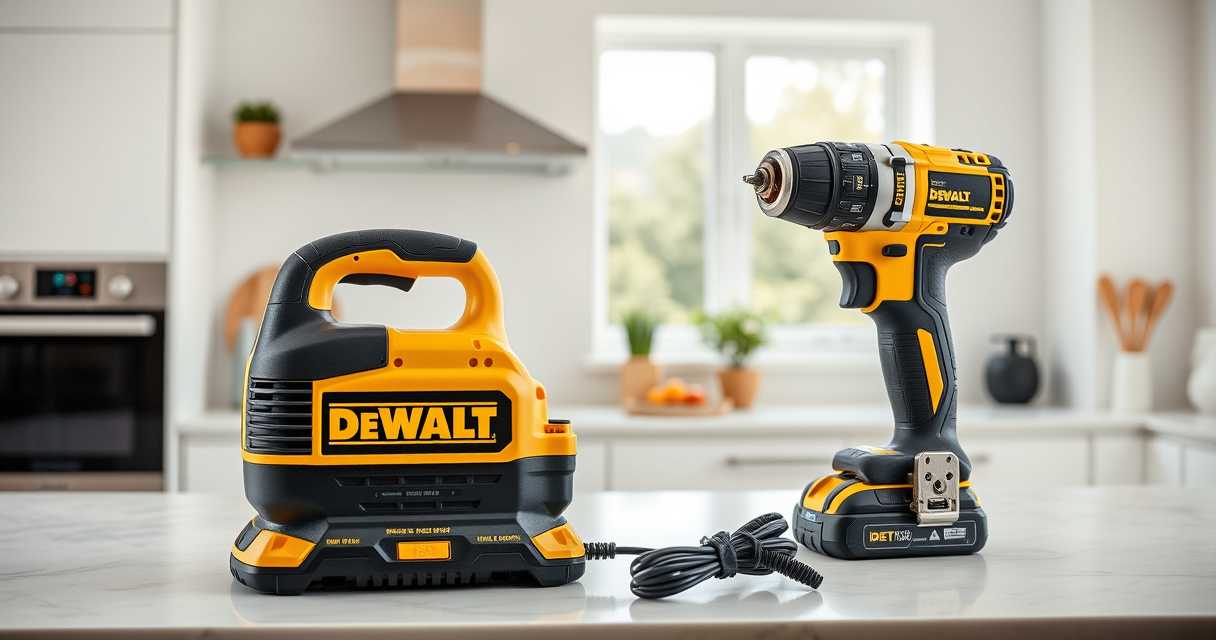

Getting started with your new DEWALT power tools can seem daunting at first, but with the right setup process, you’ll be ready to tackle any project efficiently and safely. This guide walks you through the necessary steps to assemble, power, and optimize your tools for best results.

Get business pricing on garage and car supplies
- Business-only prices and quantity discounts
- Tax-exempt purchasing
- Multiple users, one account, clear invoices
Whether you’ve purchased the DEWALT 20V MAX Cordless Drill Driver Set or other accessories, following these detailed instructions will ensure a smooth setup process and long-lasting performance.
Key Takeaways
| Battery Compatibility | Use compatible DEWALT 20V MAX batteries for optimal power. |
| Safety First | Always wear protective gear and disconnect power before maintenance. |
| Proper Assembly | Ensure drill bits are securely inserted to prevent accidents. |
| Tool Maintenance | Keep your tools clean and store in a dry place. |
| Accessory Selection | Choose the right drill bits and batteries for your tasks. |
Unboxing and Inspecting Your Power Tool
- Carefully remove the DEWALT 20V MAX Cordless Drill Driver Set from its packaging, ensuring you have all components: drill, batteries, charger, and accessories.
- Inspect each item for any damage during transit. Check the drill, battery pack, and charger for cracks or loose parts.
- Read the user manual thoroughly to familiarize yourself with safety instructions and features.
Inserting and Charging the Battery
- Align the battery pack with the slot on the base of the drill, ensuring the contacts match up correctly.
- Push the battery firmly into place until you hear a click, confirming it is secured.
- Connect the included charger to a power outlet, then attach the battery to the charger. Wait until the LED indicator shows the battery is fully charged before use.
Installing Drill Bits Safely
- Choose the appropriate drill bit for your task; for general purposes, a 3/16-inch bit is versatile.
- Loosen the single-sleeve ratcheting chuck by rotating it counterclockwise.
- Insert the shank of the drill bit into the chuck, ensuring it is centered and straight.
- Firmly tighten the chuck by rotating it clockwise until the bit is secure, avoiding over-tightening that can damage the chuck.
Powering Up and Testing Your Tool
Press the battery release button to ensure the battery is fully seated. Then, press the trigger while holding the drill in a safe position to test operation. Use the LED light for better visibility in dim areas. Adjust the speed settings if your model has a two-speed transmission, selecting the appropriate speed for your task.
Safety Tips and Maintenance
- Always wear eye protection and gloves when operating power tools.
- Keep your workspace clear of debris and ensure adequate lighting.
- Disconnect the battery before changing bits or performing maintenance.
- Regularly clean your tools with a dry cloth and store in a dry, secure location.
The Products in This Guide

DEWALT 20V MAX Cordless Drill Driver Set
- ✔ Dimensions: 7.6 in. length
- ✔ Battery Included: Yes
- ✔ Speed Settings: 2

DEWALT Drill Bit Set
- ✔ Durability: High
- ✔ Compatibility: All 3-flat shank drills
- ✔ Weight: Light
DEWALT 20V MAX Cordless Drill Driver Set
The DEWALT 20V MAX Cordless Drill Driver Set is a versatile, lightweight, and powerful tool suitable for a wide range of applications. Its brushless motor provides longer run time, making it ideal for both home improvement projects and professional jobs. The set includes a 2.0 Ah battery and charger, with features like an LED light for visibility and a comfortable grip.
Pros:
- Compact and lightweight design
- Long-lasting brushless motor
- Includes battery and charger
- LED work light
- Two-speed transmission
Cons:
- Battery life may vary with heavy use
- Charger can be slow to fully charge batteries
- Limited to 1/2 inch chuck capacity
Best for: DIY enthusiasts, contractors, and homeowners needing a reliable cordless drill
Not ideal for: Heavy-duty industrial applications requiring more power or larger chucks
Bottom line: A reliable, lightweight drill perfect for versatile tasks around the home or job site.
DEWALT Drill Bit Set
The DEWALT Drill Bit Set with 14 pieces offers high-quality bits with a 135-degree split point tip, reducing walking during drilling. Made from high-speed steel with a black and gold coating, these bits resist rust and wear, ensuring long-lasting performance across various materials.
Pros:
- Resists rust and wear
- High-speed steel construction
- Includes a variety of sizes
- Designed for plastic, wood, and metal
Cons:
- May be overkill for very light tasks
- Requires proper bit selection for optimal results
Best for: General-purpose drilling in multiple materials
Not ideal for: Heavy-duty industrial drilling or masonry
Bottom line: A versatile drill bit set suited for a wide range of home and professional projects.
Frequently Asked Questions
How do I know when my DEWALT battery is fully charged?
The charger features LED indicators that show the charging status. When the LED turns green, your battery is fully charged and ready for use.
Can I use other batteries with this drill?
No, only DEWALT 20V MAX compatible batteries are designed to fit and work properly with this model for safety and performance reasons.
What should I do if my drill bit slips in the chuck?
Loosen the chuck, remove the bit, and re-insert it, ensuring it is fully seated and tightened securely to prevent slipping during operation.
How do I change the speed settings on my drill?
If your model has a two-speed transmission, use the speed selector switch to choose the desired setting based on your task—lower for driving screws, higher for drilling.
What maintenance does my DEWALT drill require?
Keep the drill clean and dry, periodically check the chuck for wear, and store it in a protective case when not in use. Avoid exposing it to water or extreme temperatures.
Start Your Projects with Confidence Using Your DEWALT Setup
Properly setting up your DEWALT power tools ensures safe operation and maximum performance. From inserting batteries to selecting the right accessories, following these steps guarantees a smooth start to your DIY or professional projects. Remember to prioritize safety and maintenance for long-lasting tool life and successful results.
Affiliate disclosure: As an Amazon Associate we earn from qualifying purchases. Prices and availability are accurate as of the time of publishing.
Fall Picks
fall essentials
As an affiliate, we earn on qualifying purchases.