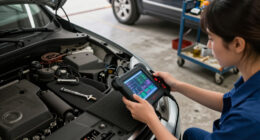

Use this guide to connect a car diagnostic scanner, read and save fault codes, and check basic live data. It is intended for drivers with little or no diagnostic experience. Allow 15–30 minutes, including time to find the connector and review the scanner’s results. A scanner reports information from the vehicle’s control systems; a code points to a detected condition and does not, by itself, confirm which part needs replacement.

Get business pricing on garage and car supplies
- Business-only prices and quantity discounts
- Tax-exempt purchasing
- Multiple users, one account, clear invoices

FOXWELL NT301 OBD2 Scanner with Live Data
- ✔ Display: 2.8-inch color screen
- ✔ Functions: Read and clear codes, live data graphing, I/M readiness, EVAP and oxygen sensor tests
- ✔ Protocols: KWP2000, J1850 VPW, ISO9141, J1850 PWM, CAN

ANCEL AD310 Classic Enhanced Universal OBD II Scanner Car Engine Fault Code Reader
- ✔ Weight: 12 ounces
- ✔ Dimensions: 8.9 x 6.9 x 1.4 inches
- ✔ Cable: 2.5 feet

V318 OBD2 Scanner Diagnostic Tool with Battery Voltage Test
- ✔ Brand and model: OnRetul V318
- ✔ Weight: 6.17 ounces
- ✔ Compatibility: Many 12V gasoline vehicles supporting OBDII/EOBD
Difficulty: Beginner | Time: 15–30 minutes
What You’ll Need
Tools & Materials:
- OBD-II scanner compatible with your vehicle; a Bluetooth model also needs its compatible phone app
- Vehicle owner’s manual
- Phone or notebook to record codes and symptoms
Knowledge:
- Ability to identify the vehicle’s model year and fuel type
- Ability to follow basic instructions for switching the ignition on and off
Most cars and light trucks sold in the United States from model year 1996 onward support OBD-II. Other markets and vehicle types may use different rules. Check the scanner’s compatibility information and your manual before connecting it. Park outside or in a well-ventilated area, apply the parking brake, and keep the engine off unless the scanner specifically calls for it to be running.
FOXWELL NT301 OBD2 Scanner with Live Data
The FOXWELL NT301 is the most capable all-round choice in this group for drivers who want more than a code number. It reads and clears engine fault codes, then displays live sensor data as graphs, which can make changing readings easier to follow than a list of values. Its I/M readiness checks, EVAP testing, and oxygen sensor testing add useful checkpoints for emissions troubleshooting. Compared with the ANCEL AD310, the NT301 offers more ways to inspect what is happening after a code appears; compared with the V318, it emphasizes test functions and graphing rather than a battery voltage display.The 2.8-inch color screen supports a more visual workflow, and the device does not require charging or a subscription. Its limits are still important: the advertised functions center on engine diagnostics, and the product information says fit and function can vary by year, make, model, and VIN. We should check compatibility before relying on any particular test. Clearing a code only removes the stored warning; it does not address the underlying fault. For buyers seeking deeper coverage of ABS, SRS, or transmission systems, this scanner’s stated scope is too narrow.
Pros:
- Graphs live sensor data for easier observation of changing readings.
- Includes I/M readiness, EVAP, and oxygen sensor tests.
- Uses a color screen and needs no charging or subscription.
- Supports code reading and clearing for compatible OBDII vehicles.
Cons:
- Compatibility and functions vary across vehicles, so buyers need to verify fit.
- Clearing codes does not repair the fault that triggered them.
- Its stated scope is engine-focused rather than all-system diagnostics.
Best for: Drivers who want engine code reading plus graphable live data and emissions-related tests in one handheld scanner.
Not ideal for: Owners who need ABS, SRS, transmission, or broad manufacturer-specific diagnostics.
Bottom line: We rank the NT301 first because it combines code reading with the richest set of stated live-data and emissions checks in this lineup.
“We rank the NT301 first because it combines code reading with the richest set of stated live-data and emissions checks in this lineup.”
ANCEL AD310 Classic Enhanced Universal OBD II Scanner Car Engine Fault Code Reader
The ANCEL AD310 suits buyers who want a direct route to basic engine-code information. It reads and clears diagnostic trouble codes, shows freeze-frame data, checks I/M monitor readiness, and displays live data. The stated support for all five main OBDII protocols makes it a practical general-purpose option for compatible vehicles. Compared with the FOXWELL NT301, however, it does not list graphing, EVAP testing, or oxygen sensor testing, so it offers fewer ways to examine a suspected emissions issue. It is the more straightforward pick when those additional checks are not a priority.Power comes from the vehicle’s OBDII port, so there is no battery or charger to manage. Its buttons are clearly labeled, and the product is described as compact and lightweight. That simplicity comes with a firm ceiling: the AD310 is OBDII-only and diagnoses emission-related issues, not non-emission engine faults or ABS, SRS, and transmission systems. Like the other two picks, it cannot make a repair by clearing a stored code. Its listed compatibility covers many newer US, European, and Asian vehicles, but owners of older OBDI vehicles should not expect an adapter to make it compatible.
Pros:
- Supports KWP2000, J1850 VPW, ISO9141, J1850 PWM, and CAN protocols.
- Reads and clears codes, freeze frames, live data, and I/M readiness.
- Draws power directly from the OBDII port, with no separate charging.
- Has clearly labeled buttons and a compact handheld design.
Cons:
- Limited to emission-related diagnostics and does not list ABS, SRS, or transmission coverage.
- Does not provide the NT301’s listed graphing, EVAP, or oxygen sensor tests.
- Does not support OBDI vehicles, even with an adapter.
Best for: Drivers who want a simple OBDII reader with broad protocol support for checking engine and emissions codes on a compatible vehicle.
Not ideal for: Buyers who need graphing, dedicated EVAP or oxygen sensor tests, OBDI support, or access to non-engine systems.
Bottom line: We recommend the AD310 when dependable basic OBDII functions and wide protocol support matter more than extra testing tools.
“We recommend the AD310 when dependable basic OBDII functions and wide protocol support matter more than extra testing tools.”
V318 OBD2 Scanner Diagnostic Tool with Battery Voltage Test
The V318 is the compact option for owners who want a few practical readings in one small handheld unit. Along with reading and clearing engine trouble codes, it offers DTC definitions, live data, freeze frames, and a battery voltage test. That voltage display gives it a different role from the ANCEL AD310: it can show a basic battery reading as well as engine-code information. Compared with the FOXWELL NT301, though, the supplied feature list does not include live-data graphing, EVAP testing, or oxygen sensor testing, so it is less suited to investigating emissions-related symptoms in detail.Its built-in 16-pin cable and vehicle-powered operation keep setup simple, and the listed weight is just over six ounces. The tradeoff is a narrower, less fully specified compatibility profile: it is intended for many 12V gasoline vehicles supporting OBDII/EOBD, and buyers are advised to verify their particular vehicle. We should view its extra readings as helpful basic checks, not evidence of broad system coverage. The product information does not establish ABS, SRS, or transmission diagnostics, and its stated purpose is basic troubleshooting. Choose it for a compact reader with voltage information; choose the NT301 when richer data inspection and dedicated emissions tests matter more.
Pros:
- Displays battery voltage alongside live vehicle data.
- Includes DTC definitions, freeze frames, and I/M readiness.
- Uses a built-in 16-pin cable and needs no separate charging.
- Compact design weighs 6.17 ounces.
Cons:
- Compatibility should be checked for the specific vehicle.
- Designed for basic diagnostics and troubleshooting.
- The supplied details do not list graphing or dedicated EVAP and oxygen sensor tests.
Best for: Owners of compatible 12V gasoline vehicles who want a compact engine-code reader with battery voltage and DTC definitions.
Not ideal for: Buyers seeking extensive vehicle coverage, graphable live data, dedicated emissions tests, or diagnostics beyond engine and OBDII basics.
Bottom line: We choose the V318 for a small, basic scanner that adds voltage and code-definition readings, with compatibility verification as a necessary step.
“We choose the V318 for a small, basic scanner that adds voltage and code-definition readings, with compatibility verification as a necessary step.”
As an Amazon Associate we earn from qualifying purchases.
Before You Start
Write down the dashboard warning lights, when they appeared, and any changes in how the vehicle runs. If the check-engine light is flashing, the engine is misfiring badly, or the vehicle is overheating, stop driving when safe and seek professional help. A scanner cannot make an unsafe vehicle safe to drive.
Do not clear codes before recording them. Clearing them can erase useful diagnostic information and reset emissions readiness monitors, which may affect an upcoming emissions inspection.
Step-by-Step Instructions
Step 1: Find the diagnostic connector
Switch the ignition off, then locate the OBD-II connector beneath the dashboard on the driver’s side near the steering column. Check the owner’s manual if you cannot see it. Inspect the connector without forcing anything into it.
Tip: Some vehicles place the connector behind a small removable cover. Do not mistake a different electrical connector for the OBD-II port.
Check: You have located a trapezoid-shaped port with 16 pin positions and can reach it without pulling on wiring.
Step 2: Connect the scanner
Plug the scanner into the port with the ignition off, pushing gently until it sits firmly. For a Bluetooth scanner, open the recommended app and pair with the device using the app’s instructions. Avoid pressing or bending the connector pins.
Tip: If the scanner does not fit easily, stop and check its alignment. Never force the plug into the port.
Check: The scanner powers on or the app recognizes the connected device.
Step 3: Switch on the ignition
Set the ignition to the state required by the scanner. For many scanners, turn the key to the on position without starting the engine; with a push-button vehicle, press the button without holding the brake. If the scanner requests a running engine for a later live-data check, start it only when the area is well ventilated and the vehicle is safely parked.
Tip: Dashboard lights may illuminate when the ignition is on and the engine is off. That alone does not mean the scanner caused a fault.
Check: The scanner identifies the vehicle or shows a menu for reading diagnostic information.
Step 4: Read and save the codes
Select the option labeled Read Codes, Scan, or similar. Wait for the scan to finish. Record every displayed code exactly, including its letter and digits, and note whether it is current, pending, or stored. Save or photograph the results before taking further action.
Tip: A code such as P0301 identifies a detected issue category or cylinder location. It does not prove that a particular part has failed. Write down any brief description, but verify it against reliable vehicle-specific information before making repairs.
Check: You have a saved list of codes and their status, or a clear report that no codes were found.
Step 5: Check available details and live data
Open the scanner’s freeze-frame information and record the conditions around the time a fault was detected. If your scanner supports live data and its instructions call for the engine to run, start the engine safely and select a small set of relevant readings, such as engine speed or coolant temperature. Compare readings with the vehicle’s manual or a trusted vehicle-specific reference.
Tip: Do not try to monitor the scanner while driving. Ask a passenger to operate it only if a road test is necessary and can be done safely; otherwise, leave driving checks to a qualified technician.
Check: You have recorded any relevant freeze-frame or live-data values without disturbing the connector or vehicle.
Step 6: Look up the codes and choose a safe next action
Look up each exact code using the vehicle’s model year, make, model, engine, and symptoms. Consult the owner’s manual, a reputable repair reference, or a qualified mechanic. Check for related codes and technical information before buying parts. If the issue requires testing beyond your tools or experience, arrange a professional diagnosis.
Tip: A single code can have several causes, including wiring, a leak, a sensor, or another system problem. Replacing the part named in a short scanner description may not fix the cause.
Check: You have a reasoned next step based on the code and symptoms, rather than a parts choice based on the code alone.
Step 7: Clear codes only after recording and addressing the issue
Save the scan results and confirm that clearing is appropriate, such as after a repair. Select Clear Codes or Erase and confirm when prompted. Switch the ignition off as directed, then reconnect or rescan if needed. Do not use clearing as a substitute for diagnosis.
Tip: Clearing codes may turn off a warning temporarily, but an unresolved fault can return. Readiness monitors may also need time and specific driving conditions to reset.
Check: After a repair and clear, the scanner reports no active codes at that moment. If the code returns, record it and continue diagnosis.
Common Mistakes to Avoid
- Replacing a part based only on the scanner’s short code description. — Treat the code as a clue. Check symptoms, related codes, wiring, and vehicle-specific diagnostic information before choosing a repair.
- Clearing codes before recording them or before an emissions test. — Save codes and freeze-frame data first. Ask your inspection authority or mechanic about readiness monitors before an inspection.
- Forcing the scanner plug or using the wrong connector. — Confirm the port location in the manual, align the plug carefully, and stop if it does not seat with light pressure.
Troubleshooting
Problem: The scanner will not power on.
Solution: Check that the ignition is in the position specified by the scanner and that the plug is fully seated. If it remains off, check the vehicle manual for relevant fuse information or ask a mechanic to inspect the port; do not probe the pins with metal tools.
Problem: The scanner cannot communicate with the vehicle.
Solution: Confirm that the scanner supports the vehicle’s year, make, model, and system. Try the ignition state specified in the instructions, reseat the plug with the ignition off, and check the app’s connection steps for Bluetooth models.
Problem: No codes appear, but a warning light is on.
Solution: Check whether the scanner can read the system that triggered the light; basic OBD-II tools may not access every manufacturer-specific system. Consult the manual or use a compatible enhanced scanner or professional diagnostic service.
Problem: A code returns after it has been cleared.
Solution: Record the returning code and any symptoms. The underlying condition may remain or have recurred, so use vehicle-specific diagnostic information or arrange a proper diagnosis.
What Success Looks Like
You have safely connected a compatible scanner, saved the exact codes and statuses (or recorded that none were found), and identified a sensible next action based on the vehicle’s symptoms. If you cleared codes after a repair, you have rescanned and know that codes can return if the issue remains. A successful scan gives you useful information; it does not certify that the vehicle is repaired or safe to drive.
Next Steps
Keep the code list with your service records and share it with the repair shop alongside the symptoms and when they occur. After a repair, rescan if appropriate and watch for warning lights or returning symptoms. If a warning returns, preserve the new scan results and seek further diagnosis.
Frequently Asked Questions
Can I use a diagnostic scanner while the engine is running?
Many scanners read stored codes with the ignition on and engine off. Some live-data checks require the engine to run. Follow the scanner instructions, keep the vehicle parked, and work outdoors or in a well-ventilated area.
Will every scanner work with every car?
No. Compatibility depends on the vehicle’s model year, market, systems, and scanner features. Check the scanner maker’s compatibility list. Basic tools may read common emissions-related codes but miss manufacturer-specific systems.
Does a trouble code tell me exactly what to replace?
No. It reports a detected condition or circuit issue. Several causes can produce similar codes, so use the code with symptoms and proper diagnostic checks before replacing parts.
Should I clear a code to turn off the check-engine light?
Save the code and freeze-frame information first, then address the cause. Clearing an unresolved code can hide useful information for a time, and the warning may return. It can also reset emissions readiness monitors.
What if the check-engine light is flashing?
A flashing light can indicate a serious fault, such as a misfire that may damage the vehicle. Stop driving when safe and contact a repair professional or roadside service.
Fall Picks
fall essentials
As an affiliate, we earn on qualifying purchases.