TL;DR

Get business pricing on garage and car supplies
- Business-only prices and quantity discounts
- Tax-exempt purchasing
- Multiple users, one account, clear invoices
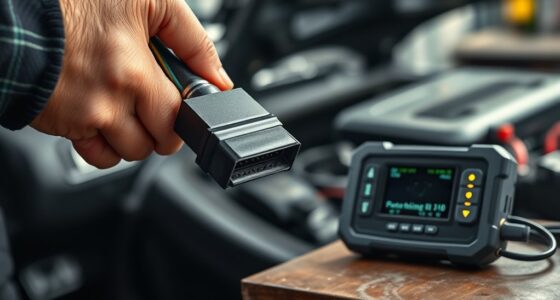
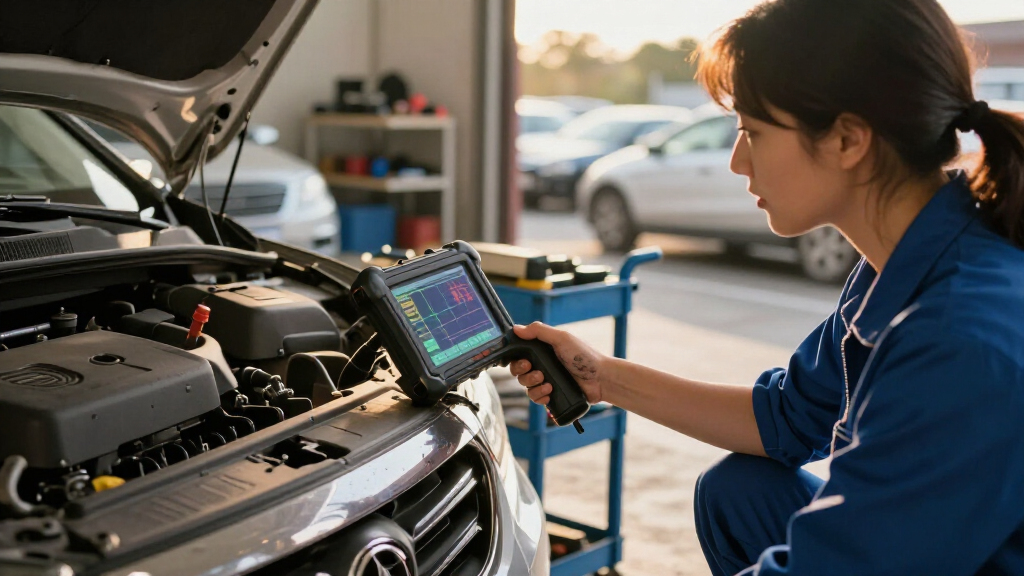
A car diagnostic scanner communicates with your vehicle’s onboard computer to retrieve trouble codes and, depending on the tool, live data and emissions readiness information. A code narrows the search but rarely proves which part failed, so use it to guide checks rather than replace a mechanic’s diagnosis.
A check-engine light can turn an ordinary commute into a guessing game. A car diagnostic scanner can show you what the vehicle’s computer recorded, but the code it displays is a clue—not a shopping list of parts to replace.
This guide explains what scanners read, how their features differ, and how to use one without erasing useful evidence. You’ll also learn when a warning calls for a qualified mechanic instead of more time with an app.
A scanner communicates with your vehicle’s onboard computer to retrieve supported trouble codes and, on some tools, live data or readiness information.
A code points to a detected condition or circuit; it usually does not prove which part failed.
Check scanner coverage for your exact make, model, year, and system before buying or relying on a feature.
Record codes and available freeze-frame data before clearing them; erasing codes can reset emissions readiness monitors.
Get prompt professional help for serious symptoms or faults involving brakes, airbags, overheating, or high-voltage EV systems.
What a Car Diagnostic Scanner Can Tell You
A car diagnostic scanner connects to a vehicle’s onboard computer and retrieves diagnostic trouble codes, or DTCs. The computer stores a code when a system’s readings or behavior meet criteria that suggest a fault. That makes the code useful for narrowing a search, but it describes what the computer detected—not necessarily the part that caused it.
Depending on the vehicle and scanner, you may also see live sensor data, freeze-frame records, and emissions readiness status. Live data shows how readings change while the engine runs, which can help distinguish a persistent fault from one that appears only under certain conditions. Freeze-frame data preserves a snapshot from when a fault was recorded, such as engine temperature and load. Readiness status indicates whether the vehicle’s emissions monitors have completed their checks; it can matter after repairs or after codes have been cleared.
For example, an oxygen-sensor-related code may point toward a sensor circuit, but damaged wiring, an exhaust leak, or an engine problem can produce similar readings. A basic reader may show only the code, while a more capable car diagnostic scanner may give you data to compare against the symptoms. More information can make the next check more focused, but interpreting it still takes vehicle-specific knowledge and, often, further testing.
Why a Trouble Code Doesn’t Name the Broken Part
A trouble code describes a condition or circuit the computer detected; it usually doesn’t identify the exact failed component. The distinction matters because several faults can create the same out-of-range reading. A code related to an oxygen sensor, for example, could come from the sensor, its wiring, an exhaust leak, or another engine issue that changes the exhaust mixture. Replacing the sensor based on the code alone may cost money without correcting the cause.
Imagine your car stores a code that points toward an oxygen-sensor circuit. A technician may first check connectors and wiring, look for exhaust leaks, and compare live readings with the engine’s operating conditions. Each check helps rule causes in or out. The code gives the technician a starting point; the tests determine whether the sensor itself is failing or merely reporting a problem elsewhere.
Use the code to focus your next step, not to make a parts decision. Note the code and when it appeared, then record symptoms such as a rough idle, unusual fuel use, or visible wire damage. Diagnosis means testing a cause; reading a code is only the start. If the evidence is unclear, a mechanic’s diagnostic work may cost more upfront than replacing a part, but it can prevent repeated repairs and lingering faults.
How to Use a Scanner Without Losing Useful Clues
- Check the vehicle and scanner match. Confirm the scanner supports your make, model, year, and the system you want to read. Many US cars and light trucks from model year 1996 onward use OBD-II for common emissions diagnostics, but coverage differs for other regions, older vehicles, heavy-duty vehicles, motorcycles, and manufacturer-specific systems. A plug that fits may still provide only limited access, so check the tool’s coverage list before relying on it.
- Read and record the results. Write down the codes and symptoms before clearing anything. If your tool supports freeze-frame data, save it too; that record can show conditions such as engine load or temperature when a fault appeared. These details matter because a problem that occurs only during a cold start may call for different checks than one that appears after the engine warms up.
- Look for a pattern, then verify it. Check whether the code fits what the car is doing, and use live data or a careful visual inspection when you know how. A code and a symptom together offer a better lead than either one alone. Treat readings as evidence to compare, since a sensor value can be affected by another fault or may require vehicle-specific interpretation.
- Clear a code only with a reason. Clearing it may turn off a warning temporarily, but it won’t repair the fault. It can also erase useful diagnostic information and reset emissions readiness monitors, which may need specific driving conditions before an inspection. If the light returns, the stored evidence may help identify when the issue recurs.
Say your car’s light appears after a cold morning start. Recording the code and freeze-frame information before clearing anything may preserve details that help explain why it happened. Save the evidence first, especially if you plan to ask a mechanic for help.
Which Scanner Features Match Your Needs
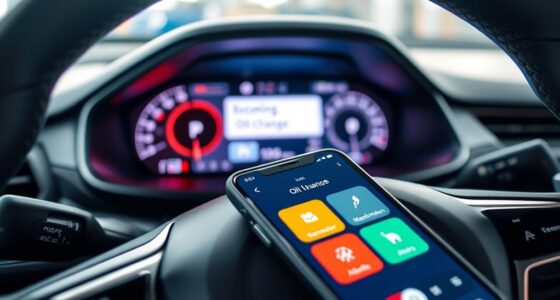
The right scanner depends on what you need to read and which systems your vehicle supports. Many basic tools handle generic engine and emissions information, while access to ABS, airbags, transmission, or body-control modules varies. A phone connection or longer feature list doesn’t guarantee coverage for your car. Paying for extra functions makes sense only if they work with the systems you need and you can interpret the results.
| Scanner type | What it may offer | What to check |
|---|---|---|
| Basic code reader | Generic emissions-related codes and code clearing | Compatibility with your vehicle’s OBD-II functions |
| Phone-connected adapter | Codes and data through a Bluetooth or Wi-Fi app | App features, connection needs, and possible fees |
| Advanced scanner | More live data, vehicle-specific codes, or service functions | Coverage by make, year, module, and software plan |
For example, if you only want to check an engine warning on a compatible 2012 sedan, a basic reader may do the job. If you need to investigate an ABS warning on a newer model, confirm that the scanner supports that system on your exact vehicle before you buy. A capable tool can reveal more useful detail, but some functions may need updated software, a subscription, or manufacturer authorization. Compare those ongoing costs with how often you expect to use the feature.
When a Warning Light Calls for a Mechanic
A scanner can help you spot a clue, but safety-critical repairs need proper inspection and testing. Take serious symptoms to a qualified mechanic instead of relying on a code reader to declare the car safe. A scanner typically reports what its connected systems detect; it cannot check every mechanical condition or establish that a safety system will work when needed. That matters most for braking problems, airbag warnings, overheating, or high-voltage electric-vehicle systems.
If your check-engine light flashes while the engine runs roughly, stop driving when you can do so safely and seek prompt professional advice. A flashing light can signal a problem that risks further damage. If your brakes lose force or the vehicle overheats, don’t keep driving just because a scanner hasn’t reported a clear answer. The absence of a code does not rule out a dangerous fault.
For a steady warning light with no severe symptoms, a scanner may help you prepare for a repair visit. Write down the codes and when the warning appeared; a mechanic can use that information alongside inspection and tests. If you’re buying a used car, check for open recalls through NHTSA as well as having the vehicle inspected. A scanner won’t show every safety defect or recall, so those checks answer different questions.
Three Scanner Habits That Make Results More Useful
You’ll get more value from a scanner when you match its coverage to your vehicle, keep the original results, and treat codes as leads to investigate. Those habits help whether you’re checking an occasional engine light or tracking a recurring fault. The scanner works best as one part of a careful diagnosis.
- Check exact coverage: Look up your make, model, year, and the system you need before buying.
- Keep a simple record: Note each code, date, mileage, and symptom, such as a stumble at idle or a light that appears after refueling.
- Don’t clear codes just to hide a light: The underlying problem may remain, and readiness monitors may reset.
- Ask for help when the fault is safety-related or unclear: Professional inspection can include electrical and mechanical tests a consumer scanner cannot perform.
For instance, a driver who records a recurring code along with the mileage and rough-idle symptoms gives a mechanic a useful starting point. That small habit can turn a vague complaint into a more focused conversation.
Frequently Asked Questions
Will any scanner work with my car?
A basic OBD-II reader can retrieve generic emissions-related information from many compatible vehicles, but coverage varies. Check support for your exact make, model, year, and system, especially for ABS, airbags, or transmission diagnostics.
Can a scanner tell me exactly what is wrong?
Usually not. A scanner reports codes and, depending on the tool, data that can help guide further checks. A mechanic may need to inspect wiring or run electrical and mechanical tests to confirm the cause.
Can I clear the check-engine light with a scanner?
Many scanners can clear supported stored codes, but the light may return if the fault remains. Clearing codes can also erase useful information and reset emissions readiness monitors, so record the results first.
Can a basic scanner diagnose ABS or airbag warnings?
Only if it supports those systems on your specific vehicle. Many basic engine-code readers cannot access every module, and airbag and brake-system faults need proper diagnosis by a qualified professional.
Do phone-connected scanners need internet access?
Bluetooth and Wi-Fi adapters generally use a phone app, while standalone scanners have their own screen. Some apps offer basic functions offline; code lookups, cloud reports, or updates may need an internet connection.
Conclusion
Use a car diagnostic scanner to narrow the search, keep the results, and confirm the cause before replacing parts. When a warning points to a safety system or comes with serious symptoms, put the scanner down and contact a qualified mechanic.
A code is a trail marker, not the end of the road.
Fall Picks
fall essentials
As an affiliate, we earn on qualifying purchases.