
TL;DR

Get business pricing on garage and car supplies
- Business-only prices and quantity discounts
- Tax-exempt purchasing
- Multiple users, one account, clear invoices
Buying a prebuilt AI workstation often saves time and reduces risk, especially with current component shortages. Building can still offer customization and control but may cost more and take longer. Your choice depends on your priorities for speed, cost, and flexibility.
Imagine getting your AI project up and running in days, not months. That’s the real advantage of a prebuilt workstation—plug in, power up, and start training models. But if you crave custom control or want to tweak every cooling fan and voltage curve, building might still appeal.
This decision isn’t just about saving money anymore—it’s about time, risk, and how much control you want over your system’s guts. In 2026, the old rule that DIY always beats prebuilt on price no longer holds. Component shortages have pushed prices up, making the buying route more attractive than ever. So, should you build your own machine or buy one ready-made? Let’s break down what really matters now.
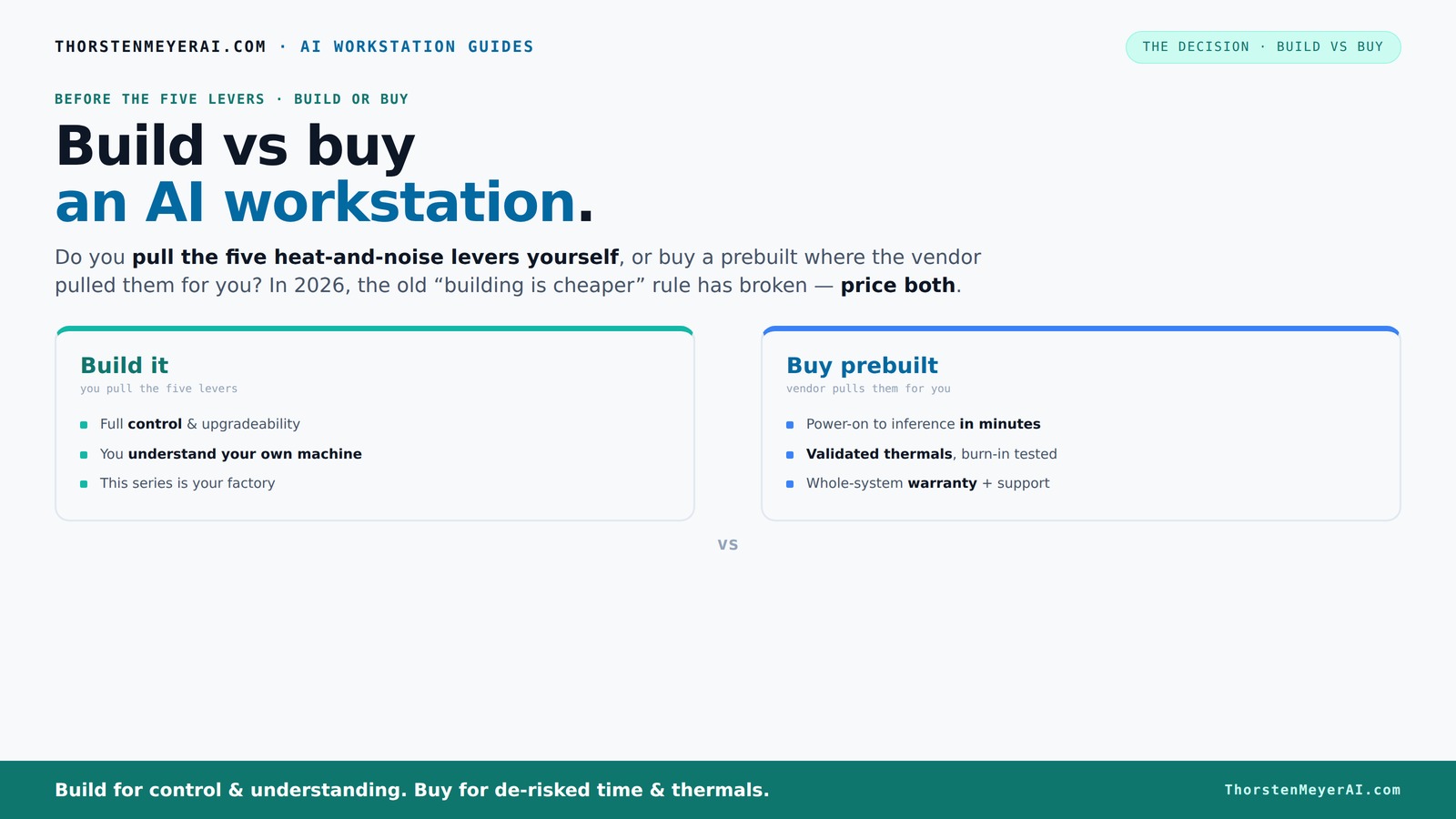
Build vs buy
an AI workstation.
The real question behind this whole series: do you pull the five heat-and-noise levers yourself, or buy a prebuilt where the vendor pulled them for you? And in 2026, the old “building is cheaper” rule has broken. Match your situation in Part 3.
Key Takeaways
- Component shortages in 2026 make prebuilt AI workstations often cheaper than DIY builds, reversing decades of tradition.
- Control over cooling, noise, and hardware tuning is a key advantage of building your own system, but it requires expertise.
- Most enterprise users prioritize speed, reliability, and support—factors that favor buying prebuilt systems.
- Hybrid models combine the best of both worlds: buy a validated system and customize its software or hardware layers.
- Hidden costs—like troubleshooting, upgrades, and maintenance—are often overlooked with DIY builds and can add up over time.
As an affiliate, we earn on qualifying purchases.
Why 2026 Changes Everything: Building Is No Longer Cheaper
In the past, building your own AI workstation was the clear cost winner. You cherry-pick parts, cut out middlemen, and often save hundreds. But today, supply chain snarls and bulk buying by major vendors have flipped that script.
For example, a GPU that used to cost around $1,200 in 2023 now often exceeds $1,500 due to shortages. DDR5 RAM and high-end SSDs have similarly spiked. Meanwhile, prebuilt manufacturers buy in bulk—sometimes years ahead—allowing them to offer systems that cost less than assembling yourself.
This means the traditional math no longer applies. Building a rig that used to cost $1,250 now might cost the same or more, especially once you add in your time and troubleshooting. The old assumption that DIY is always cheaper is cracked. You must price both options today, not rely on old rules.
What this shift implies is a fundamental change in how we evaluate cost. The perceived savings of DIY are often offset by hidden costs—time, expertise, and troubleshooting—that can turn what seemed like a bargain into an expensive gamble. Recognizing this helps you make smarter decisions aligned with your real budget and operational needs.
Practical Takeaway: Before deciding, create a detailed cost comparison that includes hardware prices, your time, and potential troubleshooting. Use online build calculators and vendor quotes to see if building still offers savings, or if buying is more economical now.
As an affiliate, we earn on qualifying purchases.
The Heat and Noise Levers: Who Controls the Cooling Puzzle?
Building your own AI workstation means you get to pull all the levers—undervolt GPUs, tweak case airflow, choose custom coolers. This is where your expertise can really shine, allowing you to optimize thermal performance for maximum efficiency and minimal noise.
For instance, selecting a GPU like the NVIDIA RTX 4090 with a custom undervolt can significantly reduce power consumption and heat output, resulting in quieter operation. Pairing it with a high-quality case and water-cooling system allows you to fine-tune airflow and thermal dissipation, which can extend hardware lifespan and improve overall stability.
Prebuilt vendors like Lambda or BIZON handle this for you. They run extensive testing—24 to 48 hours under load—and validate that their systems stay cool and silent. They often employ advanced cooling solutions, such as custom water loops, that are optimized for high-performance workloads. This approach not only reduces the risk of thermal throttling but also ensures consistent, reliable performance over time.
Practical Action Step: If noise and thermal management are priorities, evaluate your own expertise and time commitment. Consider whether you’re prepared to test and tune your cooling solutions or if opting for a pretested, vendor-supported system will save you effort and provide peace of mind.
As an affiliate, we earn on qualifying purchases.
Compare the Cost and Speed: Build vs Buy at a Glance
| Criteria | Build Your Own | Buy Prebuilt |
|---|---|---|
| Initial Cost | Often similar or higher, due to component shortages and added assembly time | Can be cheaper, thanks to bulk buying and optimized sourcing |
| Time to Deploy | Weeks to months, including sourcing, assembly, testing | Days to a few weeks, ready to go out of the box |
| Control & Customization | Full control—choose every part, fine-tune cooling, tweak BIOS | Limited to vendor options; customization mostly software and minor hardware tweaks |
| Risk & Reliability | Higher risk of configuration errors, less validation | Validated thermals, extensive testing, warranty included |
| Support & Upgrades | Self-managed, ongoing maintenance required | Vendor support, warranty, scheduled upgrades |
Practical Decision Framework: To decide between build and buy, assess your project’s timeline, your technical skills, and your need for customization. If you have the expertise and time to build and tune the system, and your workload demands specific hardware tweaks, building can be rewarding. Conversely, if speed, reliability, and vendor support are top priorities, buying is often the smarter, less stressful route.
As an affiliate, we earn on qualifying purchases.
Frequently Asked Questions
Is buying a prebuilt AI workstation cheaper than building one?
In 2026, component shortages and bulk purchasing often make prebuilt workstations more economical than DIY builds, especially when factoring in time and troubleshooting costs.How much faster is buy vs build in real deployments?
Prebuilt systems typically go from unboxing to AI training within days or a few weeks, while building from scratch can take several months—sometimes even longer if troubleshooting or custom modifications are involved.When does building make more sense than buying?
Building is best when your workload is highly unique, you need total control over hardware and cooling, or your project’s success depends on custom hardware integration that vendors can’t support out of the box.What hidden costs do people miss when building?
Hidden costs include troubleshooting hardware compatibility, ongoing maintenance, upgrading components, and the time spent on configuration and tuning—expenses that can quickly add up over the system’s lifetime.How do security and compliance affect the decision?
If your data is sensitive or regulated, building in-house offers more control over security policies. Conversely, prebuilt systems often come with security certifications and compliance support that can ease deployment in regulated environments.Conclusion
The choice between build and buy isn’t just about saving a few dollars anymore. It’s about how quickly you need to deploy, how much control you want, and how comfortable you are with ongoing maintenance. In 2026, most users find that buying a validated, supported system often hits the sweet spot.
But if your project demands total control or specific hardware tweaks, building your own system can still be worth the effort. The key is to honestly weigh your skills, timeline, and budget against your need for customization and support.
Practical Decision-Making Tip: Create a decision matrix that scores your priorities—cost, speed, control, support—and rates each option against these criteria. This structured approach helps clarify which path aligns best with your project goals.
Imagine your perfect AI workstation—whether it’s a ready-to-run powerhouse or a finely tuned custom rig. Your decision shapes how fast and smoothly your AI dreams become reality. So, ask yourself: are you the builder or the buyer? The answer will define your success.
Halloween Picks
halloween
As an affiliate, we earn on qualifying purchases.