

The best automotive Ethernet transceivers depend on the network standard, connector, and host interface your project requires. I’d put the BUELEC 100/1000BASE-T1 to Ethernet Media Converter with USB-C/DC Power first for its flexible power options and support for two T1 speeds; the Innomaker 1000BASE-T1 to 1000BASE-TX converter is a strong alternative for a fixed gigabit link, while the BUELEC 10BASE-T1S USB converter serves a different low-speed network need. The main tradeoff is breadth and convenience versus a precise match for your speed, connector, and connection method. Product names can be similar, so checking the exact interface and included adapters matters as much as the brand. Read on for the full comparison, selection criteria, and guidance for matching a converter to your setup.

Get garage and car supplies delivered free — and shop member deals
- Fast, free delivery on millions of items
- Access to Prime Big Deal Days deals on October 6–7
- Prime Video, Amazon Music and more included
Complete the kit


Key Takeaways
- Speed support separates the main picks: several BUELEC converters support 100/1000BASE-T1, while the Innomaker gigabit converters and SE1001 Pro modules focus on 1000BASE-T1; the BUELEC 10BASE-T1S USB model targets a distinct standard.
- The overall pick offers power flexibility: the BUELEC USB-C/DC-powered converter can suit setups where the available power source varies, but buyers still need to confirm the required link speed and connector.
- Connector kits change the practical fit: BUELEC listings with MATEnet and H-MTD adapters can help when a project uses those connections, while a bare RJ45 interface may suit a more direct bench connection.
- Similar SE1001 Pro listings require careful comparison: several entries share nearly identical names, so confirm the exact version, supplied accessories, and specifications before ordering rather than assuming each listing differs meaningfully.
- 10BASE-T1S is not a substitute for gigabit T1: the DB9 terminal-board USB converter addresses a different network requirement, making it a specialized choice rather than a lower-cost stand-in for 1000BASE-T1 equipment.
| BUELEC 100/1000BASE-T1 to Ethernet Media Converter with USB-C/DC Power |  | Best for Connector Flexibility | Conversion: 100/1000BASE-T1 to 100/1000BASE-TX | Maximum data rate: 1 Gbps | Ethernet chips: Marvell 88Q2112 and RTL8211FI | VIEW LATEST PRICE | See Our Full Breakdown |
| SE1001 Pro 1000Base-T1 Automotive Ethernet to RJ45 Interface Module |  | Best for Link Configuration | Model: SE1001 Pro | Interface: 1000Base-T1 to RJ45 | RJ45 speeds: 100 Mbps and 1 Gbps | VIEW LATEST PRICE | See Our Full Breakdown |
| BUELEC 100/1000BASE-T1 to 100/1000BASE-TX Automotive Ethernet Media Converter | 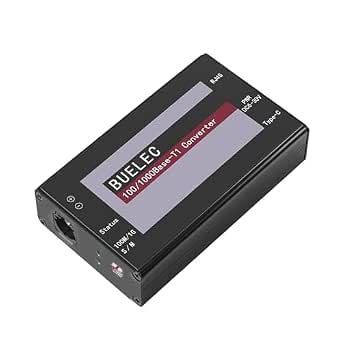 | Best for Embedded and Linux Projects | Ethernet conversion: 100/1000BASE-T1 to 100/1000BASE-TX | Maximum speed: 1 Gbps | Transceivers: Marvell 88Q2112 and Realtek RTL8211FI | VIEW LATEST PRICE | See Our Full Breakdown |
| BUELEC 10BASE-T1S USB to Automotive Ethernet Converter with DB9 Terminal Board |  | Best for 10BASE-T1S Multidrop Networks | Ethernet standard: 10BASE-T1S, IEEE 802.3cg | Computer connector: USB 2.0 Type-A | Bus interface: DB9; included DB9-to-terminal board | VIEW LATEST PRICE | See Our Full Breakdown |
| BUELEC Automotive Ethernet Media Converter, 100/1000BASE-T1 to Gigabit Ethernet |  | Best Compact MATENET Pick | Ethernet conversion: 100/1000BASE-T1 to 100/1000BASE-TX | Maximum speed: 1 Gbps, full duplex | Connectors: MATENET and RJ45 | VIEW LATEST PRICE | See Our Full Breakdown |
| BUELEC USB 3.0 to Automotive Single-Pair Ethernet Adapter with MATEnet and HMTD Adapters |  | Best for Laptop-Based Diagnostics | Standards: IEEE 802.3bw (100BASE-T1); IEEE 802.3bp (1000BASE-T1) | Data rate: 100 Mbps or 1 Gbps, full duplex | Power: USB bus-powered, 5 V, 0.33 A; maximum 1.65 W | VIEW LATEST PRICE | See Our Full Breakdown |
| Innomaker 1000BASE-T1 to 1000BASE-TX Ethernet Media Converter |  | Best for Simple Gigabit RJ45 Bridging | Model: 1000BASE-T1-TX-TI | Conversion: 1000BASE-T1 to 1000BASE-TX | Data rate: 1000 Mbps, full duplex | VIEW LATEST PRICE | See Our Full Breakdown |
| BUELEC 100/1000BASE-T1 to Ethernet Media Converter with MATEnet and H-MTD Adapters |  | Best Overall for Mixed-Rate Bench Work | Conversion: Bidirectional 100/1000BASE-T1 to 100/1000BASE-TX | Data rate: Up to 1 Gbps, full duplex | Network standards: IEEE 802.3bw and IEEE 802.3ab | VIEW LATEST PRICE | See Our Full Breakdown |
| SE1001 Pro 1000Base-T1 Automotive Ethernet Interface Module to RJ45 |  | Best for Flexible Power Setups | Model: SE1001 Pro | Interface: 1000BASE-T1 to RJ45 | Data rates: 1000 Mbps and 100 Mbps | VIEW LATEST PRICE | See Our Full Breakdown |
| SE1001 Pro 1000Base-T1 Automotive Ethernet to RJ45 Interface Module |  | Best for Hands-On Configuration | Model: SE1001 Pro | Interface: 1000BASE-T1 to RJ45 | RJ45 speeds: 1000 Mbps and 100 Mbps | VIEW LATEST PRICE | See Our Full Breakdown |
| SE1001 Pro 1000Base-T1 Automotive Ethernet Interface Module to RJ45 |  | Best for a Simple, Sealed Connection | Model: SE1001 Pro | Interface: 1000Base-T1 to RJ45 | Mode: Legacy mode | VIEW LATEST PRICE | See Our Full Breakdown |
| Innomaker Automotive 1000BASE-T1 to Ethernet Media Converter | 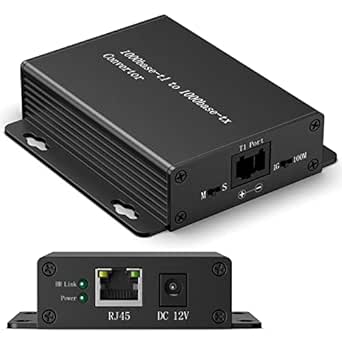 | Best for ECU Bench Testing | Model: 1000BASE-T1-TX | Ethernet standard: 1000BASE-T1 to 1000BASE-TX | Supported modes: 100M and 1000M, manually switchable | VIEW LATEST PRICE | See Our Full Breakdown |
| automotive Ethernet transceiver | Model |
|---|---|
| BUELEC 100/1000BASE-T1 to Ethe | — |
| SE1001 Pro 1000Base-T1 Automot | SE1001 Pro |
| BUELEC 100/1000BASE-T1 to 100/ | — |
| BUELEC 10BASE-T1S USB to Autom | — |
| BUELEC Automotive Ethernet Med | — |
| BUELEC USB 3.0 to Automotive S | — |
| Innomaker 1000BASE-T1 to 1000B | 1000BASE-T1-TX-TI |
| BUELEC 100/1000BASE-T1 to Ethe | — |
| SE1001 Pro 1000Base-T1 Automot | SE1001 Pro |
| SE1001 Pro 1000Base-T1 Automot | SE1001 Pro |
| SE1001 Pro 1000Base-T1 Automot | SE1001 Pro |
| Innomaker Automotive 1000BASE- | 1000BASE-T1-TX |
More Details on Our Top Picks
BUELEC 100/1000BASE-T1 to Ethernet Media Converter with USB-C/DC Power
This converter is the most adaptable pick here for teams that encounter different automotive-side connectors. Along with RJ45, it includes TE MATEnet and Rosenberger HMTD adapters, reducing the need to source separate interface pieces when moving between compatible setups. It converts 100/1000BASE-T1 up to 1 Gbps, matching the speed range of the BUELEC MATENET-only converter, but its extra adapter options make it better suited to mixed-bench work.
USB-C or 6–30 V DC power supports both quick computer-side setups and bench installations, while the stated -40°C to +85°C range suits demanding environments. The tradeoff is that connector variety does not make it universal: the vehicle link still needs to match a supported adapter and configuration. Buyers who only need a 10BASE-T1S bus connection should choose the separate BUELEC USB converter instead.
Pros:- Includes both TE MATEnet and Rosenberger HMTD adapters
- Converts 100/1000BASE-T1 to RJ45 at up to 1 Gbps
- Accepts USB-C or 6–30 V DC power
- Specified operating range of -40°C to +85°C
Cons:- Automotive-side compatibility depends on the connector and link matching the supported interfaces
- More adapter options may be unnecessary for a bench dedicated to one connector type
Best for: Automotive diagnostics and development teams switching among compatible MATEnet and HMTD connections and needing gigabit RJ45 access.
Not ideal for: Buyers working exclusively with 10BASE-T1S multidrop networks or with an automotive connector outside the supplied adapter options.
- Conversion:100/1000BASE-T1 to 100/1000BASE-TX
- Maximum data rate:1 Gbps
- Ethernet chips:Marvell 88Q2112 and RTL8211FI
- Connectors:RJ45, 15EDG 3.81 mm 2-pin terminal block, TE MATEnet and Rosenberger HMTD adapters
- Power input:USB Type-C 5 V or DC 6–30 V
- Operating temperature:-40°C to +85°C
- Protocols and features:IEEE 802.3bw and 802.3ab; auto-negotiation, full duplex, VLAN 802.1Q, QoS, status LEDs
- Dimensions:50 × 20 × 83 mm
Our verdict“Choose this BUELEC when one gigabit converter needs to accommodate compatible MATEnet and HMTD connections.”
SE1001 Pro 1000Base-T1 Automotive Ethernet to RJ45 Interface Module
The SE1001 Pro is the configuration-focused choice for a 1000BASE-T1-to-RJ45 bench. Its distinctive advantage over the BUELEC MATENET converter is selectable automatic or manual operation and master/slave control, giving technicians a way to match the link setup rather than relying only on automatic behavior. It supports 100 Mbps and 1 Gbps RJ45 modes, though the product is built around a 1000BASE-T1 automotive interface rather than the broader connector assortment of the BUELEC converter with MATEnet and HMTD adapters.
Type-C and 5–32 V DC inputs offer flexible bench power, and the included 12 V adapter and Type-C cable help make setup more direct. The tradeoff is that manual operation requires DIP-switch configuration, which can add setup steps and invite mistakes. Vehicle compatibility still needs checking before purchase.
Pros:- Provides automatic or manual operating modes
- Supports master/slave configuration
- Offers 100 Mbps and 1 Gbps RJ45 speeds
- Includes Type-C cable, terminal block, and 12 V adapter
Cons:- Manual configuration requires setting DIP switches
- Vehicle and link compatibility must be checked
- Does not list the multiple automotive connector adapters supplied with the BUELEC multi-adapter converter
Best for: Automotive engineers who need to set master/slave behavior or manually configure a 1000BASE-T1-to-RJ45 link.
Not ideal for: Users seeking supplied MATEnet or HMTD adapters, or those who want a setup with no manual switch configuration.
- Model:SE1001 Pro
- Interface:1000Base-T1 to RJ45
- RJ45 speeds:100 Mbps and 1 Gbps
- Operating modes:Automatic or manual; master or slave
- Power inputs:Type-C 5 V, 0.5 A; DC 5–32 V
- Included terminal block:3.81 mm 2-pin
- Included power accessories:12 V 1 A power adapter and Type-C data cable
Our verdict“Pick the SE1001 Pro when link-role and operating-mode control matter more than having multiple automotive-side adapters.”
BUELEC 100/1000BASE-T1 to 100/1000BASE-TX Automotive Ethernet Media Converter
This BUELEC stands out for buyers who want a gigabit automotive Ethernet bridge that can sit in a broader development setup. Its listed compatibility includes PC, ARM devices, and Raspberry Pi, while the BUELEC MATENET-only model lists PC and ARM devices. That makes this version a more natural fit for embedded development benches, subject to the project’s automotive-side connector requirements. Both products use Marvell and Realtek PHY chips, support USB-C or DC power, and handle 100/1000BASE-T1 conversion up to 1 Gbps.
The stated 0–95% RH tolerance, -40°C to +85°C range, and built-in electrical protection point to use beyond a protected desktop setup. The tradeoff is a listed H-MTD interface, so connector fit needs checking before purchase. Unlike the 10BASE-T1S USB converter, this is for 100/1000BASE-T1 links, not a 10BASE-T1S multidrop bus.
Pros:- Lists compatibility with PC, ARM devices, and Raspberry Pi
- Supports 100 Mbps and 1 Gbps conversion
- Accepts USB-C or 6–30 V DC power
- Specifies electrical protection and a -40°C to +85°C operating range
Cons:- H-MTD automotive-side connection may not fit every vehicle or harness
- Does not include the explicitly listed MATEnet and Rosenberger HMTD adapters of the multi-adapter BUELEC model
- Requires a separate compatible automotive Ethernet connection
Best for: Embedded developers using a PC, ARM system, or Raspberry Pi to diagnose or debug a compatible 100/1000BASE-T1 automotive link.
Not ideal for: Users working with 10BASE-T1S networks or whose vehicle-side connector does not match the listed H-MTD interface.
- Ethernet conversion:100/1000BASE-T1 to 100/1000BASE-TX
- Maximum speed:1 Gbps
- Transceivers:Marvell 88Q2112 and Realtek RTL8211FI
- Interfaces:H-MTD and RJ45
- Power input:USB Type-C, 5 V ±0.5 V, ≤355 mA; DC jack, 6–30 V
- Operating conditions:-40°C to +85°C; 0–95% RH
- Protocols:IEEE 802.3bw, IEEE 802.3ab, IEEE 802.1Q
- Dimensions:50 × 20 × 83 mm
- Compatible devices:ARM devices, PC, Raspberry Pi
Our verdict“Choose this model for embedded-platform work on a compatible H-MTD 100/1000BASE-T1 link.”
BUELEC 10BASE-T1S USB to Automotive Ethernet Converter with DB9 Terminal Board
This is the lineup’s specialist pick: it connects a computer to a 10BASE-T1S bus, rather than converting 100/1000BASE-T1 to gigabit RJ45 like the other BUELEC media converters. Its PLCA support and configurable node ID and node count make it relevant to multidrop development, while the included DB9-to-terminal board and switchable 100Ω resistor give buyers useful control over bus wiring and termination. Compared with the SE1001 Pro, this is aimed at a different Ethernet generation and network topology, not a slower alternative for the same link.
USB bus power avoids a separate adapter, and Windows 10+ and Linux support suit common development computers. The limits are specific: it requires a computer USB connection and lists a maximum bus distance of 25 m. Buyers needing a 1 Gbps RJ45 link should choose one of the 100/1000BASE-T1 converters instead.
Pros:- Supports 10BASE-T1S PLCA with configurable Node ID and Node Count
- Includes DB9-to-terminal board and switchable 100Ω termination
- Powered from USB without an external adapter
- Supports Windows 10 and later and Linux
Cons:- The stated maximum bus distance is 25 m
- Requires a USB-connected computer
- Does not provide the gigabit RJ45 conversion offered by the other listed BUELEC converters
Best for: Engineers developing or diagnosing 10BASE-T1S multidrop networks who need configurable PLCA settings and accessible termination.
Not ideal for: Buyers needing 100/1000BASE-T1 conversion, gigabit RJ45 output, or a converter that operates without a computer USB connection.
- Ethernet standard:10BASE-T1S, IEEE 802.3cg
- Computer connector:USB 2.0 Type-A
- Bus interface:DB9; included DB9-to-terminal board
- PLCA:Configurable Node ID and Node Count
- Termination resistor:Switchable 100Ω
- Power:USB bus powered, 5 V, 0.33 A, 1.65 W
- Maximum bus distance:25 m UTP
- Compatibility:Windows 10 and later; Linux
- Dimensions:3.5 × 2.5 × 0.75 in
Our verdict“Choose this converter for computer-connected 10BASE-T1S multidrop work, not for gigabit automotive Ethernet conversion.”
BUELEC Automotive Ethernet Media Converter, 100/1000BASE-T1 to Gigabit Ethernet
This compact BUELEC is a focused choice for a bench built around a MATENET automotive connection. It converts 100/1000BASE-T1 to gigabit RJ45 at up to 1 Gbps, much like the BUELEC model with MATEnet and HMTD adapters. The difference is emphasis: this version lists MATENET and RJ45 directly, while the other BUELEC adds HMTD adapters and a terminal block for broader connection options. For a dedicated MATENET setup, that narrower interface list may be a simpler match.
USB-C or 6–30 V DC power, auto-negotiation, and a -40°C to +85°C range make it suited to diagnostics and industrial networking setups. Its 50 × 20 × 83 mm body is compact, but it still needs a separate power source and a compatible automotive-side connection. The 10BASE-T1S USB converter offers bus tools for a different network type; it is not a substitute for this gigabit bridge.
Pros:- Converts 100/1000BASE-T1 to full-duplex gigabit RJ45
- Provides a direct MATENET connection
- Accepts USB-C or 6–30 V DC power
- Lists a -40°C to +85°C operating range
Cons:- Requires a separate power source
- MATENET compatibility must match the automotive connection
- Offers fewer listed automotive-side adapter options than the BUELEC converter with MATEnet and HMTD adapters
Best for: Technicians with a known-compatible MATENET connection who need compact 100/1000BASE-T1-to-RJ45 conversion for diagnostics or industrial networking.
Not ideal for: Teams that need multiple supplied automotive connector adapters, an integrated power source, or a 10BASE-T1S interface.
- Ethernet conversion:100/1000BASE-T1 to 100/1000BASE-TX
- Maximum speed:1 Gbps, full duplex
- Connectors:MATENET and RJ45
- PHY chips:Marvell 88Q2112 and Realtek RTL8211FI
- Power input:USB Type-C, 5 V ±0.5 V at up to 355 mA, or DC jack, 6–30 V
- Operating conditions:-40°C to +85°C; 0–95% RH
- Protocols:IEEE 802.3bw, IEEE 802.3ab, IEEE 802.1Q VLAN
- Dimensions:50 × 20 × 83 mm
- Warranty:1 year
Our verdict“Pick this model for a compact, dedicated MATENET-to-gigabit Ethernet bridge when its connector matches your vehicle setup.”
BUELEC USB 3.0 to Automotive Single-Pair Ethernet Adapter with MATEnet and HMTD Adapters
I’d pick this adapter for bench work where the computer itself needs to connect directly to a T1 network. It supports both 100BASE-T1 and 1000BASE-T1, and its hardware switches let technicians set speed and Master/Slave mode without relying on configuration software. The included MATEnet and HMTD leads make it more connection-ready for automotive testing than the Innomaker converter, which instead bridges T1 to RJ45 for use with separate Ethernet equipment.
Its USB bus power keeps the setup light, a practical advantage when moving between laptops and ECUs. The tradeoff is that this is a USB interface, not an RJ45 media converter, so it won’t directly connect a standard Ethernet cable. I’d also check OS support before buying: the listed macOS range ends at 10.15, despite broader Windows and Linux coverage.
Pros:- Supports both 100 Mbps and 1 Gbps automotive T1 links
- Includes MATEnet and HMTD adapter leads
- Bus-powered from USB, with no separate power supply
- Hardware switches select link speed and Master/Slave mode
Cons:- T1 connectors do not provide a direct standard RJ45 connection
- Listed macOS compatibility ends at version 10.15
Best for: Technicians and developers who need a portable laptop interface for 100BASE-T1 or 1000BASE-T1 ECU diagnostics and already work with MATEnet or HMTD connections.
Not ideal for: Buyers who need a direct RJ45 bridge or rely on macOS versions newer than 10.15, since the listed support does not cover newer releases.
- Standards:IEEE 802.3bw (100BASE-T1); IEEE 802.3bp (1000BASE-T1)
- Data rate:100 Mbps or 1 Gbps, full duplex
- Power:USB bus-powered, 5 V, 0.33 A; maximum 1.65 W
- Host connector:USB 3.0 Type-A; compatible with USB 2.0 and USB 3.0 hosts
- Network connector:15EDG 3.81 mm 2-pin screw terminal
- Included adapters:TE MATEnet and Rosenberger HMTD, 150 mm pigtails
- Listed operating systems:Windows XP–11; Linux kernel up to 6.17; macOS 10.8–10.15
- Protection:Overvoltage, overcurrent, and ESD protection
- Dimensions and weight:3.86 × 1.02 × 1.23 inches; 2.12 ounces
Our verdict“Choose this BUELEC adapter for a portable, USB-powered laptop connection across both common T1 rates, but not for RJ45 bridging.”
Innomaker 1000BASE-T1 to 1000BASE-TX Ethernet Media Converter
For a straightforward link between a 1000BASE-T1 ECU and gigabit RJ45 equipment, I rate this Innomaker converter ahead of the BUELEC USB adapter: it performs a direct media conversion rather than making a laptop the network interface. Its OLED screen and cable open/short fault detection also give technicians useful setup feedback without adding a driver-installation step.
The tradeoff is narrower rate support. Unlike the BUELEC 100/1000BASE-T1 media converter, this model is 1000BASE-T1 only, so it is a poor fit for 100BASE-T1 systems. It includes TE MATEnet and Molex adapters, but no Ethernet cable, so a complete RJ45-side connection requires a separate cable. I’d choose it for focused gigabit bench testing, not a mixed-rate toolbox.
Pros:- Converts 1000BASE-T1 directly to standard gigabit Ethernet
- OLED display provides at-a-glance device information
- Detects cable open and short faults
- Plug-and-play operation requires no driver installation
Cons:- Does not support 100BASE-T1 communication
- RJ45 Ethernet cable is not included
Best for: Automotive engineers connecting a known 1000BASE-T1 ECU to gigabit RJ45 test equipment who want on-device status and cable fault checks.
Not ideal for: Technicians handling 100BASE-T1 vehicles or mixed-rate projects, since this converter does not support 100BASE communication.
- Model:1000BASE-T1-TX-TI
- Conversion:1000BASE-T1 to 1000BASE-TX
- Data rate:1000 Mbps, full duplex
- Supported rate:1000BASE only; not compatible with 100BASE
- Features:OLED screen, Master/Slave configuration, cable open and short fault detection
- Included adapters:One TE MATEnet adapter and one Molex adapter
- Ethernet cable:Not included
- Warranty:1 year
Our verdict“Choose this Innomaker for a focused 1000BASE-T1-to-RJ45 bench link, but select a dual-rate converter for mixed-speed work.”
BUELEC 100/1000BASE-T1 to Ethernet Media Converter with MATEnet and H-MTD Adapters
This is my strongest all-around pick for a bench that needs to bridge automotive T1 links to ordinary Ethernet. The bidirectional 100/1000BASE-T1 conversion covers both common link rates, while the included MATEnet and H-MTD adapters and RJ45 cable make the package more ready to connect than the Innomaker 1000BASE-T1 converter, which is limited to gigabit and omits the Ethernet cable. Automatic Master/Slave switching and status LEDs also reduce setup friction.
The machined aluminum enclosure and stated -40°C to +85°C operating range suit more demanding test environments than a basic laptop adapter. It also offers USB-C PD and DC power options. The compromises are practical rather than headline-grabbing: it needs external power, unlike the USB-powered BUELEC laptop adapter, and the supplied details don’t establish firmware update availability or list specific compatible devices.
Pros:- Bidirectional conversion supports both 100BASE-T1 and 1000BASE-T1
- Includes MATEnet, H-MTD, RJ45 cable, and power accessories
- Automatic Master/Slave switching and status LEDs simplify setup
- Machined aluminum enclosure with a stated -40°C to +85°C operating range
Cons:- Requires USB-C PD or DC power rather than running from a laptop USB port alone
- Firmware update availability and a detailed device compatibility list are not specified
Best for: Automotive validation teams that need one enclosed converter for both 100BASE-T1 and 1000BASE-T1 testing against RJ45 equipment.
Not ideal for: Laptop users who want a bus-powered T1 interface or buyers who require documented firmware update support and a specific vehicle compatibility list.
- Conversion:Bidirectional 100/1000BASE-T1 to 100/1000BASE-TX
- Data rate:Up to 1 Gbps, full duplex
- Network standards:IEEE 802.3bw and IEEE 802.3ab
- PHY chips:Marvell 88Q2112 and Realtek RTL8211FI
- Included adapters:TE MATEnet and Rosenberger H-MTD
- Included accessories:USB-C power cable, DC power adapter, RJ45 cable, and two terminal blocks
- Power input:USB-C PD and 5.5 mm DC jack, 5–36 V
- Features:Automatic Master/Slave switching, VLAN tagging, QoS, and status LEDs
- Enclosure and operating temperature:CNC-machined aluminum alloy; -40°C to +85°C
Our verdict“Choose this BUELEC converter as a flexible mixed-rate bench bridge when you value a complete connection kit over bus-powered portability.”
SE1001 Pro 1000Base-T1 Automotive Ethernet Interface Module to RJ45
The SE1001 Pro’s main distinction is its choice of USB-C or 5–32 V DC power, paired with manual DIP-switch configuration or automatic mode detection. That flexibility can help when the module must move between a laptop-side setup and a vehicle or bench supply. It also supports 100 Mbps and 1 Gbps modes, giving it broader rate coverage than the gigabit-only Innomaker converter.
For buyers who need a better documented package, though, the BUELEC dual-rate media converter is the safer comparison: its supplied data spells out standards, PHYs, included network accessories, and environmental limits. The SE1001 Pro listing provides less detail on vehicle compatibility, and automatic mode has a specified connection order: connect the T1 signal before RJ45. I’d verify the intended vehicle and workflow before choosing it.
Pros:- Supports both 1000 Mbps and 100 Mbps modes
- Offers USB-C and 5–32 V DC power options
- DIP switches provide manual configuration or automatic mode
- Includes a terminal block, 12 V adapter, and Type-C cable
Cons:- Vehicle compatibility requires verification before purchase
- Automatic mode requires the T1 connection before the RJ45 connection
- The listing gives limited detail about supported vehicle systems
Best for: Independent technicians who need a dual-rate T1-to-RJ45 module and want to power it from either USB-C or a broad-range DC supply.
Not ideal for: Teams buying for a defined vehicle platform without time to verify compatibility, or users who need a detailed published list of supported systems.
- Model:SE1001 Pro
- Interface:1000BASE-T1 to RJ45
- Data rates:1000 Mbps and 100 Mbps
- Power input:5–32 V DC or Type-C, 5 V 0.5 A
- Configuration:DIP switches for manual or automatic mode
- Included items:Module, terminal block, 12 V 1 A adapter, and Type-C cable
- Weight:1.76 ounces
Our verdict“Choose this SE1001 Pro when flexible power and selectable configuration matter, after confirming compatibility with your vehicle and test setup.”
SE1001 Pro 1000Base-T1 Automotive Ethernet to RJ45 Interface Module
This SE1001 Pro makes the most sense for technicians who want direct control over link setup. Its DIP switches select speed, Master/Slave, and automatic or manual operation, and status lights offer a quick visual check during connection work. Like the other SE1001 Pro in this batch, it supports both 100 Mbps and 1000 Mbps; compared with the Innomaker converter, that makes it more adaptable when the test target isn’t gigabit-only.
The BUELEC 100/1000BASE-T1 converter remains the stronger choice for buyers who want fuller published technical detail and a stated environmental range. This listing’s compatibility information is limited, so I’d confirm the target vehicle and ECU before ordering. Its dual USB-C and wide-range DC inputs are useful, but the product data does not identify a broad supported-system list to remove that uncertainty.
Pros:- Supports 100 Mbps and 1000 Mbps RJ45-side operation
- DIP switches control speed, Master/Slave, and operating mode
- Can use USB-C or 5–32 V DC power
- Includes a power adapter, Type-C cable, and terminal block
Cons:- Supported vehicle systems are not detailed in the listing
- Compatibility should be checked before purchase
Best for: Automotive technicians who prefer physical speed and Master/Slave controls and need a T1-to-RJ45 module for 100 Mbps or gigabit testing.
Not ideal for: Buyers who need verified compatibility with a particular vehicle system or detailed published operating and support documentation.
- Model:SE1001 Pro
- Interface:1000BASE-T1 to RJ45
- RJ45 speeds:1000 Mbps and 100 Mbps
- Power options:USB-C, 5 V 0.5 A; DC input, 5–32 V
- DIP switch controls:Speed, Master/Slave, and automatic/manual mode
- Package contents:Interface module, 3.81 mm 2-pin terminal block, 12 V 1 A power adapter, and Type-C data cable
- Indicators:Status indicator lights
Our verdict“Choose this module for hands-on control across two link rates, but verify vehicle compatibility before relying on it for a specific platform.”
SE1001 Pro 1000Base-T1 Automotive Ethernet Interface Module to RJ45
I’d shortlist this plug-and-play 1000Base-T1-to-RJ45 module for buyers who want a straightforward link without cutting wires. Its sealed connectors and casing described as resistant to abrasion, heat, and corrosion make it a more enclosure-focused choice than the Innomaker 1000BASE-T1 to Ethernet Media Converter, which instead gives users manual selection between 100M and 1000M modes and includes a power adapter and cable. The SE1001 Pro’s stated legacy mode may suit compatible vehicle setups, but the product details don’t explain which vehicles or configurations support it, so compatibility checks matter before ordering. I also can’t use the supplied information to judge measured performance or durability. Pick this for a simple, protected interface; skip it if you need documented compatibility or selectable link speeds.
Pros:- Plug-and-play connection without wire cutting
- Sealed connectors are intended to limit moisture ingress
- Protective casing is described as resistant to abrasion, heat, and corrosion
Cons:- Vehicle compatibility must be confirmed before purchase
- No performance results or customer feedback are provided in the supplied product data
Best for: Buyers setting up a compatible vehicle connection who want a plug-and-play 1000Base-T1-to-RJ45 module with sealed connectors and no wire cutting.
Not ideal for: Technicians who need confirmed vehicle compatibility, published performance results, or manual 100M/1000M selection; the Innomaker converter lists selectable modes, while this product data does not.
- Model:SE1001 Pro
- Interface:1000Base-T1 to RJ45
- Mode:Legacy mode
- Plug type:US plug
- Weight:1.76 ounces
- Package dimensions:0.39 x 0.39 x 0.39 inches
- Exterior:Brushed
- Brand:DQWBNYTPO
Our verdict“Choose this SE1001 Pro for a simple, sealed 1000Base-T1-to-RJ45 connection when you have already confirmed vehicle compatibility.”
Innomaker Automotive 1000BASE-T1 to Ethernet Media Converter
For point-to-point ECU testing, I’d favor this Innomaker converter over the SE1001 Pro because its listed accessories and controls make the bench setup clearer: it includes a UTP cable and 12V adapter, and lets you manually select 100M or 1000M operation. Plug-and-play use without driver installation keeps setup simple, while support for 1000BASE-T1/BroadR-Reach to standard RJ45 Ethernet gives it a defined conversion job. The tradeoff is a single channel and dependence on a 12V supply, so it is less suited to multi-link test rigs or installations where power is not readily available. Its rack-mount designation and 0.37 kg weight also make it a more substantial bench-oriented option than the SE1001 Pro module. I’d choose it for controlled ECU testing, not for a compact, power-independent setup.
Pros:- Converts automotive 1000BASE-T1/BroadR-Reach to standard RJ45 Ethernet
- Manual selection between 100M and 1000M modes
- Includes a UTP cable and 12V power adapter
- Plug-and-play operation does not require driver installation
Cons:- Single channel limits multi-link testing
- Requires a 12V power supply
- At 0.37 kg, it is less lightweight than the SE1001 Pro module
Best for: Automotive technicians and developers building a single-link ECU bench test who want included cabling, a 12V adapter, and manual 100M/1000M selection.
Not ideal for: Teams needing multiple simultaneous Ethernet links or a converter that operates without a separate 12V supply.
- Model:1000BASE-T1-TX
- Ethernet standard:1000BASE-T1 to 1000BASE-TX
- Supported modes:100M and 1000M, manually switchable
- Power supply:12V
- Mounting type:Rack mount
- Number of channels:1
- Maximum operating temperature:70 °C
- Item weight:0.37 kg
- Included accessories:UTP cable and 12V power adapter
Our verdict“Choose the Innomaker for a powered, single-link ECU bench setup where included accessories and selectable link speeds matter.”

How We Picked
I ranked these options by how clearly their stated interfaces, speeds, and connection methods map to common automotive Ethernet tasks. I gave extra weight to multi-speed support, practical power choices, and connector options because those details can determine whether a converter fits an existing bench or vehicle setup. A product name alone does not establish interoperability, so I treated model listings with similar names cautiously and avoided assuming that included accessories or capabilities are identical.
The order reflects the breadth of the stated use case, not a claim that one device works for every network. Options with a clearer fit for multiple T1 speeds or flexible connections rank ahead of products aimed at a narrower gigabit or 10BASE-T1S task. The specialized choices remain useful when their exact standard is required. Before purchase, buyers should verify the full manufacturer specifications, supported PHY behavior, connector type, power needs, and host compatibility.
Factors to Consider When Choosing Best Automotive Ethernet Transceivers
Before choosing a converter, start with the network and test setup you need to connect—not the product title. Automotive Ethernet hardware can look interchangeable while supporting different speeds, physical connectors, or host interfaces. These checks help prevent a mismatch that a cable adapter alone cannot fix.
Match the network standard and speed
Write down the exact standard at both ends of your link, such as 10BASE-T1S, 100BASE-T1, or 1000BASE-T1. A device that supports 100/1000BASE-T1 may offer more flexibility across projects, but that does not make it compatible with every T1 network or application. Check whether the product specifies the speed you need and whether operation is fixed or selectable. Do not assume that two devices with “automotive Ethernet” in the name share a PHY or link mode. A mismatch can leave a physically connected setup unable to establish a link. Choose the narrowest product that fully meets your actual requirement only when you are confident the project will not change.
Check both sides of the physical connection
List the connector used by the vehicle-side network and the connector expected by your computer, switch, or test equipment. RJ45, MATEnet, H-MTD, and DB9 references describe different connection needs; included adapters can reduce extra parts but cannot correct an incompatible electrical interface. Confirm whether a listing includes the adapter you need or merely supports an optional accessory. Pay attention to the exact connector variant and cable assembly, since connector families can have multiple configurations. For a shared lab, a model with useful included adapters can save setup changes, while a dedicated bench may benefit from a simpler fixed connection. Verify the cable and mating hardware before ordering the converter.
Plan for the host and power source
A USB-connected converter and a standalone media converter serve different bench arrangements. Check the host operating-system or driver requirements, USB generation, and whether the device connects directly to a PC or needs separate network equipment. Power options matter when a vehicle bench lacks a convenient USB port or when the setup will run for long sessions. USB-C and DC input can offer more placement flexibility, but buyers should confirm the required voltage and whether the power supply is included. Avoid treating a USB plug as proof that a unit is a general-purpose network adapter. Match the power and host details to the actual test environment before choosing.
Separate 10BASE-T1S needs from higher-speed links
10BASE-T1S serves network designs and use cases that differ from 100BASE-T1 and 1000BASE-T1 links. A converter built for 10BASE-T1S, such as a USB model with a DB9 terminal board, should be selected because the project calls for that standard—not because its lower number suggests a cheaper version of gigabit Ethernet. Confirm the network topology and the features required by your test, including whether multidrop operation is part of the application. A higher-speed converter is not automatically a replacement for a 10BASE-T1S interface. If a project spans standards, plan for separate compatible equipment unless the manufacturer explicitly documents support for both.
Compare near-identical listings by documentation
Several products in this roundup have similar or repeated SE1001 Pro names, which makes the exact listing and documentation especially important. Compare model identifiers, supported rates, connector details, included cables, and power requirements rather than relying on a small wording change in the title. Ask the seller or manufacturer to clarify any missing specification that could affect compatibility. Treat unlisted features as unknown rather than assuming they match another version. This extra check is useful for every brand, but especially when multiple listings appear to describe the same interface module. Keep the confirmed model number with your project notes so replacement purchases match the original setup.
Pay for flexibility only when it solves a real need
Multi-speed support and connector adapters can be worthwhile when one tool serves several benches or development stages. For a stable, single-standard installation, those extras may add complexity without improving the link you need. A more specialized module can be the better choice when its documented interface directly matches a known test requirement. Think about future projects, spare cables, and who will operate the equipment before paying for broader flexibility. Beginners may prefer a clearly documented unit with a familiar host connection, while experienced teams may prioritize precise PHY and connector details. The right choice is the one that reduces setup uncertainty for your particular network.
Frequently Asked Questions
Can a 100/1000BASE-T1 converter connect to a 10BASE-T1S network?
Do not assume it can. 10BASE-T1S is a distinct Ethernet standard, and support for 100BASE-T1 or 1000BASE-T1 does not imply compatibility. The BUELEC USB converter with a DB9 terminal board is the entry in this roundup specifically named for 10BASE-T1S. Check the manufacturer’s technical documentation for the exact standard and network mode before purchase. If the project uses more than one standard, plan for separate devices unless a product explicitly documents support for all of them.
Should I choose a USB adapter or a standalone media converter?
Choose based on how the device will fit into your test setup. A USB model can connect directly to a compatible computer, which may suit software-driven bench work, while a media converter can be a better fit when you need to bridge a T1 link to conventional Ethernet equipment. Confirm operating-system and driver support for USB devices, and check power requirements for standalone units. Do not infer from the word “USB” that the product supports every host or diagnostic tool. The connection method should match the equipment and workflow you already have.
Do MATEnet or H-MTD adapters make a converter compatible with any automotive Ethernet port?
No. Adapters address the physical mating connection, but they do not change the converter’s supported standard, speed, or electrical behavior. Confirm the exact connector version and the network requirements at the far end of the link. A listing that names MATEnet and H-MTD adapters may be convenient for projects using those connectors, but verify which adapters are included and whether they match your cable assembly. If the PHY or speed is wrong, an adapter will not make the connection work. Check both the product documentation and the vehicle or test fixture specifications.
How should I compare the similarly named SE1001 Pro listings?
Compare the exact model identifier and documented specifications rather than treating the repeated product names as proof of equivalent hardware. Check supported speed, connector arrangement, power needs, and included accessories for each listing. If those details are absent or unclear, request confirmation before buying, especially when replacing a unit in an existing setup. Do not assume that a title variation indicates a meaningful technical difference—or that two listings contain the same package. Keeping a record of the confirmed model and accessories can also simplify later replacements.
What should I confirm before buying a converter for a vehicle or bench test?
Confirm the link standard and speed, both connector types, host or Ethernet-side interface, and power requirements. Then check whether the product supports the intended test arrangement and whether required cables, adapters, and software are included or separately needed. For a vehicle-side connection, verify the mating connector and cable configuration against the vehicle documentation. For a computer-connected device, check operating-system and driver support. When a listing does not state a requirement clearly, get the detail from the manufacturer or seller rather than relying on the product name.
Conclusion
For the best overall balance in this lineup, I’d choose the BUELEC 100/1000BASE-T1 to Ethernet Media Converter with USB-C/DC Power, provided its documented connector and link modes match your setup. The best value in practical flexibility is the BUELEC 100/1000BASE-T1 to 100/1000BASE-TX converter when you need to bridge T1 and conventional Ethernet without requiring the USB-C/DC power arrangement. For a best premium or fixed gigabit choice, compare the Innomaker 1000BASE-T1 converters and SE1001 Pro modules by their documented connector and package details; the lineup does not provide a basis for assuming one is inherently more premium. Beginners may find a USB-connected option easier to place on a computer bench, but should verify host support before ordering. For specific 10BASE-T1S projects, select the BUELEC USB converter with DB9 terminal board; for MATEnet or H-MTD setups, inspect the BUELEC adapter-equipped listings and confirm the exact accessories. The final decision should follow the required standard, connector, and power plan—not the closest-sounding product title.
Halloween Picks
halloween
As an affiliate, we earn on qualifying purchases.