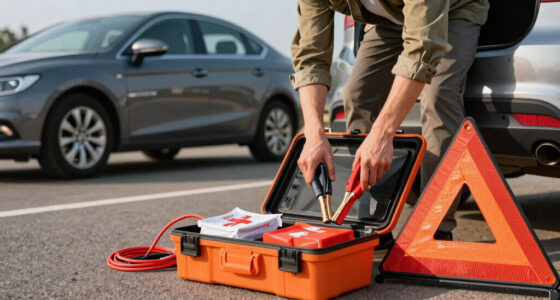

Before trusting your driver-assistance device, make sure it’s properly calibrated and functioning correctly. Regularly review the user manual to understand its limitations and perform safety checks, like testing features in safe areas. Keep an eye on warning lights or error messages, and stay updated on recalls or software patches from the manufacturer. Proper maintenance and awareness of system status help ensure reliable operation—keep going for more tips on maintaining your device’s safety and performance.

Get business pricing on garage and car supplies
- Business-only prices and quantity discounts
- Tax-exempt purchasing
- Multiple users, one account, clear invoices
Key Takeaways
- Ensure sensors are properly calibrated for accurate environment perception.
- Review the user manual to understand system features and limitations.
- Regularly monitor system performance and watch for warning indicators.
- Stay updated on recalls and software updates from the manufacturer.
- Verify all safety features function correctly through tests before relying on them.
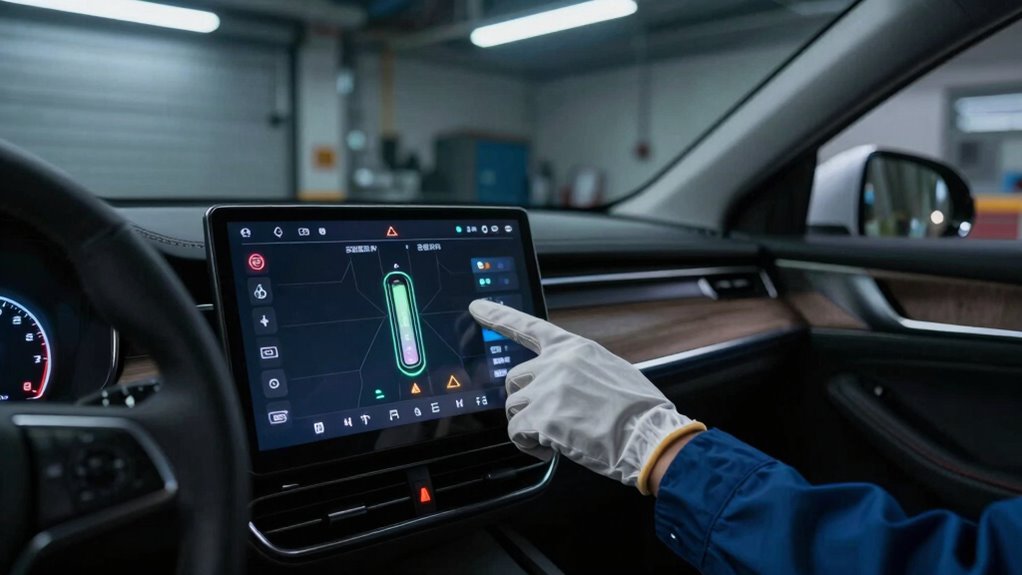
With the increasing prevalence of driver-assistance devices, it’s essential to evaluate their reliability before fully trusting them on the road. These systems, from lane-keeping assist to adaptive cruise control, rely heavily on sensors and software that need to function correctly to ensure your safety. One of the first steps you should take is to check the sensor calibration. Over time, sensors can become misaligned due to minor impacts or environmental factors, leading to inaccurate readings. If you notice the system behaving erratically or if the alerts indicate a malfunction, it’s a good idea to have the sensors recalibrated by a professional. Proper sensor calibration ensures that the device accurately perceives its surroundings, which is critical for its safe operation.
Regularly check and recalibrate sensors to ensure your driver-assistance systems operate safely and accurately.
Another crucial aspect is reviewing the user manual. Your vehicle’s manual contains specific instructions about how the driver-assistance features work, including limitations and maintenance requirements. Taking the time to review the manual allows you to understand the system’s capabilities and what to expect from it. This knowledge helps you avoid over-reliance and reduces the risk of misuse. The manual may also provide guidance on troubleshooting issues, such as what to do if the system temporarily disables itself or if warning lights appear on the dashboard. Familiarity with the manual ensures you’re well-informed about the system’s proper operation, which is vital for safe driving. Additionally, understanding the performance metrics can help you identify potential issues early on. Regularly monitor system performance to ensure consistent operation and safety.
It’s also wise to stay informed about recalls and updates, as manufacturers often release improvements and safety notices that can impact your system’s reliability. Before trusting a driver-assistance device, you should also verify that it’s functioning correctly in your vehicle’s current condition. Check for any warning lights or error messages related to the system, and address them promptly. Many systems automatically disable if they detect a fault, so a warning light isn’t something to ignore. If the device isn’t working as intended, don’t rely on it until it’s been inspected and repaired. Additionally, perform simple tests in safe environments—like activating the system on a clear, controlled road—to confirm that it responds appropriately. For example, test lane departure warnings or adaptive cruise control at lower speeds to see if they engage smoothly. Regularly check for updates and recalls to ensure your system remains reliable. Incorporating proper sensor calibration and understanding the system’s capabilities through the manual are essential steps. Combining sensor calibration, a thorough user manual review, and ongoing maintenance helps you confidently trust your driver-assistance device, making your driving experience safer and more predictable.
Products Worth Considering

Milwaukee M18 18V Cordless 4-Tool Combo Kit with Hammer Drill, Reciprocating Saw, Impact Driver, Work Light, Batteries, Charger, and Case

Chemical Guys 17-Piece Car Detailing Kit

DEWALT 20V MAX Cordless Drill and Impact Driver Combo Kit (DCK277D2)
As an affiliate, we earn on qualifying purchases.
Frequently Asked Questions
How Often Should I Update My Driver-Assistance Device Software?
You should update your driver-assistance device software whenever firmware updates become available, typically every few months or as recommended by the manufacturer. Regular updates help fix security vulnerabilities, improve performance, and address compatibility issues with your vehicle or other systems. Staying current guarantees your device functions safely and accurately, reducing the risk of errors. Make it a habit to check for updates regularly, especially after software notices or vehicle system upgrades.
Can Driver-Assistance Devices Operate Reliably in All Weather Conditions?
Like a lighthouse guiding ships through fog, driver-assistance devices aren’t foolproof in all weather. Sensor sensitivity can drop in heavy rain, snow, or fog, reducing their effectiveness. Weather resilience varies; some systems struggle with glare or moisture, while others adapt better. You must stay alert and never rely solely on these devices, especially in extreme conditions, because their reliability isn’t absolute when weather obscures the view.
What Are the Limitations of Sensor Technology in These Devices?
Sensor technology has limitations like sensor blind spots, where sensors can’t detect objects, and calibration challenges that affect accuracy. You should be aware that sensors might miss small or low-contrast objects, especially in complex environments. Regular calibration is essential to guarantee proper functioning, but it can be tricky and time-consuming. These issues highlight that driver-assistance devices aren’t foolproof and require your constant attention and judgment.
How Should I Handle Device Malfunctions or Errors During Driving?
If your device malfunctions or errors occur while driving, immediately take manual override to regain full control. Stay calm, keep your hands on the wheel, and focus on the road. Follow your emergency procedures, like pulling over safely if needed. Don’t rely solely on the device; always be prepared to drive manually. Regularly review your device’s user manual to understand proper responses during malfunctions for safety.
Are There Legal Liabilities if an Accident Occurs While Using the Device?
If an accident happens while using a driver-assistance device, liability concerns and insurance implications come into play. For example, if you rely solely on an autopilot system and cause a crash, you could be held legally responsible, especially if the device malfunctioned. Insurance companies may also dispute claims, affecting coverage. Always understand that you’re ultimately responsible for safe driving, even with advanced technology assisting you.
Conclusion
Before fully trusting any driver-assistance device, remember, it’s not foolproof. You might think you’re safe, but lurking uncertainties could catch you off guard. Are these systems always reliable? Do they account for every scenario? Keep your guard up, stay alert, and don’t let complacency take over. The line between safety and danger can be razor-thin — and the real test begins when you least expect it. Are you prepared?