
When you’re in a dead zone, rely on offline maps with satellite imagery to navigate confidently. These tools let you download detailed terrain views, identify landmarks, and measure distances without internet signals. They help you plan routes and recognize natural features like rivers or peaks, reducing reliance on GPS or compasses. With such resources, you’ll stay oriented in remote areas. Keep exploring to discover even more ways to stay safe and on track without signals.

Get business pricing on garage and car supplies
- Business-only prices and quantity discounts
- Tax-exempt purchasing
- Multiple users, one account, clear invoices
Key Takeaways
- Offline maps with high-resolution satellite imagery enable navigation without internet signals in remote areas.
- Pre-downloaded satellite visuals help identify landmarks and terrain features for accurate orientation.
- Satellite imagery supports route planning, obstacle avoidance, and distance measurement offline.
- Recognizing natural landmarks via satellite images reduces reliance on GPS signals and electronic devices.
- These tools enhance safety and confidence when exploring dead zones like wilderness, mountains, or deserts.
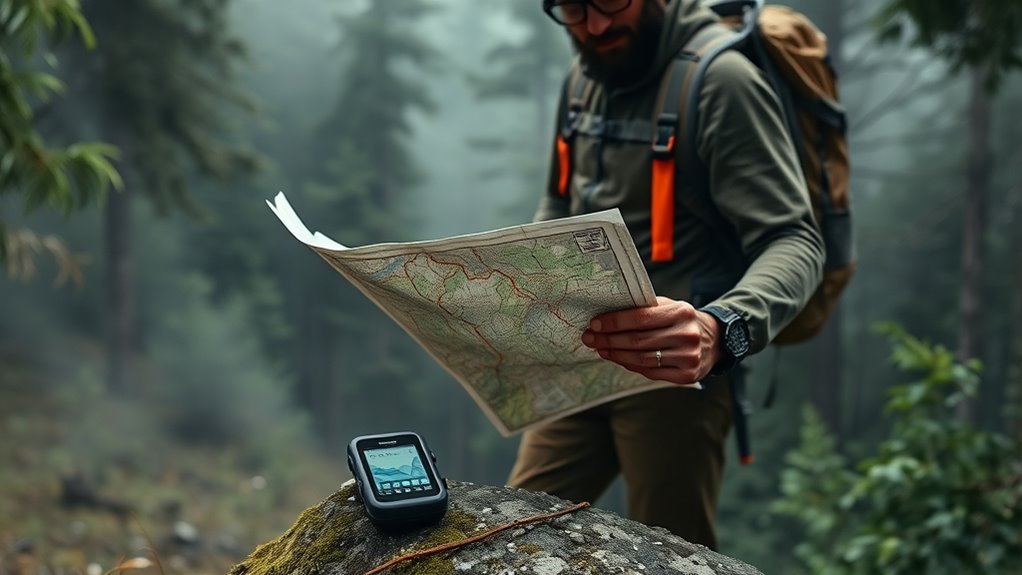
When you’re venturing into remote areas or traveling through dead zones, relying on traditional GPS signals isn’t enough. That’s when satellite imagery becomes your best friend. Unlike standard GPS, which depends on real-time signals from satellites, satellite imagery provides detailed visuals of the terrain, helping you understand the landscape even when you’re offline. This technology allows you to see the lay of the land, identify landmarks, and plan your route more effectively before you even set out. By analyzing satellite images, you can anticipate obstacles like mountain ranges, dense forests, or water bodies, enabling you to develop a solid route plan. This proactive approach minimizes surprises and keeps you on track, even when signals drop out unexpectedly.
When it comes to route planning in dead zones, offline maps equipped with satellite imagery are invaluable. You can download detailed maps ahead of time, including high-resolution satellite views, so you’re never left guessing. These maps allow you to mark waypoints, identify alternative routes, and gauge distances without needing an internet connection. As you navigate, your device references the cached satellite images and preloaded maps, ensuring you maintain accurate orientation regardless of signal status. This capability is particularly vital in areas where cell towers are sparse or nonexistent, such as dense wilderness, remote mountains, or isolated desert regions. Understanding satellite imagery helps you interpret terrain features more effectively and enhances your navigation skills.
Using satellite imagery for offline route planning also helps you recognize natural features and landmarks that can serve as navigational aids. For example, a distinctive river bend or mountain peak shown in satellite images can guide you along your path. This visual intelligence reduces reliance on electronic signals and makes navigation more intuitive. It’s especially useful in situations where traditional compass and paper maps might fall short—such as in heavily wooded areas where GPS signals may be weak or blocked. Satellite imagery combined with offline maps gives you a layered understanding of your environment, making your journey safer and more predictable.
Ultimately, integrating satellite imagery into your offline navigation toolkit enhances your confidence in dead zones. It empowers you to plan smarter, navigate more precisely, and adapt to changing conditions without relying on real-time signals. With the right preparation, you can explore remote regions with peace of mind, knowing that detailed visuals and strategic route planning are always at your fingertips, no matter where your adventure takes you.
offline maps with satellite imagery
As an affiliate, we earn on qualifying purchases.
As an affiliate, we earn on qualifying purchases.
Frequently Asked Questions
How Can I Update Offline Maps Without Internet Access?
To update offline maps without internet access, you need to connect your device to a computer or another device with internet. Use map update procedures provided by your offline map sources, such as desktop apps or SD cards. Download the latest map files onto your device, then install or replace the existing data. This guarantees your navigation tools stay current even when you’re offline, making your travels smoother and safer.
Which Devices Are Best for Offline Navigation?
Imagine you’re stepping into a scene from a classic adventure film—your device must be reliable. For offline navigation, choose devices like Garmin GPS units or dedicated outdoor handhelds, as they offer superior GPS accuracy and map customization. These devices thrive in dead zones, ensuring you stay on course without internet. Their rugged build and precise navigation make them the best choices for off-grid explorers like you.
Are Offline Maps Suitable for Hiking and Outdoor Adventures?
Offline maps are perfect for hiking and outdoor adventures. They let you explore topographical features and terrain details without a signal, ensuring you stay on track. You can also personalize trails, marking waypoints or specific routes, which enhances your navigation experience. With offline maps, you gain confidence in unfamiliar environments, making your outdoor adventures safer and more enjoyable. So, yes, they’re highly suitable for your hiking trips and outdoor explorations.
How Much Storage Do Offline Maps Typically Require?
Offline maps typically require anywhere from 100MB to several gigabytes of map storage, depending on the area and detail level. Data compression helps reduce the storage needed without sacrificing quality, making maps more manageable for your device. You should consider your device’s available storage and the regions you plan to explore. By managing map storage efficiently, you guarantee quick access and reliable navigation even in dead zones.
Can Offline Maps Be Used for Real-Time Traffic Updates?
You can’t get live traffic or real-time updates with offline maps, no matter how advanced they are. They’re fantastic for directing in dead zones, but they don’t connect to the internet to provide live traffic info. To stay updated on real-time traffic, you’ll need an active internet connection or an app that supports live traffic data. Offline maps are perfect for reliable navigation when signals drop, but they don’t show current road conditions.
GPS navigation app with offline maps
As an affiliate, we earn on qualifying purchases.
As an affiliate, we earn on qualifying purchases.
Conclusion
So, don’t let dead zones or lack of signal throw you off course. With the right offline maps and navigation tools, you’re always in control, no matter where you are. Prepare ahead, download what you need, and trust your devices to steer you right. Remember, it’s better to be safe than sorry—so keep your tools handy, and you’ll never be left in the dark. Stay confident and enjoy the journey!
topographic map download for hiking
As an affiliate, we earn on qualifying purchases.
As an affiliate, we earn on qualifying purchases.
satellite imagery navigation tools
As an affiliate, we earn on qualifying purchases.
As an affiliate, we earn on qualifying purchases.
Fall Picks
fall essentials
As an affiliate, we earn on qualifying purchases.