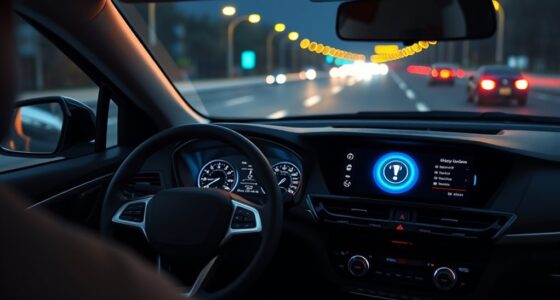
To make your driver-aid setup feel helpful rather than distracting, customize the features to match your driving style and preferences. Adjust alert sensitivities so you’re only notified when truly necessary, avoiding constant warnings. Store your favorite destinations and tailor display settings to reduce clutter. Regularly review and update your system to keep it aligned with current conditions. When you fine-tune these options, your system becomes a confident assistant, not a distraction—explore more tips to optimize your experience.

Get business pricing on garage and car supplies
- Business-only prices and quantity discounts
- Tax-exempt purchasing
- Multiple users, one account, clear invoices
Key Takeaways
- Customize alert thresholds to activate only for genuine safety concerns, reducing unnecessary distractions.
- Prioritize familiar routes and store preferred destinations for smoother navigation.
- Adjust display settings to minimize map clutter and focus on essential information.
- Regularly review and update system settings based on driving conditions and experience.
- Explore system features thoroughly to understand capabilities and avoid over-reliance or false alarms.

Setting up driver-aid systems correctly can considerably enhance your driving experience and safety. When you fine-tune features like navigation customization and alert sensitivity, you guarantee they support you without becoming distractions. Navigation customization allows you to tailor your route guidance to match your preferences, reducing unnecessary prompts that could pull your attention away from the road. For example, you might set your system to avoid tolls or highways, or choose a preferred route that you’re familiar with. When you customize your navigation, it becomes a helpful tool that guides you smoothly rather than a source of confusion or frustration. Make certain your preferred destinations are stored, and set your display preferences so the map doesn’t clutter your view. This way, you’ll get relevant directions without overwhelming your field of vision, keeping your focus where it belongs—on driving. Additionally, understanding how emerging trends in digital publishing influence system updates can help you stay informed about new features and improvements. Alert sensitivity is another key element in making driver-aid systems feel helpful instead of distracting. Modern vehicles often have warnings for lane departure, collision risk, or blind spots, but if these alerts are too sensitive, they can go off unnecessarily, leading to annoyance or alert fatigue. Conversely, if they’re not sensitive enough, they might fail to warn you about hazards in time. Adjust these settings to strike a balance that suits your driving style and environment. Typically, you can set alert sensitivity through your vehicle’s infotainment system or driver-assist menu. Start with a moderate setting and then test it out on different drives, increasing or decreasing the sensitivity as needed. The goal is for alerts to activate only when genuinely necessary, so you don’t get overwhelmed by false alarms that could cause you to ignore or disable them altogether. In addition to these technical adjustments, it’s vital to familiarize yourself with your driver-aid system’s capabilities and limitations. Spend time reading the user manual or exploring the system’s menus to understand what each feature does and how you can customize it. Regularly revisit these settings, especially if you change driving conditions or vehicle configurations. This ongoing process helps you optimize the system’s effectiveness and ensures it adapts to changing driving environments. By doing so, you guarantee your driver-aid systems remain aligned with your needs, enhancing safety without becoming a source of distraction. Ultimately, the key is to make these systems work for you—they should serve as helpful assistants rather than constant interruptions. With proper setup and ongoing adjustments, your driver-aid features will support safer, more confident driving every day.
Products Worth Considering

Chemical Guys 17-Piece Car Detailing Kit

DEWALT 20V MAX XR 3-Speed Cordless Impact Driver Kit (DCF845P1)

DEWALT 20V MAX Cordless Drill and Impact Driver Combo Kit (DCK277D2)
As an affiliate, we earn on qualifying purchases.
Frequently Asked Questions
How Do I Customize Alerts for Different Driving Situations?
You can customize alerts by adjusting your voice alerts and visual notifications for different driving situations through your vehicle’s settings menu. Set specific alerts for lane departure, collision warnings, or speed limits, choosing between sounds, voice prompts, or visual cues. Regularly review and update these settings based on your driving environment, ensuring alerts are helpful without becoming overwhelming or distracting. This personalization keeps your driver aids effective and unobtrusive.
Can Driver Aids Be Turned off Easily During Emergencies?
Yes, you can turn driver aids off easily during emergencies. Usually, you just press a dedicated button or switch, but make sure your sensor calibration is up-to-date for accurate responses. If you’ve customized alerts, they’ll temporarily disable when you turn off the system, allowing you to control the vehicle manually. Remember to re-enable the aids afterward and check that your alert customization settings are restored for ongoing safety.
What Is the Best Way to Test New Driver-Aid Settings?
You should test new driver-aid settings in a safe, controlled environment first, such as a quiet parking lot or low-traffic road. Focus on vehicle integration and how familiar you are with the system’s responses. Gradually increase complexity as you become more comfortable. Pay close attention to how the aids interact with your driving, ensuring they assist without overwhelming you, and always stay alert during testing for quick adjustments if needed.
How Do I Prevent Driver Aids From Becoming a Distraction Over Time?
To prevent driver aids from becoming distractions, regularly check sensor calibration to guarantee accurate performance and reliability. Adjust alert hierarchy so that only critical warnings interrupt, reducing unnecessary alerts. Practice using the aids in controlled environments to build familiarity, and gradually increase reliance. Staying mindful of these factors helps you stay focused, making driver aids supportive rather than distracting during your drives.
Are There Recommended Settings for Long-Distance Driving?
Think of your driver aids as a trusted co-pilot on a long journey. For extended drives, set adaptive cruise control to a comfortable distance to reduce fatigue, and activate lane departure warnings for added safety. Keep the system’s sensitivity moderate to avoid constant alerts, allowing you to focus on the road. Adjust these settings based on your comfort, so your co-pilot remains helpful without becoming a distraction.
Conclusion
Remember, a driver-aid setup should feel like a trusted co-pilot, not a chaotic passenger. When I first tried tweaking my system, it was like tuning a radio—finding the right frequency made all the difference. Once I personalized the alerts, driving became smoother and less stressful, much like a well-orchestrated symphony. Keep adjusting until your driver aids become an unobtrusive guide, helping you navigate safely without stealing the spotlight.