

To send messages hands-free in any car, activate your voice assistant by saying a wake word like “Hey Siri” or “OK Google.” Then, give a command such as “Send a text to [contact] saying [message].” The assistant will confirm the message before sending, helping you stay focused on the road. Modern speech recognition makes this process seamless, and exploring further will show you how to make the most of this safe, hands-free technology.
Key Takeaways
- Activate your voice assistant with wake words like “Hey Siri,” “OK Google,” or “Alexa.”
- Say commands such as “Send a text to [contact] saying [message].”
- Confirm the message content when prompted before sending.
- Use voice commands to review or correct messages before dispatching.
- Ensure your vehicle’s Bluetooth or built-in system is connected for seamless hands-free messaging.
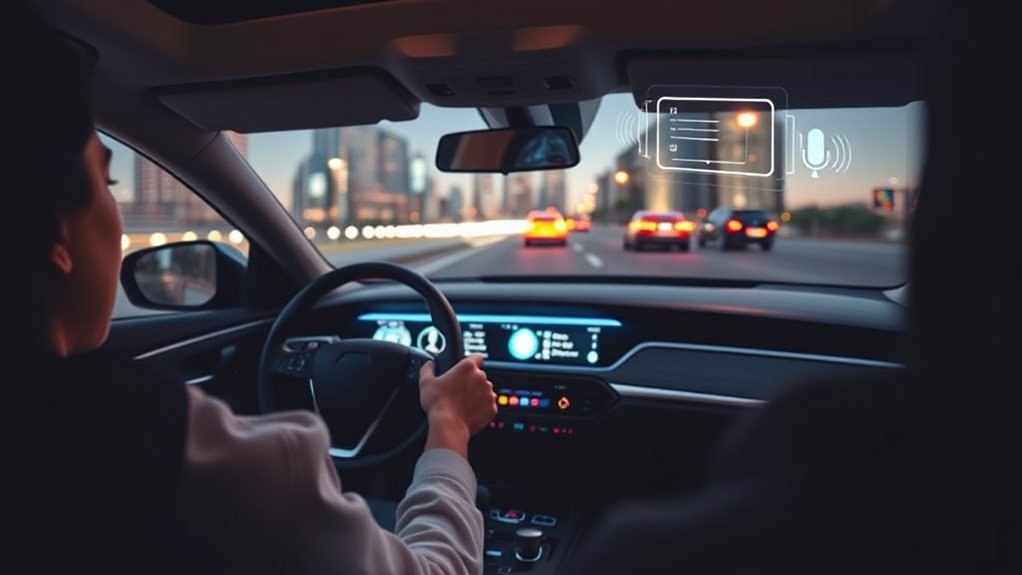
Have you ever wished you could send a text without typing? If so, you’re not alone. Thanks to advancements in speech recognition technology and the rise of voice assistants, sending messages hands-free has become easier than ever, especially when you’re in your car. With just your voice, you can stay connected without risking safety or breaking focus on the road. Modern voice assistants like Siri, Google Assistant, or Alexa are designed to understand natural language commands, making it simple to compose and send texts on the go. All you need is to activate your voice assistant, say what you want to say, and let the technology do the rest.
When you’re behind the wheel, safety should always come first. That’s where speech recognition plays an essential role. This technology converts your spoken words into text with impressive accuracy, allowing you to dictate messages effortlessly. Instead of fumbling with your phone and risking a distraction, you can just speak naturally, and the voice assistant will interpret your words. It’s like having a personal secretary who works in real-time, transcribing your message and preparing it for sending. Many cars now have built-in voice recognition systems, but even if you don’t, your smartphone’s voice assistant can handle the task seamlessly.
Getting started is straightforward. Usually, all you need to do is activate your voice assistant by saying a wake word like “Hey Siri” or “OK Google.” Once the assistant responds, you can say, “Send a text to John saying I’ll be there in 10 minutes,” or something similar. The voice assistant will confirm what you want to send, giving you a chance to review or correct it before hitting send. This process reduces the likelihood of miscommunication and guarantees your message is clear. Plus, many apps now support voice commands for more than just messaging—they can also read incoming texts aloud, so you can stay updated without taking your eyes off the road.
Using voice assistants for texting by voice isn’t just about convenience; it’s a smart safety feature. It minimizes distractions, helping you keep your focus on driving while staying connected. As speech recognition continues to improve, these systems become more reliable and intuitive, making your hands-free experience smoother. Additionally, integrating projector technology with voice commands is becoming more common, allowing drivers to access navigation or entertainment hands-free. So, the next time you need to message someone while driving, remember that your voice is your best tool. With a few simple commands, you can communicate effectively without ever touching your phone. This way, you stay safe, compliant with laws, and connected—no matter where your journey takes you.
Frequently Asked Questions
Can Voice Texting Work Offline Without Internet?
Voice texting can work offline if your device has offline functionality enabled. Many smartphones allow you to set up voice commands and dictation that don’t require internet, helping you stay connected without risking privacy concerns. However, some features like voice recognition or advanced AI may need an internet connection. Always check your device’s settings to verify offline capabilities are enabled, giving you privacy and convenience while driving.
How Secure Is Voice-To-Text Messaging?
You might worry about privacy concerns with voice-to-text messaging, but it’s generally secure. Most services use encryption methods to protect your data during transmission, preventing unauthorized access. While no system is entirely risk-free, reputable voice recognition platforms prioritize security. To stay safe, choose trusted providers, keep your device’s software updated, and avoid sharing sensitive information through voice messages. This way, you can enjoy hands-free texting with confidence.
Are There Language Limitations for Voice Commands?
Yes, there are language limitations for voice commands. Your device’s multilingual support varies, so it might not understand every language you speak. Accent recognition can also affect accuracy, especially with strong or unfamiliar accents. To get the best results, make certain your device supports your preferred language and has good accent recognition. This way, you can use voice commands confidently in different languages and accents while driving.
How Do I Correct Errors in Voice-Transcribed Messages?
Think of voice recognition accuracy as a trusty compass, guiding your messages straight and true. To correct errors in voice-transcribed messages, simply say, “Edit message,” then clearly specify the correction needed. Many systems allow you to review and edit your voice messages easily, ensuring your words remain accurate. Take control by editing voice messages promptly, so your messages reflect exactly what you want to say, without misunderstandings.
Does Voice Texting Drain My Phone’s Battery Quickly?
Voice texting can drain your phone’s battery more quickly due to constant microphone use and background processing, but you can manage this with good power management habits. To minimize battery consumption, limit voice commands when possible, turn off voice assistants when not needed, and enable battery saver modes. Keeping your phone’s software updated and using energy-efficient settings helps preserve battery life while still enjoying hands-free messaging.
Conclusion
With voice-activated messaging, you’re practically a superhero behind the wheel, sending texts faster than you can blink. No more fumbling or risking your life just to send a quick message. It’s like having a personal assistant that never sleeps, keeping you connected safely and effortlessly. So next time you’re in your car, embrace this game-changing technology—you’ll wonder how you ever drove without it. Stay safe, stay connected, and let your voice do the talking!