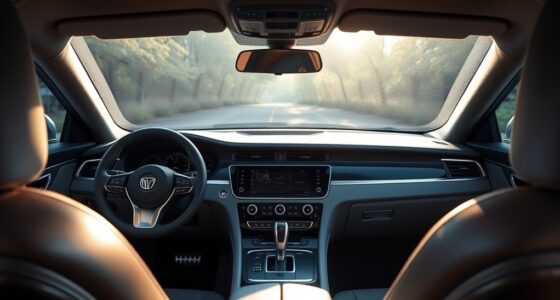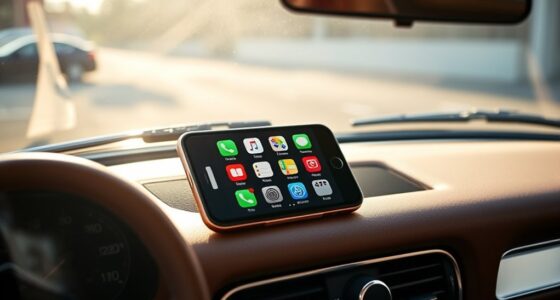
Upgrading your old car with Android Auto is a great way to modernize your driving experience. You can install an aftermarket head unit that supports seamless smartphone integration, offering navigation, calls, messages, and music controls via voice commands or touchscreen. Many options are straightforward to install yourself or through professionals. Boosting your audio system can further enhance sound quality. Keep compatibility in mind, and explore how these upgrades can transform your vehicle—you’ll find plenty of tips to get started.
Key Takeaways
- Choose a compatible aftermarket head unit designed for Android Auto installation.
- Follow DIY tutorials or hire a professional for a seamless, safe installation process.
- Pair your smartphone via Bluetooth or USB to enable Android Auto features.
- Upgrade your car’s audio system with new speakers or amplifiers for improved sound quality.
- Regularly update the head unit’s software to ensure optimal performance and compatibility.

If you own an older car that lacks modern infotainment features, adding Android Auto can substantially upgrade your driving experience. This technology seamlessly integrates your smartphone with your vehicle’s audio system, providing access to navigation, calls, messages, and music through a simple, intuitive interface. The key to a successful upgrade is understanding how to enhance your car’s audio system while ensuring smooth smartphone integration. Upgrading your car audio can make a huge difference, transforming your vehicle into a connected, user-friendly space. You don’t need a brand-new car to enjoy the benefits of Android Auto; a well-chosen upgrade can make your older vehicle feel more modern and safer to drive.
Upgrade your older car with Android Auto for a modern, connected, and safer driving experience.
To get started, check what options are compatible with your vehicle. Many aftermarket head units are designed specifically for Android Auto, offering plug-and-play installation that doesn’t require extensive wiring modifications. These units often come with features like touchscreen controls, Bluetooth connectivity, and better sound quality—improving your overall car audio upgrades. When selecting a head unit, prioritize one that supports smartphone integration fully, ensuring you can access apps, voice commands, and notifications without taking your eyes off the road. This minimizes distractions and boosts safety during your drives.
Installing a new head unit is typically straightforward but may require some basic technical skills. If you’re comfortable with DIY projects, you can follow detailed online tutorials. Otherwise, professional installation guarantees a clean setup and ideal performance. Once installed, pairing your smartphone becomes effortless: connect via Bluetooth or USB, and your device’s interface will mirror your car’s new infotainment system. This integration allows you to use voice commands for navigation, messaging, and music, keeping your hands on the wheel and eyes on the road. Additionally, understanding Glycolic Acid Benefits can help you choose the right skincare products to complement your vehicle upgrade, creating a comprehensive approach to self-care and modern technology.
Beyond just connecting your phone, consider adding quality speakers or amplifiers to enhance your audio experience. Upgraded speakers deliver clearer sound, deeper bass, and richer tones, making your favorite music more enjoyable. Pairing these upgrades with your new Android Auto system creates a cohesive environment where your music, calls, and navigation work seamlessly together. As a result, your old car transforms into a modern, connected vehicle that’s safer and more enjoyable to drive.
Frequently Asked Questions
Is Android Auto Compatible With All Car Models?
Android Auto isn’t compatible with all car models directly, especially older ones. You might need aftermarket compatibility solutions like a compatible head unit or adapter to enable Android Auto functionality. If your car has factory integration, check if it supports Android Auto, as some newer models do. For older cars, upgrading with an aftermarket stereo is often the best way to enjoy Android Auto features.
Do I Need Professional Installation for Android Auto?
You don’t always need professional installation for Android Auto, but it depends on your car’s compatibility considerations and installation requirements. If your vehicle supports a straightforward setup, you might do it yourself with a compatible USB port and the right cable. However, if your car lacks the necessary ports or wiring, professional installation guarantees proper setup. Always check your car’s compatibility before starting, and consider expert help for complex installations.
Can I Use Android Auto Without an Internet Connection?
Yes, you can use Android Auto without an internet connection. Once you’ve downloaded offline navigation maps like Google Maps, you can access directions without Wi-Fi. Bluetooth connectivity allows you to stream music and calls even offline. Keep in mind, some features like real-time traffic updates or voice search need internet, but basic navigation and media control work seamlessly offline, making your drive safer and more convenient.
What Safety Features Does Android Auto Offer?
Android Auto offers several safety features to keep you focused on the road. You can use voice recognition to control navigation, calls, and messages hands-free, reducing distractions. Additionally, it provides emergency assistance, so you can quickly contact help if needed. These features help you stay safer while driving, allowing you to access important functions without taking your eyes off the road or your hands off the wheel.
Will Adding Android Auto Affect My Car’s Warranty?
Adding Android Auto through aftermarket installation generally won’t void your car warranty if done correctly. For example, if you install a compatible system professionally, the manufacturer can’t claim it caused any issues. However, improper installation might lead to warranty concerns. Always check your vehicle’s warranty policy and choose certified installers to protect your car warranty, ensuring your new tech integrates safely without risking coverage.
Conclusion
Bringing Android Auto into your old car can feel like giving it a gentle refresh, turning familiar roads into new adventures. With a little effort, you’ll enjoy seamless connectivity and modern convenience without the fuss. Think of it as revealing hidden potential, making every drive more enjoyable and less cluttered. So, take that small step forward—you’re just a simple upgrade away from transforming your trusted ride into a smarter, more connected companion.