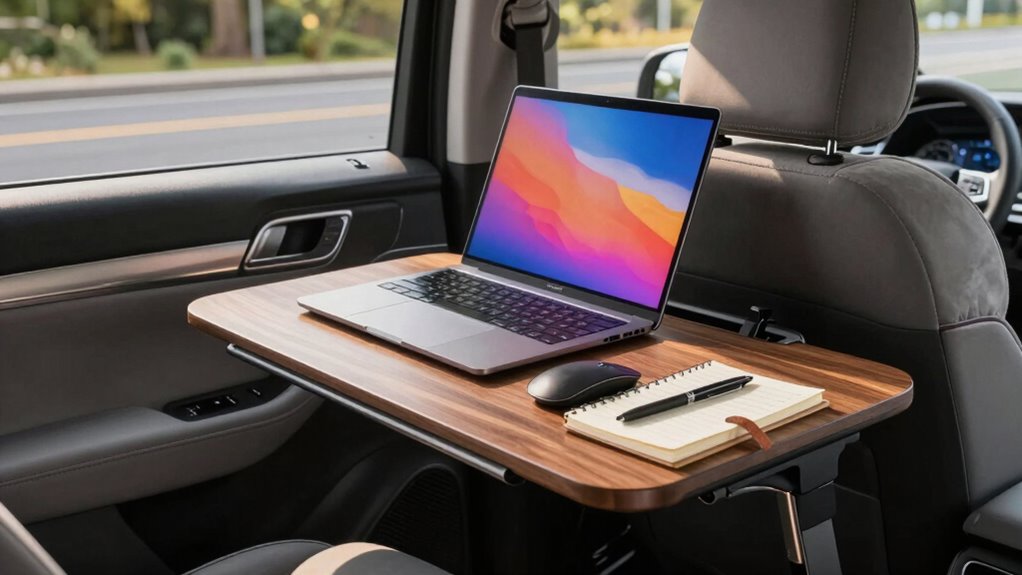

To create a better front-seat workspace, start by adding ergonomic accessories like a lumbar pillow, a supportive seat cushion, and a portable laptop stand to reduce strain. Use noise-canceling headphones or white noise apps to block out distractions. Improve lighting with adjustable interior lights or portable LED lamps, and make certain your seat and workspace are properly adjusted for healthy posture. Keep your area organized with small containers and eliminate clutter. To learn more tips, keep exploring ways to optimize your mobile workspace.
Key Takeaways
- Incorporate ergonomic accessories like cushions, lumbar support, and adjustable stands to enhance comfort and reduce strain.
- Use noise-canceling headphones and soundproofing techniques to minimize distractions and improve focus.
- Ensure proper lighting with portable LED lights and adjust seating for healthy posture during work sessions.
- Keep the workspace organized with small containers and clutter-free surfaces for quick access and safety.
- Make small adjustments regularly to optimize the environment, combining ergonomic, lighting, noise, and organizational strategies.
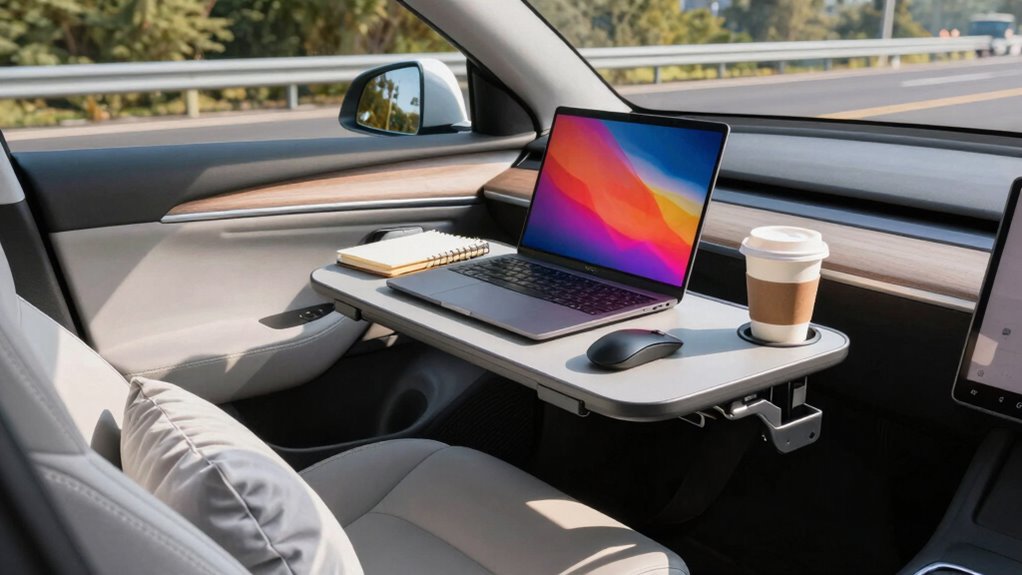
Have you ever wondered how your front-seat workspace can boost your productivity and comfort? If you spend a lot of time working on the go, optimizing this space is essential. You want it to be functional, comfortable, and free from distractions. To achieve this, start with ergonomic accessories. Investing in a supportive car seat cushion or lumbar pillow can prevent aches after long hours. A portable laptop stand helps you maintain proper eye level, reducing neck strain. A compact, adjustable desk tray can create a flat surface for your laptop or documents, making it easier to work without clutter. Keep a wrist rest nearby to minimize strain during typing sessions. These ergonomic accessories are small but make a significant difference in comfort, helping you stay focused and efficient during your work sessions.
Optimizing your front-seat workspace with ergonomic accessories enhances comfort and boosts productivity on the go.
Next, consider noise canceling techniques. Your environment affects your ability to concentrate, especially in busy or noisy settings. Noise-canceling headphones or earplugs are invaluable tools; they block out engine noises, conversations, or street sounds that can break your focus. If you’re on a call or participating in a virtual meeting, these devices ensure you hear clearly and sound professional. You can also use white noise apps or background soundtracks to mask distracting noises. Additionally, organizing your workspace to minimize clutter reduces visual distractions, helping you stay on task. Creating a quiet environment by parking in quieter areas or using window covers to block out external noise can significantly improve your focus, making your work sessions more productive. Incorporating soundproofing techniques can further enhance this environment and improve concentration.
Lighting is another essential factor. Proper lighting reduces eye strain and boosts alertness. If your vehicle has adjustable interior lights, position them to illuminate your workspace without causing glare on your screen. Consider carrying a small, portable LED light to supplement natural or vehicle lighting when necessary. Maintaining good posture is important, so adjust your seat and workspace setup to support a natural sitting position. Keep frequently used items within arm’s reach to avoid unnecessary stretching or twisting. Additionally, incorporating healthy habits like taking short breaks can enhance focus and prevent fatigue during long work sessions. Using appropriate lighting not only improves visibility but also helps in maintaining consistent focus throughout your work sessions. Proper lighting, combined with ergonomic positioning, ensures a comfortable and efficient environment on the go. Being aware of regulatory compliance and ensuring your workspace setup adheres to safety standards can also prevent potential issues while working in a vehicle.
Finally, keep your workspace organized. Use small storage containers or organizers to keep chargers, pens, and documents tidy. This prevents clutter from becoming a distraction and helps you find what you need quickly. By combining ergonomic accessories, noise canceling techniques, proper lighting, and organization, you create a front-seat workspace that’s conducive to productivity and comfort. It’s all about making small adjustments that add up to a more efficient work environment, even when you’re on the move.
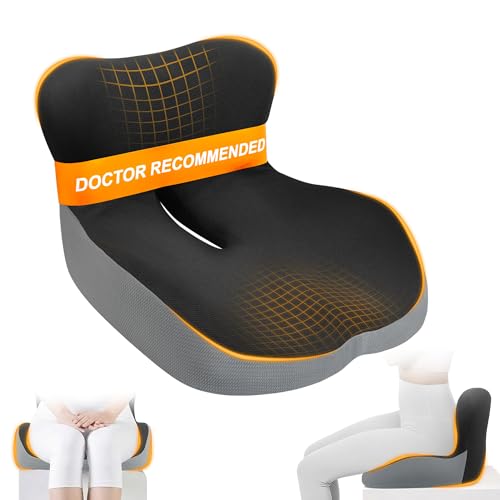
Allaboutsla Car Seat Cushion with Lumbar Support Pillow, Car Back Support
UPGRADE ERGONOMIC DESIGN FOR LESS PRESSURE: One-piece cushion that combines true lumbar support with a steadier seat. The…
As an affiliate, we earn on qualifying purchases.
As an affiliate, we earn on qualifying purchases.
Frequently Asked Questions
How Do I Choose the Best Location for My Front-Seat Workspace?
Choose a location with ample parking options nearby to save time and reduce stress. Look for spots that offer scenic views, which can boost your mood and creativity during breaks. Consider safety, noise levels, and accessibility, ensuring you can easily access power outlets and Wi-Fi. By balancing parking convenience and inspiring scenery, you create a productive and enjoyable front-seat workspace that keeps you motivated and comfortable throughout your workday.
What Are the Essential Ergonomic Accessories for Mobile Professionals?
You should prioritize an ergonomic chair that supports your posture and reduces strain during long work hours. Pair it with an adjustable stand for your laptop or monitor, allowing you to set the screen at eye level and prevent neck pain. These accessories help you stay comfortable and focused, whether you’re working at a coffee shop or on the move. Invest in quality ergonomic gear for better productivity and health.
How Can I Reduce Distractions in a Front-Seat Workspace?
To reduce distractions in your front-seat workspace, focus on noise reduction by using noise-canceling headphones or a white noise app. Keep your area organized with simple organization tips, like using portable bins or cable management solutions, so clutter doesn’t distract you. Limit unnecessary gadgets and notifications, and set clear boundaries when working. These strategies help you stay focused and productive, even in a busy or noisy environment.
What Technology Should I Carry for a Productive Mobile Office?
Like a Swiss Army knife, you should carry versatile tech for your mobile office. Bring a reliable cloud storage service to access files anywhere, anytime. A portable printer ensures you can print documents on the go without hassle. Add a compact power bank to keep devices charged, and consider a noise-canceling headset for focus. These tools make your workspace efficient and adaptable wherever you are.
How Do I Ensure Privacy During Virtual Meetings on the Go?
To guarantee privacy during virtual meetings on the go, you should use soundproofing strategies like noise-canceling headphones and portable acoustic panels. Additionally, opt for privacy screen options on your device or use a physical privacy shield to prevent others from viewing your screen. Find a quiet, secluded spot whenever possible, and position yourself with your back to a wall to limit visibility, helping you stay focused and discreet during your calls.
portable laptop stand for car
As an affiliate, we earn on qualifying purchases.
As an affiliate, we earn on qualifying purchases.
Conclusion
Now, as you craft your front-seat workspace, remember the spirit of the pioneers who dared to explore uncharted territories. Your journey toward a better mobile workspace is a bold chapter—one filled with innovation, resilience, and endless potential. Embrace this challenge with the same courage that once propelled explorers across uncharted seas. Your dedication transforms everyday commutes into opportunities for greatness—turning your mobile office into a launchpad for success, just like those trailblazers before you.
noise-canceling headphones for travel
As an affiliate, we earn on qualifying purchases.
As an affiliate, we earn on qualifying purchases.
portable LED desk light
As an affiliate, we earn on qualifying purchases.
As an affiliate, we earn on qualifying purchases.