
Using multiple navigation apps at once can be a smart move to get more accurate directions and real-time traffic updates. It allows you to cross-check routes, avoid delays, and stay aware of hazards from different sources. Just make sure your devices are organized, and the apps work well together to prevent confusion or distractions. Want to discover how to set this up effectively and boost your trips? Keep exploring for more tips.
Listen free for 30 days with Audible
Thousands of audiobooks and originals — cancel anytime.
As an affiliate, we earn on qualifying purchases.
Key Takeaways
- Using multiple apps cross-references traffic data for more accurate, real-time route adjustments.
- Combining navigation apps leverages their individual strengths, such as lane guidance and hazard alerts.
- Proper setup and device organization prevent conflicting instructions and reduce driver distraction.
- Redundancy from multiple apps ensures continuous guidance despite signal loss or app issues.
- Cross-checking updates enhances trip efficiency, safety, and situational awareness during unfamiliar routes.
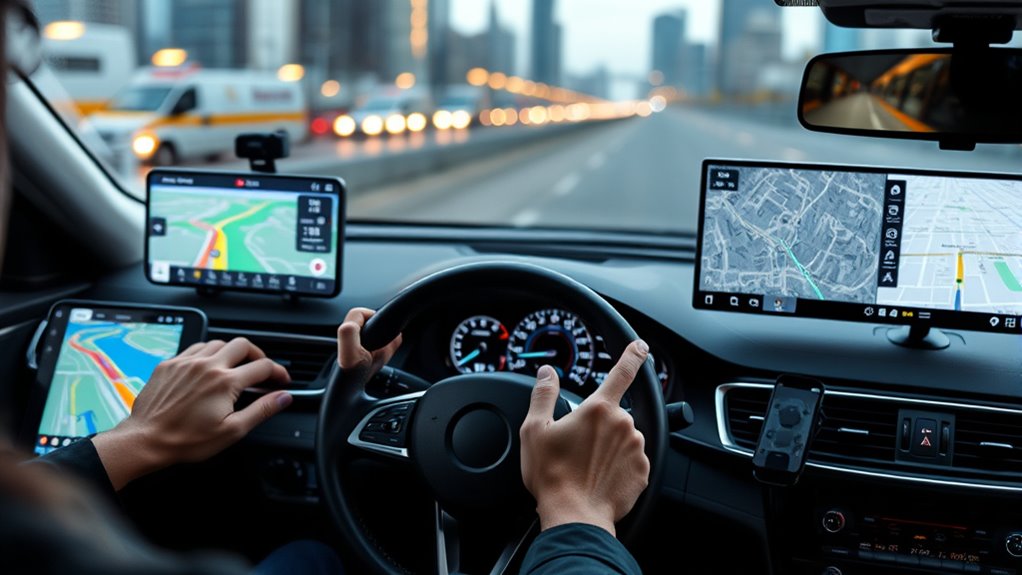
Using multiple navigation apps at the same time might seem unnecessary, but it can actually improve your driving experience. When you run two apps simultaneously, you get the benefit of cross-referencing traffic accuracy, which helps you make smarter route choices. No single app is perfect, and traffic conditions can change rapidly. By comparing the live updates from two different sources, you can avoid unexpected delays and find the fastest route. For example, one app might not have the latest incident report, while another could show real-time congestion. This way, you’re more informed and can adapt quickly to emerging traffic patterns.
App compatibility also plays a vital role when using multiple navigation apps. Different apps might excel in different areas: some are better at estimating arrival times, others provide more detailed lane guidance, and some have superior map details for rural or less-traveled routes. By combining apps, you leverage their individual strengths. For instance, Google Maps might be your go-to for general navigation, but Waze could provide more timely alerts about hazards and police presence. Ensuring these apps work well together means you can seamlessly switch between them or even view their information side by side, enhancing your situational awareness.
However, using multiple apps requires some coordination. You should set up your devices or screens so you don’t get overwhelmed by conflicting directions or notifications. Keep in mind that app compatibility may vary depending on your phone’s operating system, so testing which combination works best is worth the effort. Some apps might not run smoothly together, causing lag or crashes that could distract you while driving. It’s essential to choose apps that are reliable and have a proven track record of compatibility with your device. This minimizes distractions and guarantees you get consistent, accurate guidance.
Using multiple navigation apps also helps you mitigate the limitations of each platform. Sometimes, one app might temporarily lose GPS signal or have outdated maps, but the other might still provide accurate guidance. This redundancy adds a layer of safety and reliability, especially on unfamiliar roads or during long trips. Additionally, high refresh rates in certain apps ensure you receive the most up-to-date traffic information, further enhancing your decision-making. Remember, the goal isn’t to rely solely on both apps at all times but to use them complementarily. Cross-checking directions and traffic updates can give you peace of mind, reduce stress, and keep you moving efficiently.
dual navigation app smartphone mount
As an affiliate, we earn on qualifying purchases.
As an affiliate, we earn on qualifying purchases.
Frequently Asked Questions
Can Using Two Navigation Apps Drain My Phone’s Battery Faster?
Yes, using two navigation apps can drain your phone’s battery faster. It increases battery consumption because both apps run simultaneously, demanding more power for GPS tracking and data processing. This can also affect app performance, making your device slower or causing apps to crash. To save battery, consider using only one app at a time or closing the second app when it’s no longer needed.
How Do I Prevent Conflicting Directions From Different Apps?
To prevent app conflicts and guarantee route consistency, choose one primary navigation app and stick with it. If you’re using multiple apps, disable real-time directions on the secondary ones or close them once you start your trip. Double-check your route before departure to avoid conflicting instructions. Keeping your apps updated also helps prevent conflicts, and always trust the app you’re currently using for directions.
Are There Any Security Risks in Using Multiple Navigation Apps?
Using multiple navigation apps can seem like opening Pandora’s box of security risks. While it’s unlikely to cause catastrophic issues, it can expose your app data privacy if you’re not careful. Always check app permission settings and limit access to location and personal info. Be cautious about sharing sensitive data across apps, and update your apps regularly. This way, you minimize risks without sacrificing the benefits of multi-app navigation.
Is It Legal or Safe to Use Multiple Navigation Apps While Driving?
Using multiple navigation apps while driving is generally safe, but you should consider legal considerations and safety concerns. It’s legal as long as you’re focused on the road and not distracted by your devices. However, juggling apps can cause distraction, so set your destination beforehand, use voice commands, or mount your phone securely. Stay attentive, follow traffic laws, and prioritize safety to avoid accidents or legal issues.
How Can I Effectively Compare Routes From Different Navigation Apps?
Imagine you stumble upon a secret route while comparing navigation apps—that’s where route comparison and app integration shine. To do it effectively, open both apps side-by-side or use a split-screen feature. Pay attention to estimated time, traffic updates, and alternative routes. Keep your focus on the road, and use voice commands if possible. This way, you harness the best of both apps without distraction, ensuring a smooth journey.
multi-screen GPS navigation holder
As an affiliate, we earn on qualifying purchases.
As an affiliate, we earn on qualifying purchases.
Conclusion
Using multiple navigation apps at once can boost your route accuracy and save you time, especially in unfamiliar areas. Did you know that drivers who use more than one navigation app are 20% less likely to get lost? So, don’t hesitate to experiment with different apps to find what works best for you. Combining their strengths guarantees a smoother, more confident journey every time. Give it a try—you might just discover your perfect navigation duo.
smartphone car mount for multiple apps
As an affiliate, we earn on qualifying purchases.
As an affiliate, we earn on qualifying purchases.
As an affiliate, we earn on qualifying purchases.
Labor Day sales Picks
labor day deals
As an affiliate, we earn on qualifying purchases.