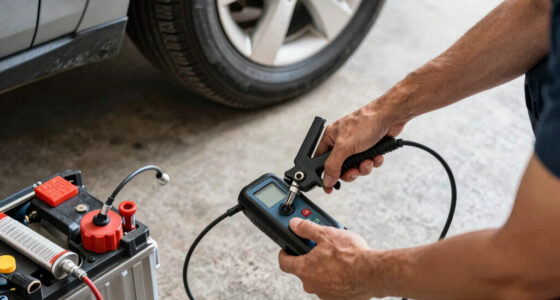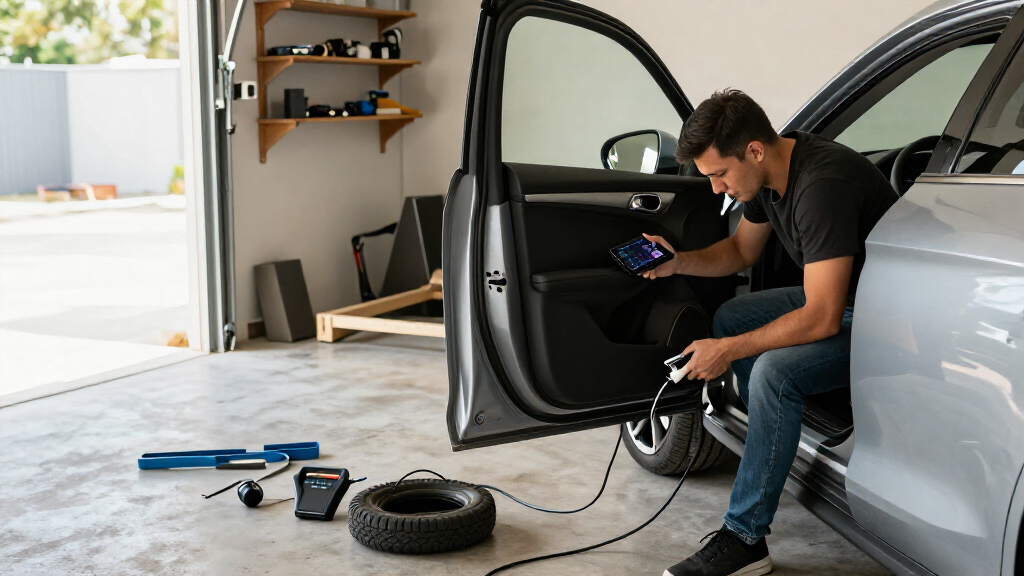

This checklist is for drivers who want to update everyday car tech and build a more prepared garage setup. It covers convenience, troubleshooting, visibility, tire care, and battery support, with compatibility and fit in mind.

Get business pricing on garage and car supplies
- Business-only prices and quantity discounts
- Tax-exempt purchasing
- Multiple users, one account, clear invoices
The sections follow distinct jobs: connect a phone, handle a weak battery, investigate vehicle issues, record the road, inflate tires, and maintain a battery. Each slot pairs the named pick with practical points to check before choosing equipment.
Use the checklist by starting with the task you need to solve most often. Confirm your vehicle, phone, and existing tools match the item’s requirements, then review the look-for points before buying. For the dash camera slot, use the advice to compare options without assuming a specific model.
Wireless CarPlay Adapter
A wireless CarPlay adapter is meant to make a compatible iPhone connection more convenient by avoiding a cable for routine use. Before choosing one, verify that your vehicle already supports wired CarPlay; an adapter generally depends on that underlying connection. Also confirm the iPhone and vehicle setup meet the product’s stated requirements. The pick here is the Wireless CarPlay Adapter for iPhone 2026 Upgraded (Black), but the product name alone does not establish compatibility with a particular car or phone configuration.
A common mistake is treating “wireless” as a universal upgrade. Check how the adapter connects, whether it requires a particular USB port, and where its body and cable would sit in your console. Consider whether the port remains available for charging and whether the adapter can be reached without interfering with controls. Read the instructions for setup and reconnect behavior, and compare the listed supported vehicle years and iPhone versions with your own. Fit and support matter more than a feature label: if your car lacks wired CarPlay, confirm the product explicitly supports your setup before purchasing. Keep a cable handy if you need a fallback connection.
What to look for:
- Confirm the car has wired CarPlay support.
- Match listed vehicle and iPhone requirements.
- Check the required USB connector and port location.
- Consider cable routing and console clearance.
- Review setup and reconnection instructions.
Wireless CarPlay Adapter for iPhone 2026 Upgraded (Black)

This upgraded wireless CarPlay adapter converts factory wired systems to wireless, supporting seamless connection and hands-free operation. Compact and durable with dual-chip technology, it offers wide compatibility with iPhone models running iOS 10+.
Pros:
- Easy plug-and-play setup with automatic reconnection
- Supports navigation, music, calls, and Siri hands-free
- Compact design reduces clutter and enhances space
- Upgraded dual-chip ensures stable and fast transmission
Cons:
- Not compatible with Android devices
- Limited to certain factory-installed CarPlay systems
- Customer rating indicates some users experienced connectivity issues
Best for: Drivers whose car already supports wired CarPlay and who want a wireless connection.
Not ideal for: Owners of cars without compatible wired CarPlay support.
Bottom line: Confirm the vehicle and iPhone requirements first, then check that the adapter fits the available port and console space.
Portable Jump Starter
A portable jump starter can be useful when a vehicle’s battery cannot start the engine and another vehicle is not readily available. The named pick, NOCO Boost GB150 3000A 12V Lithium Jump Starter, is identified as a 12V lithium jump starter; the name does not specify which vehicles it supports. Check the maker’s compatibility guidance against your vehicle’s battery system and engine before relying on it. Keep the manual accessible and understand the connection sequence before an emergency.
A frequent buying mistake is choosing by a large number in a product title without checking actual vehicle fit or operating limits. Verify supported engine and battery types, clamp arrangement, charging method, and any stated temperature or storage guidance. Consider whether the unit will fit in your chosen storage space and whether you can keep it charged there. Read the safety instructions for connection, disconnection, and warning indicators, and inspect the clamps and cables for a reach that suits your battery location. A jump starter is not a substitute for diagnosing a battery that repeatedly fails. Compatibility and readiness are central: confirm the exact requirements, charge the device as directed, and review the manual before first use.
What to look for:
- Check vehicle and battery compatibility in the manual.
- Confirm supported engine and battery types.
- Review clamp placement and cable reach for your vehicle.
- Understand charging, storage, and readiness guidance.
- Read connection and safety instructions before use.
NOCO Boost GB150 3000A 12V Lithium Jump Starter

The NOCO Boost GB150 is a 12V lithium jump starter with 3000A peak output, rated for gasoline engines up to 9.0L and diesel engines up to 7.0L. It includes spark-proof and reverse-polarity protection, a USB-C power bank, and a 500-lumen flashlight with seven modes.
Pros:
- Up to 80 starts per charge
- Spark-proof and reverse-polarity protection
- USB-C power bank and integrated flashlight
- Rugged IP65-rated housing
Cons:
- Takes 7 hours to recharge
Best for: Drivers whose vehicle is confirmed compatible and who want a portable starting aid.
Not ideal for: Anyone who has not confirmed vehicle fit or plans to store it without checking readiness.
Bottom line: Match the jump starter to your vehicle and learn its operating steps before you need it.
OBD2 Diagnostic Scanner
An OBD2 scanner can help a driver access vehicle diagnostic information through the car’s OBD port. The pick is the Autel MaxiCOM MK900BT Bidirectional Diagnostic Scanner; its product name indicates bidirectional functionality, but does not establish support for every vehicle, function, or model year. Check the manufacturer’s coverage information using your vehicle’s year, make, model, and engine. If you need a particular service or test function, verify that exact function is listed for your vehicle.
A common mistake is assuming that a scanner will provide the same depth of information across all makes. Check the supported systems, software update approach, connection method, and any subscription or account requirements in the documentation. Consider the location of the OBD port and whether the scanner’s cable or wireless connection suits the space and your working position. If you plan to use bidirectional controls, understand which vehicle functions are supported and follow the manufacturer’s procedure; diagnostic tools should not replace qualified repair advice for safety-critical faults. Vehicle-specific coverage should guide the decision. Compare the scanner’s documented capabilities with the tasks you expect to perform, then confirm the included accessories and update instructions before buying.
What to look for:
- Verify year, make, model, and engine coverage.
- Confirm supported systems and specific service functions.
- Check update, account, and subscription requirements.
- Consider OBD port access and connection method.
- Review instructions for bidirectional controls and safe use.
Autel MaxiCOM MK900BT Bidirectional Diagnostic Scanner

The Autel MaxiCOM MK900BT is an automotive diagnostic scanner with bidirectional controls, all-system diagnostics, and more than 40 maintenance services. It supports CAN FD and DoIP protocols, offers an 8-inch display, and can generate pre- and post-scan reports with Wi-Fi printing.
Pros:
- Bidirectional controls with more than 3000 active tests
- Supports all-system diagnostics and more than 40 maintenance services
- Includes CAN FD and DoIP protocols
- Offers Wi-Fi printing and pre- and post-scan reports
Cons:
- Some functions depend on vehicle compatibility
- Battery testing requires a separately purchased BT506
Best for: Owners or technicians who have confirmed the listed functions cover their vehicle.
Not ideal for: Shoppers expecting identical diagnostics and controls across all vehicles.
Bottom line: Use the manufacturer’s vehicle coverage information to verify each diagnostic and bidirectional function you need.
Dash Camera
A dash camera records the view from a vehicle, so placement, power, and visibility shape how practical it is. Since this checklist has no named product for this slot, compare models by checking what their documentation says about recording modes, storage media, and power. Consider whether you want a forward-facing view only or additional camera coverage, and confirm that the chosen setup matches that need. A camera that cannot be positioned securely or powered conveniently may be frustrating to use. Clear placement is a core part of choosing one.
A common mistake is focusing on recording features before confirming mounting and wiring. Check that the mount can sit without obstructing the driver’s view, that the cable route avoids controls and airbags, and that the power connection suits your vehicle. Review storage capacity, loop recording behavior, and how footage is accessed or saved. If you want parking recording, confirm the power requirements and any additional installation components rather than assuming the feature works automatically. Check local rules for camera placement and recording. Mounting and power deserve attention before comparing extras: make sure the camera’s stated functions, storage needs, and installation approach fit your car and your intended use.
What to look for:
- Choose a view and camera configuration that fits your needs.
- Check the mount’s position and driver sightlines.
- Plan a cable route clear of controls and airbags.
- Review storage format, capacity, and recording behavior.
- Confirm power needs for normal and parking recording.
Tire Inflator
A portable tire inflator can help with routine pressure checks and topping up a tire when its pressure is low. The listed pick is the DEWALT 20V MAX Portable Tire Inflator and Air Compressor (DCC020IB). Before selecting it, check the product instructions for its power options, included accessories, and intended use. Confirm that the inflator’s hose and fittings work with your vehicle’s tire valves, and consider where it can be stored so it is accessible when needed.
A common mistake is assuming any compressor will suit every task, from tires to larger inflatables. Review the stated operating limits and accessories for the items you expect to inflate. Check whether the product requires a compatible battery or other power source, and whether that source is included or already available to you. Consider hose reach from the storage location to each tire and whether the display is readable where you would use it. Use the vehicle’s recommended tire pressure information and recheck pressure with suitable equipment. Power and reach affect day-to-day usefulness: verify the power setup, valve compatibility, and storage fit before purchase, and follow the instructions for operation and cooling.
What to look for:
- Confirm compatible power sources and what is included.
- Check the hose and fittings for your tire valves.
- Review operating limits for your intended inflation tasks.
- Ensure the hose reaches each tire from a practical position.
- Compare storage dimensions with your vehicle or garage space.
DEWALT 20V MAX Portable Tire Inflator and Air Compressor (DCC020IB)
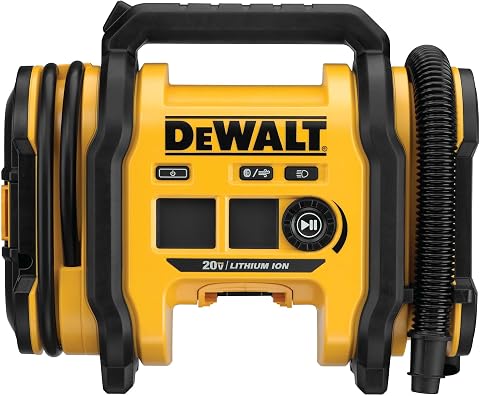
This portable inflator runs on a 20V MAX battery, 12V DC, or 110V AC power and supports both high-pressure inflation and high-volume inflation or deflation. It has a digital pressure gauge, automatic shutoff, an LED light, onboard accessory storage, and a threaded chuck; the battery, charger, and AC adapter are sold separately.
Pros:
- Supports three power sources
- Automatic shutoff and digital pressure gauge
- Inflates and deflates larger inflatables
- Includes LED light and onboard accessory storage
Cons:
- Battery, charger, and AC adapter are sold separately
Best for: Drivers who have a compatible power source and want a portable inflator.
Not ideal for: Shoppers who need an inflator for uses outside its documented limits.
Bottom line: Check the power setup, fittings, and hose reach against your tires and storage space.
Battery Maintainer
A battery maintainer is intended to support a battery during periods when a vehicle is parked or used infrequently. The named option is the NOCO Genius10 10A 6/12V Smart Battery Charger, Trickle Charger & Maint. Its name identifies 6/12V support, but does not say which battery chemistries or charging modes are suitable. Consult the product documentation and your battery label before connecting it, and verify that the charging profile is appropriate for your battery.
A common mistake is treating a maintainer as universally compatible or leaving any charger connected without checking its instructions. Confirm battery voltage and type, the connection method, cable length, and whether the charger is intended for the environment where you will use it. If the battery remains in the vehicle, check the vehicle manual for charging guidance and access to the terminals. Think through where the charger will sit, how cables will be routed, and whether the outlet is practical without creating a trip hazard. Battery type and charging mode should determine the choice. Follow the manufacturer’s connection and monitoring instructions, and get professional guidance if the battery is damaged or its condition is uncertain.
What to look for:
- Match 6V or 12V support to the battery label.
- Confirm battery chemistry and charging mode compatibility.
- Check cable length and connection method.
- Review guidance for charging a battery in the vehicle.
- Plan a stable, ventilated placement near a suitable outlet.
NOCO Genius10 10A 6/12V Smart Battery Charger, Trickle Charger & Maintainer

The NOCO Genius10 is an all-in-one battery charger, maintainer, and desulfator designed for 6V and 12V lead-acid and lithium-ion batteries. It features smart charging with thermal regulation, can revive deeply discharged batteries, and supports long-term maintenance for various vehicle types.
Pros:
- Compact design with 17% smaller size and 115% more power
- Supports a wide range of batteries and vehicles
- Smart thermal regulation prevents over/undercharging
- Revives deeply discharged batteries and restores health
Cons:
- Requires reading the manual for proper use
- Limited to 10A charging current
Best for: Owners with a compatible battery who maintain vehicles during periods of storage.
Not ideal for: Anyone whose battery type or condition is unknown or outside the documented support.
Bottom line: Verify voltage, battery type, and charging instructions before connecting the maintainer.
Set your buying order by the problem you need to solve first: confirm the phone and vehicle connection, then prioritize essential roadside equipment such as a compatible jump starter or tire inflator. Add a scanner, camera, or maintainer when its documented functions fit your vehicle, tools, and storage routine. Compatibility comes first; check the manuals and vehicle details before adding accessories.
You do not need to update everything at once. Start with one well-matched item, learn how it works, and add the next piece when a clear need comes up. A little attention to fit, power, and instructions makes the checklist easier to use and helps you build a setup that suits your driving life.
Halloween Picks
halloween
As an affiliate, we earn on qualifying purchases.