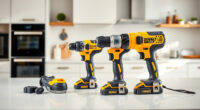
If your Milwaukee power tool charger is blinking red, it can be frustrating, especially when you’re in the middle of a project. A blinking red light typically indicates an issue with the battery, the charger, or the connection. Knowing how to diagnose and resolve this problem can save you time and prevent unnecessary replacements.

Get business pricing on garage and car supplies
- Business-only prices and quantity discounts
- Tax-exempt purchasing
- Multiple users, one account, clear invoices
This guide walks you through practical, safe steps to troubleshoot and fix a Milwaukee charger that keeps blinking red, ensuring your power tools stay ready for use whenever you need them.
Key Takeaways
| Identify blinking patterns | Different blinking patterns can indicate specific issues. |
| Check and clean connections | Dirty contacts can cause charging errors. |
| Inspect batteries | Battery health and compatibility are key. |
| Use proper charging environment | Avoid extreme temperatures that affect charging. |
| Replace faulty components | Worn or damaged batteries or chargers need replacement. |
Understand the Meaning of the Blinking Red Light
Before attempting repairs, it’s important to interpret the blinking red light. Milwaukee chargers often use specific blinking patterns to indicate particular issues:
- Fast blinking (e.g., 2-3 times per second): Usually indicates a battery fault or overheating.
- Slow blinking: Might suggest a low battery state or connection issue.
Consult your specific charger’s manual for exact meanings, but generally, a blinking red light signals a problem that needs troubleshooting.
Step 1: Power Down and Disconnect
- Unplug the charger from the power outlet to ensure safety.
- Remove the battery from the charger, and if possible, from the tool itself.
- Inspect the charger and battery for visible damage or debris.
Always disconnect power before inspecting or cleaning to avoid electrical hazards.
Step 2: Check and Clean Contacts
- Using a dry cloth or a soft brush, gently clean the metal contacts on both the battery and the charger.
- Ensure there is no dirt, dust, or corrosion that could interfere with electrical contact.
- If corrosion is present, you can lightly dampen a cloth with isopropyl alcohol to clean the contacts.
Good contact ensures proper charging and helps resolve blinking issues caused by poor connection.
Step 3: Test the Battery
If cleaning doesn’t resolve the issue, test the battery:
- Insert the battery into the charger and observe the blinking pattern.
- If the charger blinks red again, try a known good, compatible Milwaukee battery.
- If the new battery charges normally, your original battery may be faulty and needs replacing.
Note: Batteries with extended capacity or high output (like the M18 XC6.0Ah) should be compatible, but always verify your model compatibility.
Step 4: Check for Overheating or Damage
Overheating can cause the charger to blink red as a safety feature:
- Allow the charger and battery to cool down in a well-ventilated area.
- Inspect for physical damage, swelling, or leaks in the battery casing.
If the battery appears damaged or swollen, replace it immediately to prevent safety hazards.
Step 5: Use the Correct Environment and Power Source
Ensure you’re charging in a suitable environment:
- Avoid extreme cold or heat—ideal temperature ranges are between 32°F and 104°F (0°C to 40°C).
- Use a reliable power outlet and avoid extension cords or power strips that may cause voltage fluctuations.
Proper conditions help maintain the health of your batteries and charger, reducing blinking errors.
Step 6: Reset or Replace Components
If all else fails, consider resetting the charger:
- Some Milwaukee chargers have a reset button; if yours does, press it following the manual instructions.
- Alternatively, unplug the charger for 10-15 minutes to reset internal circuitry.
If the blinking persists, replacing the charger or battery may be necessary, especially if they’re physically damaged or past their service life.
The Products in This Guide

Milwaukee M18 18V Cordless Power Tool Combo Kit
- ✔ Voltage: 18V
- ✔ Number of Tools: 8
- ✔ Battery Capacity: 3 batteries included

Milwaukee Shockwave 100pcs Impact Driver Bit Set Packout
- ✔ Pieces: 100
- ✔ Case: Packout
- ✔ Material: Shockzone steel
Milwaukee M18 18V Cordless Power Tool Combo Kit
The Milwaukee M18 18V Cordless Power Tool Combo Kit provides a comprehensive set of tools for construction, remodeling, and maintenance. Its robust power system and included batteries make it a versatile choice for professionals and DIYers alike.
Pros:
- 8-tool variety for multiple applications
- Includes 3 batteries for extended runtime
- Compact and portable tool bags
- Compatible with Milwaukee M18 system
Cons:
- Heavy for prolonged use
- Battery charging can be slow without fast chargers
- Some tools may be overkill for casual users
Best for: Construction, remodeling, and maintenance professionals needing a complete, versatile toolkit.
Not ideal for: Casual DIYers with light, occasional use may find the kit more than necessary.
Bottom line: A comprehensive, durable cordless tool kit ideal for demanding professional tasks.
Milwaukee Shockwave 100pcs Impact Driver Bit Set Packout
Complement your Milwaukee tools with this Shockwave 100pcs Impact Driver Bit Set Packout. It offers durability and a wide variety to handle different fastening tasks efficiently.
Pros:
- 100 impact bits for versatility
- Durable Shockzone construction
- Organized Packout case
- Compatible with Milwaukee impact drivers
Cons:
- Bit sizes may be limited for specialized tasks
- Heavy case for small toolkits
- Not suitable for non-impact tools
Best for: Professional contractors and DIYers who need a comprehensive impact driver bit set.
Not ideal for: Casual users with minimal fastening needs.
Bottom line: A versatile impact driver bit set perfect for Milwaukee impact tools.
Frequently Asked Questions
Why does my Milwaukee charger keep blinking red?
A blinking red light usually indicates a problem such as overheating, a faulty battery, poor contact, or environmental issues. Refer to the pattern of blinking for specific diagnosis.
How do I know if my battery is bad?
Signs of a bad battery include failure to hold a charge, overheating during charging, physical swelling, or if the charger blinks red even after cleaning contacts.
Can I fix my Milwaukee charger myself?
Many issues like dirty contacts, overheating, or incompatible batteries can be fixed with simple troubleshooting. However, internal circuitry problems may require professional repair or replacement.
What environmental conditions affect charging?
Extreme cold or heat can interfere with charging. Keep the charger and batteries in a temperature-controlled environment between 32°F and 104°F (0°C-40°C).
Should I replace my charger or battery first?
Start by testing the battery with a known good unit. If the battery charges normally in the same charger, replace the faulty battery first. If not, consider replacing the charger.
Keep Your Milwaukee Tools Running Smoothly
Addressing a blinking red light on your Milwaukee charger doesn’t have to be complicated. By following these straightforward troubleshooting steps—checking contacts, testing batteries, ensuring proper environmental conditions—you can often resolve the issue quickly and safely. Remember, safety first: unplug devices before inspection and replacement. Maintaining your batteries and charger prolongs their lifespan, ensuring your power tools remain reliable for all your projects.
Should the problem persist despite troubleshooting, professional service or replacing faulty components might be necessary. With proper care, your Milwaukee tools and chargers will continue to deliver the performance you depend on.
Affiliate disclosure: As an Amazon Associate we earn from qualifying purchases. Prices and availability are accurate as of the time of publishing.
Halloween Picks
halloween
As an affiliate, we earn on qualifying purchases.