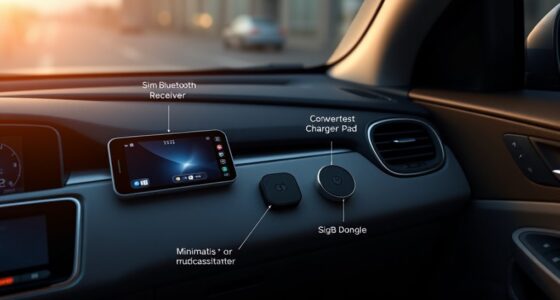

To set up a hands-free voice control system in your old car on a budget, start by choosing an affordable voice assistant that works well with your phone’s OS and offers good privacy. Gather a mini PC or Raspberry Pi, along with a reliable microphone and speakers. Connect everything, install the app, and customize commands for calls, navigation, and music. Keep ambient noise low and position your mic correctly for better recognition. Want to learn more tips for safe, effective use? Keep going!
Key Takeaways
- Choose a budget-friendly voice assistant compatible with your smartphone, prioritizing privacy, ease of setup, and audio quality.
- Use an affordable mini PC or Raspberry Pi with reliable microphone and speakers for installation in your vehicle.
- Connect the device to your car’s power source and install the assistant app, customizing voice commands for calls and navigation.
- Position microphones properly, minimize ambient noise, and speak clearly to improve voice recognition accuracy.
- Set up commands before driving, limit interactions, and verify system functionality for safe, hands-free operation.
Choosing the Right Budget-Friendly Voice Assistant

When selecting a budget-friendly voice assistant for your old car, it’s important to contemplate compatibility, features, and ease of use. First, check smartphone compatibility to ensure the assistant works seamlessly with your device, whether it’s Android or iPhone. This guarantees smooth integration for voice commands and app control. Additionally, consider privacy concerns; some assistants collect data or share information with third parties, so choose one with transparent privacy policies that align with your comfort level. Ease of use matters too; opt for a voice assistant with simple commands and straightforward setup. A good budget option should balance affordability with reliable performance, so you can enjoy hands-free control without sacrificing security or functionality. Understanding audio quality is also essential for clear voice interactions and effective command recognition. Moreover, selecting a device with secure data handling can help protect your personal information during voice interactions.
Essential Hardware and Tools for Installation

To successfully install a voice control system in your old car, you’ll need essential hardware and tools that guarantee a smooth setup process. First, choose a compatible mini PC or Raspberry Pi to run the voice assistant. You’ll also need a reliable microphone and speakers for clear communication. Ensuring wireless connectivity options, like Wi-Fi or Bluetooth, is vital for seamless pairing with your devices. For power supply options, consider a USB power adapter or an auxiliary power connector that fits your car’s wiring. Additionally, a basic toolkit with screwdrivers and wire strippers will help with installation. These components form the foundation of your hands-free system, making setup straightforward and functional without draining your budget. Incorporating modern kitchen technology principles, such as automation and connectivity, can inspire innovative ways to enhance your vehicle’s audio and control systems, especially by understanding smart device integration that can be applied to automotive setups. Furthermore, exploring smart home connectivity concepts can provide insights into creating a more integrated and intuitive in-car voice assistant experience. Additionally, considering wireless technology can improve ease of use and reduce clutter in your vehicle’s interior. Using body jewelry measurements and materials can also inspire ideas for selecting durable and comfortable components like microphones and mounts that stay securely in place during driving.
Step-by-Step Guide to Setting Up Your Voice System

Setting up your voice control system involves a clear sequence of steps to guarantee everything functions smoothly. First, connect your chosen device, like a Raspberry Pi or smartphone, to your car’s power source. Next, install the necessary voice assistant app and configure it. Customize your voice commands for common functions like calling, navigation, and music. Test the system by issuing commands and adjust settings as needed. If issues arise, troubleshoot voice issues by checking microphone placement or Wi-Fi connectivity. Use the table below for quick reference:
| Step | Action |
|---|---|
| Hardware setup | Connect device and ensure power supply |
| Software installation | Install and configure voice assistant app |
| Voice command customization | Program specific commands for convenience |
| Troubleshooting voice issues | Check microphone positioning and network stability |
Additionally, consider integrating local automation features to enhance responsiveness and reduce reliance on internet connectivity. Incorporating voice recognition technology that operates offline can improve reliability in areas with weak signal.
Tips for Optimizing Voice Recognition Accuracy

Optimizing voice recognition accuracy guarantees your system responds reliably during drives. To achieve this, focus on proper microphone placement—position it close to your mouth and away from vents or windows. This placement ensures clearer audio input and minimizes misinterpretations. Be mindful of ambient noise, as background sounds like music, engine noise, or chatter can interfere with recognition. Reducing these distractions improves system performance. Additionally, speak clearly and at a steady pace, avoiding mumbling or rapid speech. Regularly update your voice system’s software for the latest improvements. Finally, consider using a noise-canceling microphone if ambient noise remains problematic. Incorporating Free Floating landscaping elements can also help reduce external noise interference, further enhancing recognition accuracy. Paying attention to ambient sound levels and controlling external noise sources can make your hands-free experience smoother and more accurate, keeping you safe and focused on the road. Incorporating high-quality microphones designed for voice commands can significantly improve overall recognition performance.
Safety Tips and Best Practices for Hands-Free Driving

While voice control systems make hands-free driving safer and more convenient, it’s essential to emphasize safety practices to prevent distractions. Keep your focus on the road by setting up commands before driving and avoiding complex interactions while moving. Distraction prevention is key—limit conversations with your voice assistant to essential tasks only. Stay alert to your surroundings and resist the urge to look away from the road when issuing commands. Also, be prepared for emergencies by familiarizing yourself with your vehicle’s safety features and having quick access to emergency contacts. Regularly check that your voice control system works correctly to avoid frustration that could lead to unsafe behaviors. Understanding feature Buddies can help you make informed decisions about your investments and avoid unnecessary stress. Familiarity with Cultural Symbols can also enhance your understanding of contextual cues in technology and safety. Ensuring vintage tech integration is well-understood can help you make informed decisions about your investments and avoid unnecessary stress. Additionally, exploring electric power generation options like bike generators can provide sustainable energy solutions for your needs. Practicing these safety tips helps ensure that hands-free driving remains a safe and effective way to stay connected on the road.
Frequently Asked Questions
Can I Use My Existing Smartphone as a Voice Assistant?
Yes, you can use your existing smartphone as a voice assistant. Check your phone’s compatibility with popular voice assistant apps like Google Assistant or Siri. Download and set up the app, then enable hands-free features. Once configured, you can control music, navigation, and calls using your voice. This setup is budget-friendly and easy, allowing you to upgrade your old car with smart voice control without extra devices.
How Does Ambient Noise Affect Voice Command Accuracy?
Sure, your voice commands might get lost in the background noise chaos. Ambient noise greatly affects accuracy because it overwhelms your microphone, making it struggle to pick up your commands. Low-quality microphones are even worse, turning your car into a guessing game. To improve, reduce background noise when possible and consider upgrading to a better microphone. Otherwise, your voice assistant might just pretend it didn’t hear you.
Is It Possible to Upgrade My Car’s Audio System for Better Sound?
Yes, you can upgrade your car’s audio system for better sound. Start with a car speaker upgrade to enhance clarity and bass. Check your vehicle’s audio system compatibility to guarantee the new components fit and work properly. Installing high-quality speakers and a compatible head unit will considerably improve your listening experience, making calls clearer and music more enjoyable, all without breaking the bank.
What Are the Privacy Concerns With Voice-Controlled Systems?
Think of your voice-controlled system as a vault; privacy concerns mainly revolve around data encryption and third-party integrations. You could unintentionally open the vault if data isn’t properly encrypted or if third-party apps access your information without safeguards. To stay safe, choose systems with strong encryption and limited third-party access. Always review privacy policies, so your conversations stay just between you and your car.
How Do I Troubleshoot Voice Recognition Issues in My Car?
To troubleshoot voice recognition issues, start with voice training to improve accuracy. Make certain your microphone is properly placed—ideally close to your mouth and unobstructed. Clear your speech and avoid background noise. If problems persist, reconfigure your voice assistant settings, retrain your voice profile, and check for software updates. These steps help your system understand commands better and enhance overall performance.
Conclusion
By upgrading your old car with a budget-friendly voice assistant, you prove that innovation doesn’t have to cost a fortune. Think of it as a modern twist on the old adage: “A penny saved is a penny earned.” Embracing affordable tech reminds us that sometimes, the simplest solutions can transform our driving experience, making safety and convenience equally accessible. After all, the right tools can turn any journey into a smarter, safer adventure.