
To plan your head unit upgrade around how you actually drive, consider your vehicle’s space and your connectivity needs. Think about whether you mostly drive solo or with passengers, and how important safety features like Bluetooth or backup cameras are to you. Prioritize a touchscreen that’s easy to see and use, and match media options to your listening habits. If you keep these factors in mind, you’ll make smarter choices—you’ll find out more if you keep exploring.

Get business pricing on garage and car supplies
- Business-only prices and quantity discounts
- Tax-exempt purchasing
- Multiple users, one account, clear invoices
Key Takeaways
- Assess your typical driving scenarios, such as solo or group travel, to prioritize features like connectivity and safety.
- Measure your vehicle’s dashboard space to ensure compatibility and proper fit of the new head unit.
- Identify your preferred media sources and streaming platforms to select a unit supporting your listening habits.
- Determine the importance of features like Bluetooth, voice control, and backup camera inputs based on your safety and convenience needs.
- Stay updated on current connectivity standards and safety features to choose a future-proof head unit aligned with your driving style.
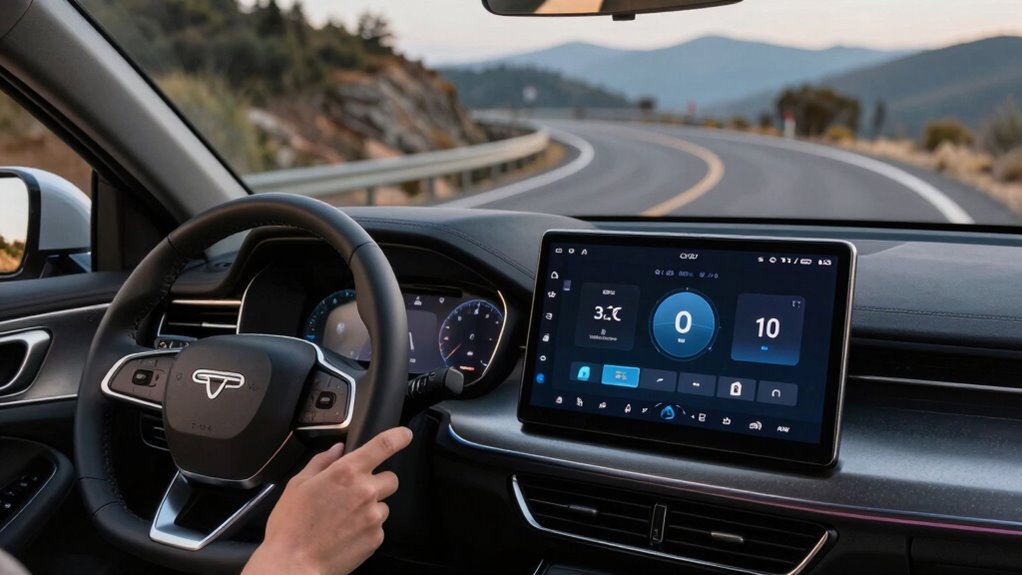
Thinking about upgrading your car’s head unit? The first thing to take into account is how you use your vehicle daily. Do you spend a lot of time commuting alone, or do you often drive with friends or family? Your driving habits influence what features you’ll find most useful. If you’re someone who values staying connected, look for a head unit with Bluetooth integration. This feature allows you to make hands-free calls, stream music directly from your smartphone, and access voice assistants without fumbling with cables or buttons. Bluetooth is essential if safety and convenience matter to you, especially during long drives or busy commutes.
Consider your daily driving habits to choose the most useful features for your new head unit.
Next, ponder touchscreen compatibility. If you’re used to smartphones, a head unit with a responsive touchscreen can make navigation and media controls more intuitive. Touchscreens often come with larger displays, making it easier to see maps, song information, or incoming calls at a glance. This feature is particularly valuable if you prefer a modern, sleek interface that minimizes clutter and simplifies operation. Look for units with high-resolution screens and responsive touch responses to avoid lag or frustration. The right touchscreen compatibility can transform your driving experience into a more seamless and enjoyable one, especially if you rely on GPS apps or streaming services. Additionally, considering the color accuracy of the display can significantly enhance the clarity and vibrancy of visual content, making navigation and media viewing more pleasant. Improving the visual quality of your head unit can also help reduce eye strain and improve safety by making important information easier to read.
Beyond these features, think about how often you listen to music or podcasts. A good head unit should support multiple media sources, such as USB, SD cards, or auxiliary inputs, but prioritize those with built-in Bluetooth for wireless streaming. If you also use apps like Spotify or Apple Music, ensure the head unit supports your preferred platform. Some models even offer voice control, so you can change tracks, adjust volume, or get directions without taking your eyes off the road. Your driving style will influence which features are most important—whether it’s quick access to your playlist or clear, hands-free communication. Keep in mind that a higher contrast ratio in the display can improve visibility in bright sunlight or low-light conditions, enhancing your overall experience and safety.
Finally, don’t forget to check the compatibility of the head unit with your vehicle’s dashboard. Measure your space accurately and verify that the unit will fit properly. Consider if you want additional features like a backup camera input or steering wheel controls integration, which can enhance safety and convenience. Planning your upgrade around your driving habits ensures you select a head unit that genuinely enhances your time on the road, making every drive safer, more connected, and more enjoyable. Additionally, understanding digital content trends can help you choose a head unit that supports the latest multimedia and connectivity options, keeping your vehicle up-to-date with emerging technology.
Products Worth Considering

Chemical Guys 14-Piece Arsenal Builder Car Wash Kit with Foam Blaster

Chemical Guys 17-Piece Car Detailing Kit

Chemical Guys 10-Piece Car Wash Kit with Foam Gun
As an affiliate, we earn on qualifying purchases.
Frequently Asked Questions
Can I Upgrade My Head Unit Without Professional Help?
Yes, you can upgrade your head unit without professional help if you’re comfortable with DIY installation. Make sure your aftermarket head unit is compatible with your vehicle to avoid issues. Gather the right tools, follow step-by-step guides, and disconnect your car battery before starting. While it’s doable for many, if you’re unsure about wiring or compatibility, consulting a professional can save you time and prevent potential damage.
What’s the Best Head Unit for Long-Distance Driving?
Think of your head unit as the navigator for a long journey—sound quality and Bluetooth connectivity are your trusted companions. The Sony XAV-AX5000 offers crystal-clear sound and seamless Bluetooth pairing, making your drives smoother. Just like a reliable map, it keeps you connected and entertained without fuss. For long-distance drives, prioritize units with strong sound and easy Bluetooth, so your trip stays enjoyable from start to finish.
How Do I Ensure Compatibility With Existing Vehicle Features?
You guarantee compatibility by checking your vehicle’s existing features and connector types before upgrading. Focus on sound quality by choosing a unit that matches your system’s power output and supports your speakers. For display options, verify if your car’s dashboard can accommodate larger screens or specific mounting styles. Read reviews and consult your vehicle’s manual to confirm compatibility, making sure your new head unit integrates seamlessly with your current features and enhances your driving experience.
Are There Head Units With Built-In Navigation?
Did you know over 60% of head units now feature built-in navigation? Yes, many head units come with built-in navigation, making routes easy to access. These units often include touchscreen interfaces for quick, intuitive control, and wireless connectivity for real-time updates and app integration. When choosing a head unit, look for those with built-in navigation to streamline your drive, and enjoy seamless control with modern touchscreen interfaces.
How Does My Driving Style Influence Head Unit Features?
Your driving style directly impacts the head unit features you should prioritize. If you enjoy long road trips, focus on sound quality and a user-friendly touchscreen interface for easy control and navigation. For city driving, consider a head unit with quick responsiveness and integrated features like Bluetooth for hands-free calls. Tailoring your choice guarantees a seamless experience that enhances your driving, making it safer and more enjoyable.
Conclusion
Upgrading your head unit isn’t just about fancy features; it’s about enhancing your driving experience based on how you actually use your car. Don’t worry if you’re concerned about compatibility or complexity—many upgrades are straightforward and customizable. By planning around your driving habits, you’ll enjoy better sound, smarter controls, and a more intuitive interface. So, take the time to assess your needs, and you’ll find the perfect upgrade that makes every drive more enjoyable.