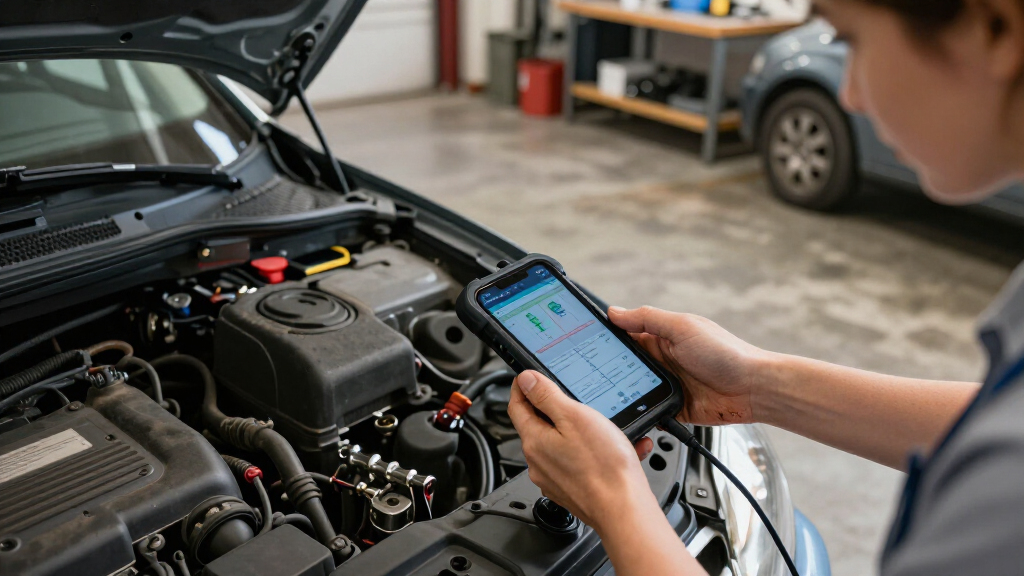
The best wireless car diagnostic scanners pair with a phone or dedicated screen to help you read codes, inspect live data, and, on some models, run active tests or service functions. I rank the XTOOL D7BT as the best overall for its broad diagnostic and bidirectional capabilities, while the BlueDriver stands out for phone-based diagnostics without a subscription and the Veepeak OBDCheck BLE for a simpler, compact setup. The main tradeoff is between affordable code reading and deeper system access, with vehicle compatibility and app requirements shaping what you can actually do. Continue reading for the full breakdown of all 14 options and a guide to choosing the right level of scanner.

Get business pricing on garage and car supplies
- Business-only prices and quantity discounts
- Tax-exempt purchasing
- Multiple users, one account, clear invoices
Complete the kit


Key Takeaways
- Capability, not wireless connection alone, separates the picks: compact Bluetooth adapters such as Veepeak are aimed at app-based checks, while the XTOOL D7BT and D8W add bidirectional functions and broader system work.
- The XTOOL D7BT is the strongest all-round fit for advanced DIY diagnosis because it combines wireless operation with full-system scanning and active tests; buyers who do not need those functions can avoid paying for complexity.
- BlueDriver and FIXD favor phone-first use, but serve different needs: BlueDriver emphasizes expanded diagnostic coverage without a subscription, while FIXD is geared toward straightforward check-engine-code interpretation.
- Dedicated-screen models trade portability for a more self-contained workflow: options such as TOPDON AD900 Lite, THINKCAR 673BT, and MUCAR 783BT suit users who want more than a phone app, though their functions still depend on vehicle compatibility.
- Two BlueDriver listings appear in the lineup with nearly identical stated features. I treat them as one capability tier rather than implying a meaningful performance gap based on the listing titles alone.
| XTOOL AD20 Pro OBD2 Scanner – Full System Car Diagnostic Scan Tool |  | Best Overall for Broad DIY Diagnostics | Connectivity: Wireless | Vehicle coverage: 85+ global brands | Diagnostic coverage: Full system, including ABS, SRS, and transmission | VIEW LATEST PRICE | See Our Full Breakdown |
| OBD2 Scanner Diagnostic Tool, Car Scanner for iOS & Android, Bluetooth 5.4 |  | Best for Beginners Using a Phone | Connectivity: Bluetooth 5.4 | Phone compatibility: iOS and Android | Vehicle compatibility: Claimed support for over 96% of makes and models; vehicles from 1996 to present | VIEW LATEST PRICE | See Our Full Breakdown |
| XTOOL D7BT Wireless Bidirectional Scan Tool with ECU Coding and AI Assistance |  | Best for Advanced DIY and Mobile Repair | Connectivity: Wireless Wi-Fi and Bluetooth | Vehicle compatibility: Claimed support for 99% of vehicles | Storage: 64GB | VIEW LATEST PRICE | See Our Full Breakdown |
| XTOOL D8W Wireless Bidirectional OBD2 Scanner |  | Best for Wireless Range and Shop Workflow | Connectivity: Wi-Fi | Wireless range: 33–66 feet | Transmission speed: 64 Mbps | VIEW LATEST PRICE | See Our Full Breakdown |
| THINKCAR OBD2 Scanner, ThinkScan Plus S7 ABS,SRS,ECM,TCM,BCM,AC,IC System Diagnostic Scan Tool with 5 Special Services Options, Cover 94 Car Brands Code Reader, FCA AutoAuth, Wireless Update |  | Best Standalone Screen for Multi-System Checks | Display: 5-inch touchscreen | Operating system: Android 6.0 | Processor: Quad-core 1.3GHz | VIEW LATEST PRICE | See Our Full Breakdown |
| LONAUTO OBD2 Scanner Bluetooth Wireless Car Diagnostic Tool for iPhone & Android |  | Best for Simple, Subscription-Free Checks | Brand: LONAUTO | Model number: OBD2 | Connectivity: Bluetooth BLE 5.0 | VIEW LATEST PRICE | See Our Full Breakdown |
| Veepeak OBDCheck BLE Bluetooth OBD II Scanner for iOS & Android |  | Best for App Choice | Connectivity: Bluetooth LE | Supported devices: iOS and Android | Vehicle compatibility: Most 1996+ cars and light trucks in the US | VIEW LATEST PRICE | See Our Full Breakdown |
| TOPDON AD900 Lite OBD2 Scanner, Bidirectional Scan Tool, 8-inch Screen |  | Best for Large-Screen Wireless Diagnostics | Operating system: Android 11.0 | Processor: 5x faster CPU (as described in product data) | Display: 8-inch touchscreen | VIEW LATEST PRICE | See Our Full Breakdown |
| FIXD Bluetooth OBD2 Scanner – Car Diagnostic Check Engine Code Reader |  | Best for Plain-Language Phone Guidance | Connectivity: Bluetooth | Supported devices: iPhone and Android | Power source: Vehicle powered | VIEW LATEST PRICE | See Our Full Breakdown |
| MUCAR 783BT Bidirectional Full System OBD2 Scanner Diagnostic Tool |  | Best for Full-System DIY Work | Display: 7-inch, 1024 × 600 HD touchscreen | Operating system: Android 10 | Memory and storage: 2 GB RAM; 64 GB ROM | VIEW LATEST PRICE | See Our Full Breakdown |
| THINKCAR 673BT Bidirectional Scan Tool, OBD2 Scanner 28+ Reset Services |  | Best for Broad Service Coverage | Display: 7-inch touchscreen, 1024 × 600 | Operating system: Android 10 | Processor and memory: Quad-core 2.0 GHz; 2 GB RAM; 64 GB storage | VIEW LATEST PRICE | See Our Full Breakdown |
| MUCAR 632 Elite AI-Assisted Bidirectional OBD2 Scanner | 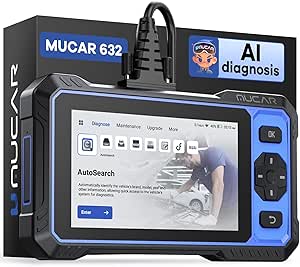 | Best for AI-Assisted Troubleshooting | Display: 6.2-inch touchscreen, 1024 × 600 | Operating system: Android 8.1 | Processor: 1.8 GHz | VIEW LATEST PRICE | See Our Full Breakdown |
| BlueDriver OBD2 Scanner Bluetooth, No Subscription, ABS SRS TPMS |  | Best for Phone-Based Repair Guidance | Connection: Bluetooth sensor plugs into the vehicle’s OBDII port | Device requirements: Compatible iOS or Android phone or tablet | Vehicle coverage: Gas-powered vehicles from 1996 onward sold in the United States, Canada, and Mexico | VIEW LATEST PRICE | See Our Full Breakdown |
| BlueDriver OBD2 Scanner Bluetooth – No Subscription – ABS, SRS, TPMS |  | Best Compact Wireless Scanner | Connection: Bluetooth | App compatibility: iOS and Android smartphones and tablets | Vehicle coverage: Gas vehicles from 1996 onward; select light-duty trucks and diesels | VIEW LATEST PRICE | See Our Full Breakdown |
| wireless car diagnostic scanner | Connectivity | Vehicle coverage |
|---|---|---|
| XTOOL AD20 Pro OBD2 Scanner | Wireless | 85+ global brands |
| OBD2 Scanner Diagnostic Tool | Bluetooth 5.4 | — |
| XTOOL D7BT Wireless Bidirectio | Wireless Wi-Fi and Bluetooth | — |
| XTOOL D8W Wireless Bidirection | Wi-Fi | 88+ brands and 140+ models |
| THINKCAR OBD2 Scanner | — | 94 car brands |
| LONAUTO OBD2 Scanner Bluetooth | Bluetooth BLE 5.0 | — |
| Veepeak OBDCheck BLE Bluetooth | Bluetooth LE | — |
| TOPDON AD900 Lite OBD2 Scanner | Bluetooth 5.0 and VCI cables | Cars from 1996 to 2025; 60+ models and 10,000+ cars listed |
| FIXD Bluetooth OBD2 Scanner | Bluetooth | — |
| MUCAR 783BT Bidirectional Full | WiFi and Bluetooth | — |
| THINKCAR 673BT Bidirectional S | — | 1996 and newer OBDII vehicles; claimed coverage of 96+ brands |
| MUCAR 632 Elite AI-Assisted Bi | Wi-Fi and Auto VIN scanning | 1996 through latest model years |
| BlueDriver OBD2 Scanner Blueto | — | Gas-powered vehicles from 1996 onward sold in the United States, Canada, and Mexico |
| BlueDriver OBD2 Scanner Blueto | — | Gas vehicles from 1996 onward; select light-duty trucks and diesels |
More Details on Our Top Picks
XTOOL AD20 Pro OBD2 Scanner – Full System Car Diagnostic Scan Tool
I’d put the XTOOL AD20 Pro near the top for owners who want more than engine-code reading without stepping up to a tablet-style shop tool. Its wireless connection pairs with full-system diagnostics for areas such as ABS, SRS, and transmission, giving DIYers a wider view of faults than a basic Bluetooth reader. AI repair guidance and real-time sensor data can help turn codes into a more useful starting point for troubleshooting. Compared with the V011, which centers on app-based OBD-II checks and performance data, the AD20 Pro reaches more vehicle systems and includes service functions such as oil reset. The tradeoff is a steeper learning curve: advanced scans may take more setup and diagnostic know-how, and CAN FD support limits its reach on some vehicles. I’d choose it for breadth, not the simplest first-time experience.
Pros:- Wireless full-system scans include ABS, SRS, and transmission on supported vehicles.
- AI repair guidance and live sensor data help users interpret faults.
- Oil reset and other listed functions add value beyond basic code reading.
- Free lifetime updates with no subscription.
Cons:- Advanced features and navigation may be difficult for users new to diagnostic tools.
- Coverage and functions depend on vehicle compatibility, including CAN FD support.
- The provided data does not specify the required app or phone operating systems.
Best for: DIY owners who want wireless access to engine, ABS, SRS, and transmission diagnostics across supported vehicles, plus service functions without a subscription.
Not ideal for: First-time users seeking a very simple check-engine reader, or owners whose vehicle is outside the tool’s supported CAN FD and brand coverage.
- Connectivity:Wireless
- Vehicle coverage:85+ global brands
- Diagnostic coverage:Full system, including ABS, SRS, and transmission
- CAN FD:Supported
- Additional functions:Battery guard, oil reset, smog-check readiness, performance test
- Guidance and data:AI repair guidance and real-time sensor data analysis
- Updates:Free lifetime updates
- Subscription:None
Our verdict“Choose the AD20 Pro if you want a wireless DIY scanner with broader system coverage than a basic OBD-II reader and can handle a more involved interface.”
OBD2 Scanner Diagnostic Tool, Car Scanner for iOS & Android, Bluetooth 5.4
The V011 is the most approachable phone-first pick in this group: it combines Bluetooth 5.4 with a dedicated iOS and Android app that presents live readings as charts and offers code explanations and suggested fixes. For a driver focused on a check-engine light, emissions readiness, freeze-frame data, and basic performance monitoring, that presentation can make information easier to follow than the more expansive XTOOL D7BT. It also lists nine supported protocols and coverage for vehicles from 1996 onward, though the stated compatibility is broad rather than a guarantee for every feature on every car. The main limitation is scope: the supplied details describe standard OBD-II functions, not the multi-system and bidirectional capabilities offered by the D7BT. The app-specific connection instructions may also confuse some users, and the scanner should be unplugged after use to avoid drawing from the vehicle battery.
Pros:- Bluetooth 5.4 connects wirelessly to iOS and Android phones.
- App charts make live sensor readings easier for beginners to interpret.
- Reads and clears codes and provides freeze-frame, VIN, and emissions-readiness data.
- Includes app guidance, tutorials, and nine listed protocols.
Cons:- The provided feature list focuses on OBD-II functions rather than full-system diagnostics.
- The dedicated app and Apple connection instructions require following a specific setup process.
- The scanner should be unplugged after use to avoid vehicle-battery drain.
Best for: Drivers who want an affordable-feeling, phone-based way to read and interpret check-engine codes, view live data, and check emissions readiness on a supported 1996-or-newer vehicle.
Not ideal for: DIY mechanics needing ABS, SRS, transmission, or other full-system scans, or owners who want advanced bidirectional controls and a standalone screen.
- Connectivity:Bluetooth 5.4
- Phone compatibility:iOS and Android
- Vehicle compatibility:Claimed support for over 96% of makes and models; vehicles from 1996 to present
- Protocols:Nine protocols
- Functions:Read and clear DTCs, live data, freeze frame, VIN, and emissions readiness
- Data display:Live-data charts and sensor readings
- App:Dedicated app for iOS and Android
- Languages:English, German, Spanish, Finnish, French, Italian, Dutch, Portuguese, and Chinese
Our verdict“Pick the V011 for clear, app-based engine diagnostics and live data, but choose a full-system scanner such as the AD20 Pro if you need access beyond standard OBD-II functions.”
XTOOL D7BT Wireless Bidirectional Scan Tool with ECU Coding and AI Assistance
For buyers who want a wireless scanner to do more than identify a fault, the XTOOL D7BT brings together bidirectional controls, ECU coding, and full-system diagnostics. Those functions can let a capable user run active tests and handle selected vehicle procedures rather than stopping at code interpretation. Its stated support for DoIP, FCA AutoAuth, and CAN FD also gives it a broader technical toolkit than the V011, which is oriented toward phone-based OBD-II checks. The 64GB storage and VIN auto detection suit frequent, varied diagnostic work, while AI-assisted analysis offers another route into troubleshooting. This is not the simplest choice for a casual driver: AI diagnostics require an internet connection, vehicle-specific function coverage can vary, and the product is positioned above basic scanners in complexity. I’d favor it over the AD20 Pro when coding and bidirectional work matter more than straightforward home checks.
Pros:- Combines full-system diagnostics with bidirectional controls and ECU coding.
- Supports DoIP, FCA AutoAuth, and CAN FD protocols.
- Wireless Wi-Fi and Bluetooth connectivity supports flexible use around the vehicle.
- Includes 64GB storage, VIN auto detection, and multiple service functions.
Cons:- AI diagnostics require an active internet connection.
- Available functions vary by vehicle make and model.
- Its professional feature set may be excessive and harder to learn for casual owners.
Best for: Advanced DIYers, independent repair shops, and mobile mechanics who need wireless full-system scans, active tests, and ECU coding across a broad range of supported vehicles.
Not ideal for: Drivers who only want to read a check-engine light, or users who need AI assistance to work without an internet connection.
- Connectivity:Wireless Wi-Fi and Bluetooth
- Vehicle compatibility:Claimed support for 99% of vehicles
- Storage:64GB
- Diagnostic functions:Full-system diagnostics, live data, VIN auto detection, and AI-assisted fault analysis
- Advanced functions:ECU coding and bidirectional control
- Protocols:DoIP, FCA AutoAuth, and CAN FD
- Service functions:Oil reset, EPB, SAS, BMS, throttle relearn, TPMS reset, AdBlue reset, and VIN write
- AI diagnostics:Requires an active internet connection
Our verdict“Choose the D7BT if you need wireless active tests and coding; for simpler code reading and live data, the V011 is a less demanding fit.”
XTOOL D8W Wireless Bidirectional OBD2 Scanner
The D8W stands out for a shop or driveway workflow where the operator wants to move around the vehicle while running diagnostics. Its Wi-Fi connection is listed at 33–66 feet, a practical distinction from the D7BT’s Wi-Fi/Bluetooth setup when the tablet needs to stay away from the OBD port during tests. The feature set is also broad: topology mapping, full-system diagnosis, ECU coding, PMI, and active tests go well beyond the V011’s phone-based engine-data focus. The 23-language interface may help in shared or multilingual work settings. Still, wireless range and transmission figures do not guarantee that every advanced function will work on every car; XTOOL calls for checking VIN-specific compatibility. With a complex setup and professional tools, this is a better match for experienced users than someone seeking a quick check-engine scan.
Pros:- Wi-Fi connection is specified with a 33–66-foot range.
- Topology mapping, full-system scans, and bidirectional testing support deeper diagnostics.
- ECU coding, PMI, and maintenance services extend its workshop use.
- Supports FCA AutoAuth, CAN FD, and DoIP, with a 23-language interface.
Cons:- Advanced features vary by vehicle, so compatibility needs checking before purchase.
- Setup and the professional feature set may challenge beginners.
- The provided data does not specify an update policy or subscription terms.
Best for: Independent mechanics and advanced DIY users who value room to move around a vehicle while performing topology scans, active tests, and other supported service work.
Not ideal for: Casual drivers who only need check-engine codes, or buyers unwilling to confirm VIN-specific compatibility before relying on advanced functions.
- Connectivity:Wi-Fi
- Wireless range:33–66 feet
- Transmission speed:64 Mbps
- Hardware:64GB high-end hardware
- Vehicle coverage:88+ brands and 140+ models
- Protocols:FCA AutoAuth, CAN FD, and DoIP
- Diagnostic functions:Topology mapping, full-system diagnosis, bidirectional tests, ECU coding, and PMI
- Languages:23
- Vehicle power compatibility:12V vehicles; check VIN for specific functions
Our verdict“Choose the D8W for a wireless workshop tool with topology mapping and active tests, provided you verify your vehicle’s functions before buying.”
THINKCAR OBD2 Scanner, ThinkScan Plus S7 ABS,SRS,ECM,TCM,BCM,AC,IC System Diagnostic Scan Tool with 5 Special Services Options, Cover 94 Car Brands Code Reader, FCA AutoAuth, Wireless Update
The ThinkScan Plus S7 is the pick for buyers who prefer a dedicated screen over a phone app. Its 5-inch touchscreen and Android interface provide a more self-contained workflow than the V011, which depends on a smartphone and its dedicated app. The S7 also scans seven listed systems—including engine, ABS, SRS, transmission, body control, air conditioning, and dashboard—and can show up to 120 data streams. That makes it more useful for diagnosing non-engine complaints than a basic OBD-II reader. There is a catch in the service menu: although 28 options are listed, the buyer can choose only five. It also needs a Wi-Fi or phone-hotspot connection for updates, and the product details do not establish which five functions will suit every vehicle. Compared with the D8W, it offers a screen-led, more bounded feature set rather than an explicitly workshop-focused topology and coding package.
Pros:- Standalone 5-inch touchscreen avoids relying on a phone for diagnostics.
- Scans seven systems, including ABS, SRS, transmission, body control, and air conditioning.
- Displays up to 120 live-data streams and can generate shareable diagnostic reports.
- Supports AutoVIN, FCA AutoAuth, and wireless software updates.
Cons:- Only five of the 28 listed maintenance services can be selected.
- Updates require Wi-Fi or a phone hotspot.
- Vehicle-specific compatibility for system scans and selected services may vary.
Best for: DIY owners who want a standalone touchscreen scanner for several vehicle systems and can select five maintenance services that match their needs.
Not ideal for: Mechanics who need broad bidirectional or topology functions, and owners who expect access to all 28 listed maintenance services.
- Display:5-inch touchscreen
- Operating system:Android 6.0
- Processor:Quad-core 1.3GHz
- Storage:32GB plus 256GB expandable storage, as listed
- Vehicle coverage:94 car brands
- Systems:Engine, ABS, SRS, transmission, body control, air conditioning, and dashboard
- Live data:Up to 120 data streams
- Maintenance services:Choose five from 28 listed options
- Connectivity and updates:Wireless updates via Wi-Fi or phone hotspot; FCA AutoAuth supported
Our verdict“Choose the ThinkScan Plus S7 if you want a dedicated screen and multi-system coverage, but skip it if you need every listed service or a more advanced shop workflow.”
LONAUTO OBD2 Scanner Bluetooth Wireless Car Diagnostic Tool for iPhone & Android
I’d choose the LONAUTO OBD2 for straightforward engine checks when I want a small wireless adapter and a free app without a subscription. It reads trouble codes and live data on compatible vehicles, so I can get a first clue about a warning light before deciding whether a shop visit is needed. Compared with the Veepeak OBDCheck BLE, LONAUTO includes its own free app; Veepeak instead relies on a compatible third-party app, which may offer more choice but can add setup or app costs. The tradeoff is limited scope: this is for basic OBD-II troubleshooting, not ABS, transmission, or other advanced system scans. It also excludes hybrid and electric vehicles, despite broad compatibility with many conventional cars. Android users should expect a pairing step, and the adapter is not a fit for heavy-duty diesel vehicles.
Pros:- Free app supports diagnostics without a subscription
- Bluetooth BLE 5.0 enables wireless use with compatible phones and tablets
- Compact 31.6 g adapter is easy to keep in a glove box
- Supports many cars built after 1996 in North America
Cons:- Limited to basic OBD-II functions rather than ABS or transmission diagnostics
- Not compatible with hybrid, electric, or heavy-duty diesel vehicles
- Android devices require a pairing setup
Best for: Owners of compatible gasoline cars who want occasional engine-code and live-data checks through a free smartphone app.
Not ideal for: Hybrid or electric vehicle owners, heavy-duty diesel drivers, and DIYers who need ABS, transmission, or other system diagnostics.
- Brand:LONAUTO
- Model number:OBD2
- Connectivity:Bluetooth BLE 5.0
- Supported devices:iOS, Android, and Windows
- Vehicle compatibility:Cars built after 1996 in North America, 2000 in Asia, and 2003 in Europe
- Weight:31.6 g
- Warranty:1 year
Our verdict“Choose LONAUTO for lightweight, subscription-free engine checks, but skip it if you need broad system coverage or hybrid compatibility.”
Veepeak OBDCheck BLE Bluetooth OBD II Scanner for iOS & Android
The Veepeak OBDCheck BLE makes sense for drivers who would rather choose their own diagnostic app than rely on a bundled interface. Its Bluetooth LE connection supports standard engine-code reading, code clearing, and live sensor data on most compatible US cars and light trucks. Compared with the LONAUTO OBD2, Veepeak puts more emphasis on compatibility with multiple popular third-party apps, while LONAUTO supplies a free app; that flexibility can suit experienced phone users, but app availability and possible costs depend on the software selected. The main limit is diagnostic depth: Veepeak does not cover ABS or SRS, and manufacturer-specific features may not work. I’d view it as a basic wireless code reader, not a substitute for a full-system tablet scanner such as the TOPDON AD900 Lite.
Pros:- Bluetooth LE supports wireless diagnostics with iOS and Android
- Works with multiple popular third-party diagnostic apps
- Reads and clears standard engine trouble codes and displays live sensor data
- Includes a mini carrying case and user instructions
Cons:- Requires a compatible third-party app, which may involve extra setup or cost
- Does not support advanced ABS or SRS diagnostics
- Some vehicle-specific and manufacturer-specific functions are unavailable
Best for: iPhone or Android users who already have a preferred OBD-II app and want a compact adapter for routine engine checks.
Not ideal for: Drivers who want an included diagnostic app, advanced ABS or SRS coverage, or manufacturer-specific service functions.
- Connectivity:Bluetooth LE
- Supported devices:iOS and Android
- Vehicle compatibility:Most 1996+ cars and light trucks in the US
- Diagnostic functions:Read and clear engine codes; view live sensor data
- App requirement:Compatible third-party app required
- Included accessories:Mini carrying case and user instructions
- Warranty:1-year manufacturer replacement warranty
Our verdict“Pick Veepeak if app choice matters more than included software or advanced diagnostic coverage.”
TOPDON AD900 Lite OBD2 Scanner, Bidirectional Scan Tool, 8-inch Screen
For buyers who want a self-contained scanner rather than a phone-based adapter, the TOPDON AD900 Lite offers a different level of access: its 8-inch touchscreen, Bluetooth connection, full-system diagnostics, and bidirectional controls are aimed at more involved troubleshooting. Wireless range up to 33 feet lets me work around the vehicle without staying beside the OBD-II port, while reset services add practical maintenance tasks beyond reading engine codes. Compared with the MUCAR 783BT, TOPDON has a larger stated screen and runs Android 11, while MUCAR specifies 28-plus maintenance resets and lifetime free WiFi updates. TOPDON’s substantial 4.8-pound weight makes it less convenient to carry than a small adapter like the Veepeak OBDCheck BLE, and its broad feature set may overwhelm beginners. Its stated coverage is limited to cars from 1996 through 2025.
Pros:- Full-system diagnostics and bidirectional control go beyond basic engine-code reading
- 8-inch touchscreen gives vehicle data and menus room to display clearly
- Bluetooth 5.0 wireless diagnosis is specified for ranges up to 33 feet
- Multiple reset services support routine maintenance work
Cons:- At 4.8 pounds, it is much less portable than phone-based adapters such as the Veepeak OBDCheck BLE
- Broad diagnostic controls may be difficult for complete beginners
- Stated vehicle coverage ends at model year 2025
Best for: DIY mechanics and small repair shops that want wireless full-system scans and bidirectional controls on a large dedicated display.
Not ideal for: Casual drivers seeking a pocket-sized code reader, complete beginners, or owners of vehicles outside its stated 1996–2025 coverage.
- Operating system:Android 11.0
- Processor:5x faster CPU (as described in product data)
- Display:8-inch touchscreen
- Connectivity:Bluetooth 5.0 and VCI cables
- Wireless range:Up to 33 feet
- Battery:10000 mAh
- Vehicle coverage:Cars from 1996 to 2025; 60+ models and 10,000+ cars listed
- Supported languages:12
- Weight and warranty:4.8 pounds; 2 years
Our verdict“Choose the TOPDON if you need a large-screen wireless tool with active tests, not a light adapter for occasional code checks.”
FIXD Bluetooth OBD2 Scanner – Car Diagnostic Check Engine Code Reader
FIXD is aimed at drivers who want codes translated into clearer explanations and maintenance reminders, rather than a bare list of diagnostic data. Its phone app can organize scans by vehicle, track mileage-based reminders, and share results with family or a repair shop. The listing also describes support for gasoline and hybrid vehicles from 1996 onward and diesel vehicles from 2006 onward, giving it broader stated fuel-type coverage than the LONAUTO OBD2, which excludes hybrids and electric vehicles. FIXD’s optional premium features include repair recommendations, cost estimates, and mechanic support, so I’d check which functions remain available without upgrading before relying on them. Unlike the dedicated TOPDON AD900 Lite, FIXD depends on a smartphone and app, and its compact sensor does not provide the same self-contained screen or workshop-oriented controls.
Pros:- App provides plain-language explanations for diagnostic issues
- Stores scans by vehicle and supports mileage-based maintenance reminders
- Can share scan results with family members or a repair shop
- Listing describes compatibility with 1996+ gasoline and hybrid vehicles and 2006+ diesel vehicles
Cons:- Some repair recommendations and support features are optional premium features
- Requires a compatible smartphone and the FIXD app to view diagnostics
- Does not offer the self-contained display and bidirectional controls of the TOPDON AD900 Lite
Best for: Everyday drivers with gasoline, hybrid, or eligible diesel vehicles who want understandable code explanations, scan history, and maintenance reminders on a phone.
Not ideal for: DIY mechanics who need a dedicated screen, bidirectional tests, or confirmed full-system service functions rather than app-based guidance.
- Connectivity:Bluetooth
- Supported devices:iPhone and Android
- Power source:Vehicle powered
- Vehicle compatibility:OBD-II vehicles from 1996 onward; listing specifies gasoline and hybrid from 1996 and diesel from 2006
- App functions:Issue explanations, scan history by vehicle, and mileage-based reminders
- Sensor dimensions:1.5 × 0.5 × 1.75 inches
- Language:English
Our verdict“Choose FIXD for phone-based explanations and vehicle reminders, but look elsewhere for a dedicated full-system workshop scanner.”
MUCAR 783BT Bidirectional Full System OBD2 Scanner Diagnostic Tool
The MUCAR 783BT is the stronger fit when a wireless scanner needs to examine more than engine codes: it supports full-system diagnostics, bidirectional active testing, and more than 28 maintenance reset functions. Its 7-inch touchscreen and auto VIN detection aim to make setup and data review more direct, while lifetime free WiFi updates help keep the software current without a recurring update fee. Compared with the TOPDON AD900 Lite, MUCAR specifies CAN FD and DoIP protocols, 100-plus vehicle brands, and lifetime updates; TOPDON counters with an 8-inch screen and a stated Bluetooth range of up to 33 feet. MUCAR is still a substantial Android-based diagnostic tablet, not a pocket adapter, and its advanced tests can be confusing for a novice. Buyers who only need basic engine checks can choose a simpler phone-based scanner instead.
Pros:- Full-system coverage includes engine, ABS, transmission, and other systems
- Bidirectional active tests help narrow down faults beyond passive code reading
- More than 28 maintenance reset functions support a wider range of service tasks
- Lifetime free WiFi updates and auto VIN detection support ongoing use
Cons:- Advanced diagnostic functions require familiarity with vehicle systems
- Large tablet format is less portable than a Bluetooth adapter such as the LONAUTO OBD2
- The wide feature set may be unnecessary for drivers who only read engine codes
Best for: Experienced DIY vehicle owners and small workshops that need wireless full-system scans, active tests, and multiple maintenance resets.
Not ideal for: New drivers seeking simple code explanations or anyone wanting a compact, low-complexity phone adapter for occasional engine checks.
- Display:7-inch, 1024 × 600 HD touchscreen
- Operating system:Android 10
- Memory and storage:2 GB RAM; 64 GB ROM
- Battery:5000 mAh
- Connectivity:WiFi and Bluetooth
- Protocols:CAN FD and DoIP
- Vehicle compatibility:1996+ OBD-II vehicles; 100+ brands listed
- Maintenance resets:28+ functions
- Software updates:Lifetime free WiFi updates
Our verdict“Choose the MUCAR 783BT for advanced wireless diagnostics and active testing, rather than simple phone-based engine checks.”
THINKCAR 673BT Bidirectional Scan Tool, OBD2 Scanner 28+ Reset Services
The THINKCAR 673BT suits buyers who want a wireless handheld tool for both diagnostics and active tests. Its bidirectional controls can command components such as fuel pumps, injectors, windows, and wipers, while 28+ reset services cover a broad range of maintenance tasks. Compared with the phone-based BlueDriver, it offers a built-in 7-inch screen and more workshop-style controls, rather than relying on an app and repair reports. CAN FD and DoIP support also make it a stronger fit for newer vehicles, and its Bluetooth VCI allows scans from up to 10 meters away. The tradeoff is fit: available functions vary by vehicle, and the 673BT is a larger, more involved tool than a simple code reader. Buyers should confirm vehicle-specific service coverage before choosing it.
Pros:- Bidirectional tests let users command supported vehicle components during troubleshooting.
- More than 28 reset and maintenance functions offer wide service coverage.
- CAN FD and DoIP support extend compatibility to newer vehicles.
- Built-in 7-inch screen and Bluetooth VCI allow cable-free diagnostics.
Cons:- Reset and active-test availability varies by vehicle make and model.
- Its 7-inch handheld format is less compact than a phone-connected adapter.
- AutoVIN may not work on every vehicle, requiring manual VIN entry.
Best for: DIY mechanics and independent technicians who want a handheld wireless scanner with active tests, broad reset coverage, and support for newer vehicle protocols.
Not ideal for: Drivers who only need to read check-engine codes or want a compact phone-based scanner; its advanced functions and larger tablet-style body may be more than they need.
- Display:7-inch touchscreen, 1024 × 600
- Operating system:Android 10
- Processor and memory:Quad-core 2.0 GHz; 2 GB RAM; 64 GB storage
- Wireless connection:Bluetooth 5.0 VCI; stated range up to 10 m (33 ft)
- Protocols:CAN FD and DoIP
- Diagnostics:All-system diagnostics, live data, and freeze-frame data
- Service functions:More than 28 reset and maintenance services; availability varies by vehicle
- Vehicle coverage:1996 and newer OBDII vehicles; claimed coverage of 96+ brands
- Battery and updates:4150 mAh battery; lifetime free software updates
Our verdict“Choose the 673BT if you need a full-featured wireless service tool with many active tests and resets, not just quick code checks.”
MUCAR 632 Elite AI-Assisted Bidirectional OBD2 Scanner
The MUCAR 632 Elite pairs bidirectional control with AI-assisted analysis, giving DIY owners another way to interpret faults beyond reading a code and searching for its meaning. It also provides ECU diagnosis across four ECUs, ECU coding, live data, and more than 15 reset services. Compared with the THINKCAR 673BT, it has a smaller 6.2-inch screen and fewer listed reset functions, but AI support may help users who want guidance while investigating a problem. Lifetime free updates add ongoing software access without a stated subscription. The main caveat is that AI analysis needs an internet connection; FCA vehicle support also calls for AutoAuth registration. Coverage and special functions can depend on the vehicle, so this is less appealing to buyers who want a fully offline workflow or have not checked compatibility.
Pros:- AI-assisted analysis can add troubleshooting context beyond fault-code definitions.
- Bidirectional control and ECU coding support more involved diagnostic work.
- More than 15 reset services cover common maintenance needs.
- Lifetime free updates and expandable storage support continued use.
Cons:- AI analysis requires an internet connection.
- Full FCA support requires FCA AutoAuth registration.
- Its listed reset-service count is lower than the THINKCAR 673BT’s 28+.
Best for: DIY owners who want bidirectional testing and AI-assisted explanations on a handheld scanner, and who can use an internet connection for analysis.
Not ideal for: Buyers who need offline AI analysis, do not want to register for FCA AutoAuth when working with supported FCA vehicles, or want more than 15 reset services.
- Display:6.2-inch touchscreen, 1024 × 600
- Operating system:Android 8.1
- Processor:1.8 GHz
- Storage:32 GB, expandable to 128 GB with TF card
- Connectivity:Wi-Fi and Auto VIN scanning
- Protocols and access:FCA SGW and CAN FD; FCA AutoAuth registration needed for full FCA support
- Vehicle coverage:1996 through latest model years
- Diagnostics and control:Bidirectional control, ECU coding, and diagnosis of 4 ECUs
- Updates and service functions:Lifetime free updates; 15+ reset services
Our verdict“Pick the MUCAR 632 Elite if you want AI-guided troubleshooting alongside bidirectional controls and can accept its online and FCA registration requirements.”
BlueDriver OBD2 Scanner Bluetooth, No Subscription, ABS SRS TPMS
BlueDriver is the simplest fit here for owners who want enhanced diagnostics without carrying a dedicated tablet. Plug the Bluetooth sensor into the OBDII port, connect a phone or tablet, and use the app to read supported engine, ABS, SRS, TPMS, and transmission codes. Its standout is the combination of technician-verified repair reports, live data, freeze frames, and smog-readiness checks, which can help turn a warning light into a more useful next step. Compared with the THINKCAR 673BT and MUCAR 632 Elite, it does not offer their listed bidirectional controls or extensive reset menus; instead, it keeps the hardware and workflow compact. It also covers gas vehicles from 1996 onward in North America, so buyers with vehicles outside that scope should check fit before ordering.
Pros:- Technician-verified repair reports connect codes with causes and confirmed fixes.
- Reads enhanced codes for several systems beyond the engine.
- Live data, freeze frames, Mode 6 results, and smog-readiness checks support follow-up diagnosis.
- Bluetooth phone connection and no-subscription access avoid a dedicated scanner tablet.
Cons:- Requires a compatible smartphone or tablet to operate.
- Does not list bidirectional controls or the broad reset menus offered by the THINKCAR 673BT.
- Stated compatibility is limited to gas vehicles from 1996 onward sold in North America.
Best for: North American owners of 1996-or-newer gas vehicles who want enhanced code reading and repair guidance through a smartphone app.
Not ideal for: Technicians and DIYers who need bidirectional actuator tests, ECU coding, extensive reset services, or coverage beyond the stated North American gas-vehicle range.
- Connection:Bluetooth sensor plugs into the vehicle’s OBDII port
- Device requirements:Compatible iOS or Android phone or tablet
- Vehicle coverage:Gas-powered vehicles from 1996 onward sold in the United States, Canada, and Mexico
- Supported systems:Engine, ABS, SRS, airbag, TPMS, and transmission
- Diagnostic data:Live data, freeze frames, smog readiness, and Mode 6 results
- Repair guidance:VIN-matched, technician-verified repair reports
- Subscription:No subscription required
- Updates and support:Free app updates and North American phone or in-app support
Our verdict“Choose BlueDriver if phone-based diagnostics and repair guidance matter more to you than active tests or handheld service functions.”
BlueDriver OBD2 Scanner Bluetooth – No Subscription – ABS, SRS, TPMS
This BlueDriver version makes sense for buyers who want diagnostics in a small OBDII adapter and already prefer using a phone or tablet. Its Bluetooth connection supports real-time data and code reading across systems including ABS, SRS, TPMS, and transmission, while technician-verified repair reports give drivers more context than a basic code reader. Like the earlier BlueDriver in this lineup, it has no subscription requirement, so its appeal is a straightforward phone-based setup rather than a dedicated screen. The listed coverage also includes select light-duty trucks and diesels, a useful distinction from the other BlueDriver listing, which specifies North American gas vehicles. But that truck and diesel support is selective, not universal, and the scanner still depends on a compatible mobile device. Buyers seeking bidirectional tests should look to the THINKCAR 673BT instead.
Pros:- Compact Bluetooth adapter works with iOS and Android devices.
- Reads and clears codes across engine, ABS, SRS, TPMS, and transmission systems.
- Technician-verified repair reports and real-time data add context to codes.
- No subscription is required.
Cons:- A compatible smartphone or tablet is required for operation.
- Coverage for light-duty trucks and diesels is limited to select vehicles.
- Does not list bidirectional controls or ECU coding like the THINKCAR 673BT.
Best for: Drivers who want a compact Bluetooth scanner for phone-based diagnostics and whose vehicle falls within its stated car or select light-duty truck coverage.
Not ideal for: Users who want a standalone display, need broad diesel or heavy-duty coverage, or require active component tests and coding.
- Connection:Bluetooth
- App compatibility:iOS and Android smartphones and tablets
- Vehicle coverage:Gas vehicles from 1996 onward; select light-duty trucks and diesels
- Supported systems:Check Engine, ABS, SRS, TPMS, transmission, and other supported systems
- Diagnostic data:Real-time data streaming
- Repair guidance:Technician-verified repair reports
- Subscription:No subscription required
Our verdict“Choose this BlueDriver if you want a compact phone-connected scanner with repair reports and your vehicle is within its specified coverage.”
How We Picked
I ranked these wireless car diagnostic scanners by how much useful diagnostic work they can support, how clearly their connection and interface fit the intended buyer, and how well their feature set matches common DIY needs. I gave more weight to system coverage, live data, bidirectional controls, and service functions than to wireless connectivity by itself: a Bluetooth link is only useful if the scanner and software can access the systems a buyer needs. Vehicle coverage, app or update dependencies, and the difference between a phone adapter and a dedicated screen also shaped the order.
The ranking favors options that offer a strong balance of capability and usability, not the longest feature list. Advanced tools such as the XTOOL D7BT and D8W rank ahead for buyers who need active tests and broader diagnostics, while simpler adapters remain sensible for basic code checks and occasional use. I also account for tradeoffs: deeper tools can cost more in setup time and learning, and advertised functions may vary by vehicle make, model, year, and system. Where two listings describe essentially the same product, I do not invent a difference between them.
Factors to Consider When Choosing Wireless Car Diagnostic Scanners
Before choosing a scanner, I would match its actual diagnostic scope to the jobs I expect to do. A wireless connection does not guarantee full-system access, and a feature shown in a product listing may not work on every vehicle. These broader checks can prevent buying a tool that reads engine codes but cannot reach the system or function you need.
Match system coverage to the warning you need to diagnose
Many basic scanners focus on emissions-related engine codes, while more advanced models may communicate with systems such as ABS, airbag, transmission, or body controls. Before buying, identify the system behind your likely repair rather than relying on a broad phrase such as “full system.” Coverage can vary by vehicle, and a scanner may access a module on one model but not another. Check compatibility by make, model, year, and the specific function you want. If your main goal is clearing a check-engine light, a simpler tool may be easier to use and less costly. If you diagnose multiple warning lights, broader coverage can save you from needing a second scanner.
Separate code reading from bidirectional control
Reading a trouble code tells you what a vehicle computer has recorded; it does not prove which part has failed or fix the cause. Bidirectional control lets a supported scanner send commands to certain vehicle components, which can help with targeted checks. This is different from simply viewing live sensor data or clearing a code. Buyers often pay for active testing without having a repair task that needs it, so consider the work you plan to do before choosing that tier. Advanced commands can also depend on manufacturer access and vehicle support. For routine checks, reliable code and data access may matter more than control features.
Check how wireless pairing and software will work day to day
Phone-based adapters rely on compatible hardware, an operating system, an app, and a stable connection, so confirm each part before ordering. Some buyers prefer a dedicated-screen scanner because it avoids keeping a phone connected and gives the tool its own interface. Other users value a small adapter that can stay in the glove box and work with an app they already understand. Check whether the required app has ongoing fees, account requirements, or paid functions, rather than assuming “wireless” means no extra software needs. Consider who will use the scanner, too: an interface that is convenient for one person may be confusing for another. A little setup research can matter more than a long feature list.
Treat vehicle compatibility as a feature, not a footnote
OBD2 support does not mean every scanner can perform every advertised task on every car. Functions such as resets, coding, or module tests can depend on a vehicle’s make, model year, trim, and installed systems. Check the manufacturer’s coverage information for your exact vehicle and function before choosing a model. If you work on several cars, include the oldest and newest vehicles in that check. Avoid assuming a tool that supports a brand supports all its models equally. When a function is essential, confirm it directly rather than treating general compatibility language as a guarantee.
Choose portability or a dedicated workstation-style interface
A compact Bluetooth adapter is easy to store and can be a practical choice for quick checks, but the phone becomes part of the diagnostic setup. A dedicated-screen tool takes up more space and can involve a different update and menu workflow, yet it keeps scanning separate from calls, notifications, and other phone apps. Neither format is automatically more capable; compare the supported functions rather than judging by screen size. Think about where you will use the scanner, how often you will connect it, and whether you need to review data while working near the vehicle. Buyers who scan occasionally may favor a pocket-sized adapter, while frequent users may appreciate a self-contained device.
Budget for learning, updates, and the limits of code interpretation
A scanner reports information, but diagnosis still involves checking symptoms, wiring, service procedures, and the possibility of multiple causes. More advanced menus can add capability while also raising the learning curve. Confirm how software updates are delivered and whether any features depend on an account, subscription, or purchase; do not assume every model follows the same policy. Free or included software can still vary in data detail and supported functions. A tool that presents codes in understandable language may suit a casual owner better than one built around specialist controls. When weighing extra features, ask whether they support repairs you genuinely plan to perform rather than simply appearing impressive on a spec sheet.
Frequently Asked Questions
Can a wireless OBD2 scanner diagnose ABS or airbag warnings?
Some can, but basic engine-code adapters often cannot access ABS or airbag modules. Look for explicit support for the system and your exact vehicle, rather than relying on a general claim that the scanner covers many brands. The BlueDriver listings and several dedicated tools in this roundup name expanded system coverage, but the available functions can still differ by vehicle. If a particular warning is the reason you are buying, confirm that code reading for that module is supported before purchase. A scanner can help identify a fault, but it does not replace safe repair procedures for restraint or braking systems.
Do I need a bidirectional scanner for home car repairs?
Not for every repair. A reader that retrieves codes and live data can be enough for checking a warning light or monitoring basic engine information. Bidirectional tools add the ability to command supported components, which can help with certain tests and troubleshooting steps. That capability is more useful if you regularly work on vehicles or follow repair procedures that call for active tests. If you mainly want to understand a check-engine light, a simpler phone-based option may be a better fit. Confirm the specific test is supported for your car before choosing a bidirectional model.
Will these scanners work with both iPhone and Android?
Not every wireless scanner works with both platforms, and compatibility can depend on the adapter, connection type, app, and operating-system version. Several products here explicitly name iOS and Android support, but that does not establish that every feature is identical across both. Check the current app requirements and supported devices before buying, especially if you use an older phone. Dedicated-screen scanners sidestep some phone compatibility questions, though they have their own software and update requirements. For a phone adapter, verify the full connection method rather than relying on the word “Bluetooth” alone.
Why might a scanner connect to my car but fail to show the function I need?
Connection only confirms that the scanner can communicate at some level; it does not prove access to every module or service function. A vehicle’s model year, trim, control modules, and manufacturer-specific protocols can affect what is available. Some functions also require software support, account access, or a particular update. Check the scanner maker’s compatibility information for the exact vehicle and task, and ask about a named function rather than general coverage. If that function is essential to your repair, do not choose based solely on a successful basic OBD2 connection.
Are the two BlueDriver listings meaningfully different?
The supplied product names describe nearly identical BlueDriver Bluetooth scanners and list the same key claims: no subscription and ABS, SRS, and TPMS coverage. The listing titles alone do not establish a meaningful difference in diagnostic ability. I would compare the exact model identifiers, included accessories, app details, and seller information before choosing between the two listings. Treat them as the same general product tier unless the full specifications show otherwise. The more useful decision is whether BlueDriver’s phone-based workflow and vehicle coverage match your needs.
Conclusion
For most DIY owners who want wireless access to deeper diagnostics and active tests, I would start with the XTOOL D7BT as the best overall; the D8W is another advanced choice for shoppers comparing wireless bidirectional tools. For a phone-first option with expanded diagnostics and no subscription stated in the listing, the BlueDriver is my best value fit, while the two BlueDriver listings appear to occupy the same capability tier. Beginners who mainly want help understanding check-engine codes should look at FIXD or a straightforward Bluetooth adapter such as Veepeak OBDCheck BLE, rather than buying advanced controls they may not use. For a dedicated-screen workflow, compare the TOPDON AD900 Lite, THINKCAR 673BT, and MUCAR 783BT against the functions your vehicle supports. If you need a particular reset, module scan, or active test, choose by confirmed vehicle compatibility first; that matters more than the scanner’s broadest feature claim.
Fall Picks
fall essentials
As an affiliate, we earn on qualifying purchases.