If your Milwaukee M18 batteries aren’t charging, it can disrupt your work and cause frustration. Understanding common causes and following safe troubleshooting steps can help you quickly restore power to your tools.

Get garage and car supplies delivered free — and shop member deals
- Fast, free delivery on millions of items
- Access to Prime Big Deal Days deals on October 6–7
- Prime Video, Amazon Music and more included
This guide provides practical, step-by-step instructions to identify and fix charging issues safely, ensuring your Milwaukee tools stay ready for any job.
Key Takeaways
| Check Charger & Power Source | Ensure the charger and outlet are functioning correctly. |
| Inspect Battery & Contacts | Look for damage, dirt, or corrosion on the battery and charger contacts. |
| Test with Known Good Battery | Use a fully charged or different battery to determine if the issue is with the battery or charger. |
| Reset & Update Equipment | Perform a reset of the charger and ensure your batteries are compatible and in good condition. |
| Contact Support if Needed | Seek professional help if the problem persists after troubleshooting. |
Step 1: Verify Power Source and Charger
- Plug the charger into a different, working outlet to rule out power issues.
- Check for any visible damage or frayed cords on the charger.
- Ensure the charger indicator lights are functioning as expected (refer to your model’s manual).
Step 2: Inspect Battery and Contacts
- Remove the battery from the charger and clean the contacts with a dry cloth or a soft brush.
- Look for signs of damage, swelling, or corrosion on the battery terminals.
- If the battery appears damaged, replace it with a new one.
Step 3: Test with a Known Good Battery
- Insert a fully charged, compatible Milwaukee battery into the charger.
- Observe if the charger begins charging or shows any indicator lights.
- If the known good battery charges normally, the original battery may be faulty.
Step 4: Reset and Update
Unplug the charger and wait for 10 seconds before plugging it back in. Some Milwaukee chargers have reset buttons or firmware updates; consult your model manual for specific instructions.
Ensure your batteries are compatible with your charger and tools.
Additional Tips & Safety Warnings
- Always work in a dry, well-ventilated area when troubleshooting electrical components.
- Never force a battery into a charger or use damaged batteries.
- If your charger or batteries emit a strange smell, smoke, or excessive heat, unplug immediately and seek professional assistance.
The Products in This Guide

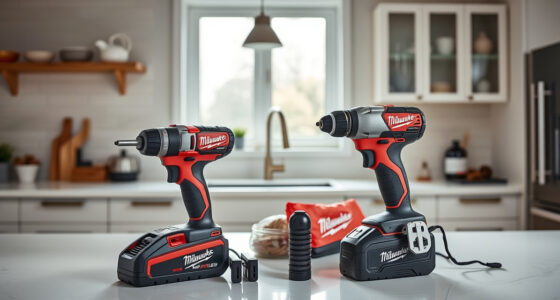
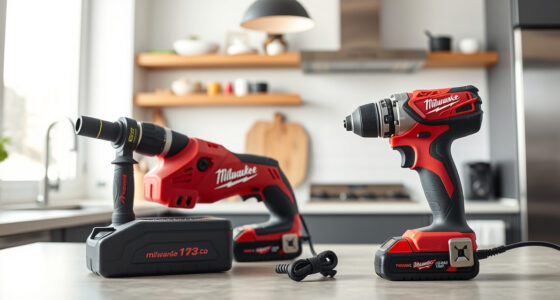
Milwaukee M18 18V Cordless Power Tool Combo Kit
- ✔ Weight: 5.4 lbs
- ✔ Battery Capacity: High-capacity up to 5Ah
- ✔ Warranty: 3 years

Milwaukee Shockwave 100pcs Impact Driver Bit Set Packout
- ✔ Weight: 2.5 lbs
- ✔ Impact Rating: High
- ✔ Storage: Packout case
Milwaukee M18 18V Cordless Power Tool Combo Kit
The Milwaukee M18 18V Cordless Power Tool Combo Kit is a versatile and powerful set, ideal for various construction and maintenance tasks. If your batteries aren’t charging, troubleshooting the charger and batteries can restore your workflow.
Pros:
- Includes 3 batteries for extended work
- Fast charger minimizes downtime
- Compatible with over 200 Milwaukee tools
- Durable construction for tough environments
Cons:
- Charger may need reset or replacement if faulty
- Batteries can wear out over time
- Requires proper handling to avoid damage
Best for: Professionals and DIYers needing a comprehensive cordless toolkit
Not ideal for: Users with incompatible older Milwaukee batteries or chargers
Bottom line: The Milwaukee M18 kit offers reliable performance, but proper maintenance ensures batteries stay charged and ready.
Milwaukee Shockwave 100pcs Impact Driver Bit Set Packout
Complement your Milwaukee tools with this 100-piece Impact Driver Bit Set. It’s perfect for various fastening tasks and ensures you’re prepared for any job.
Pros:
- Includes a variety of bits for different applications
- Packout case for easy storage
- Durable construction
- Compatible with impact drivers
Cons:
- Bits may wear out over time
- Storage case can be bulky for some
Best for: DIY enthusiasts and professionals needing a comprehensive bit set
Not ideal for: Users seeking specific specialty bits outside impact driver compatibility
Bottom line: A versatile, durable impact driver bit set that complements Milwaukee power tools well.
Frequently Asked Questions
Why isn’t my Milwaukee battery charging?
Common reasons include a faulty charger, dirty contacts, damaged battery, or power source issues. Troubleshooting these steps can help identify the cause.
Can I use a different charger with my Milwaukee batteries?
It’s recommended to use the original Milwaukee charger designed for your specific battery platform to ensure safety and compatibility.
How do I clean the battery contacts?
Use a dry cloth or a soft brush to gently remove dirt, dust, or corrosion from the contacts. Avoid using liquids or abrasive materials.
When should I replace my Milwaukee batteries?
If batteries no longer hold a charge or show signs of damage or swelling, it’s time to replace them to avoid safety hazards and maintain performance.
Keeping Your Milwaukee Power Tools Ready
Regular maintenance and proper troubleshooting can extend the life of your Milwaukee batteries and ensure your tools operate at peak performance. Always follow safety guidelines when working with electrical components, and don’t hesitate to replace worn or damaged batteries for optimal safety and efficiency.
Affiliate disclosure: As an Amazon Associate we earn from qualifying purchases. Prices and availability are accurate as of the time of publishing.
Halloween Picks
halloween
As an affiliate, we earn on qualifying purchases.