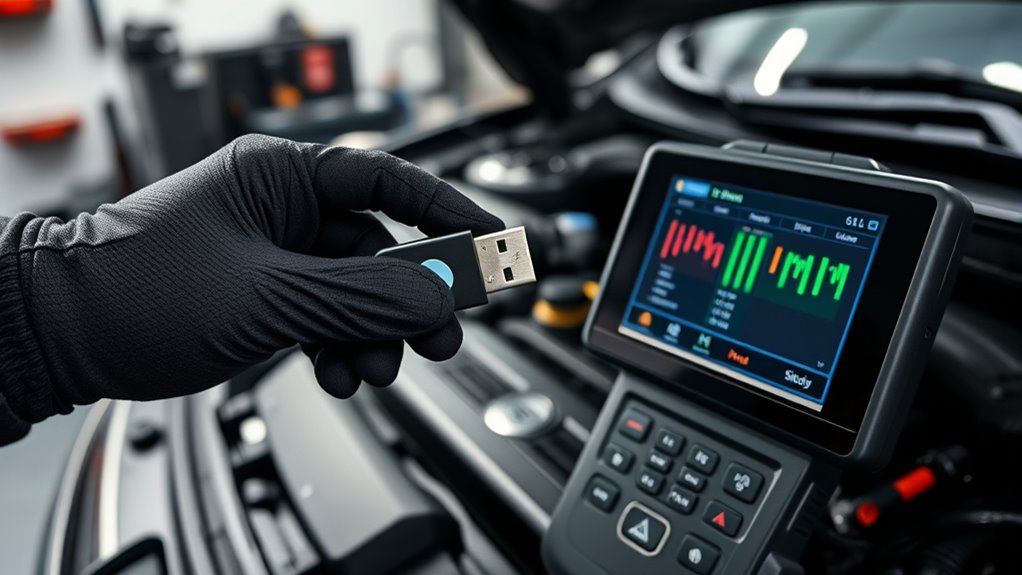

To back up your ECU settings before making changes, connect a compatible diagnostic tool or ECU programmer to your vehicle. Use the software’s full read function to capture the current firmware or map, then save the data securely on multiple devices like a USB drive or cloud storage. Verify the backup’s integrity by checking file size and checksum. Ensuring your data is safe now will make future adjustments easier and more reliable; discover more tips ahead.
Key Takeaways
- Use compatible diagnostic tools or ECU programmers to perform a full read of the ECU data.
- Verify the backup file’s integrity with checksums and ensure it is complete before proceeding.
- Store backups on multiple secure locations like USB drives and cloud storage for safety.
- Test the backup by restoring it to confirm data accuracy and vehicle functionality.
- Follow manufacturer-specific procedures to ensure safe and accurate data extraction.

Before you make any modifications to your vehicle’s ECU, it’s vital to back up your current settings. Doing so guarantees you can restore your original configuration if something doesn’t go as planned. ECU synchronization is a fundamental step in this process, as it assures that the data you save accurately reflects your vehicle’s factory or current tuning parameters. Proper synchronization prevents errors during data recovery and makes restoring your ECU straightforward. To start, you’ll need to connect your vehicle to a compatible diagnostic tool or ECU programmer that supports data extraction. These devices can read and save the ECU’s memory, giving you a complete backup of your current settings.
Once connected, you should focus on employing reliable data recovery techniques. These methods involve extracting the ECU data in a way that preserves all the original parameters without corrupting files or losing critical information. Many tools offer a direct read function that captures the entire ECU map or firmware. Make sure your software is up-to-date and capable of handling your specific vehicle make and model. During the backup process, double-check that the data is saved correctly by verifying the file size and checksum if available. This step helps prevent issues if you need to revert to your backup later.
Employ reliable data recovery methods, verify file integrity, and ensure software compatibility for safe ECU backups.
It’s also wise to create multiple copies of your backup on different storage devices, such as a USB drive and cloud storage, to safeguard against hardware failure. Remember, each vehicle’s ECU may store data differently, so familiarize yourself with your tool’s capabilities and the specific procedures recommended for your car. Some ECUs require special procedures for proper data extraction, especially if they incorporate encryption or advanced security features. Reading the ECU carefully and following manufacturer instructions minimizes the risk of corruption or incomplete backups. Additionally, understanding the European cloud infrastructure that supports secure data transmission can enhance the safety of your backup process.
Before making any changes to your ECU, confirm that your backup is intact and functional. Test it by loading the saved data into the ECU using the same device or a compatible one. Confirm that the vehicle starts and runs normally, which indicates the backup is trustworthy. This preparation allows you to troubleshoot and restore your settings if the tuning process introduces unexpected issues. Remember, taking your time during the backup phase is vital—skipping steps or rushing can lead to data loss or synchronization errors that complicate future recovery efforts. Proper ECU synchronization and employing sound data recovery techniques form the foundation of a safe and effective tuning or modification process.
Top picks for "save setting backup"
Open Amazon search results for this keyword.
As an affiliate, we earn on qualifying purchases.
Frequently Asked Questions
Can I Backup My ECU Without Specialized Software?
You can’t effectively backup your ECU without specialized software tools. These tools are essential for performing backup procedures, allowing you to save your current ECU settings before making any modifications. Without them, you risk losing important data or damaging your ECU. Investing in the right software guarantees you can safely back up and restore your ECU, giving you peace of mind during tuning or troubleshooting processes.
How Long Does a Typical ECU Backup Take?
Think of your ECU backup as capturing a snapshot of your car’s soul; it usually takes just a few minutes. The backup duration depends on your device’s backup speed and the data size, but generally, it’s a quick process—around 3 to 10 minutes. Faster backup speeds mean less time, so sit back and let your system securely save your settings without rushing.
Is There a Risk of Data Loss During Backup?
Yes, there’s a small risk of data loss during backup, like data corruption or accidental overwrite. To minimize this, guarantee your tools are reliable, and follow the correct procedures carefully. Always double-check your backup files before making changes. Using reputable software and maintaining a stable power supply also helps prevent issues, so you can confidently restore your ECU if needed without risking data integrity.
Can I Restore My ECU to a Previous Backup?
You can definitely restore your ECU to a previous backup if needed. Just remember, it’s not a walk in the park—make sure you verify your backup first to avoid surprises. Restoring involves flashing your ECU firmware with the saved data, so double-check backup verification to ensure it’s intact. As long as you follow the proper procedures, you’ll have your previous settings back in no time, no sweat.
Are Backups Compatible Across Different ECU Models?
No, backups are generally not compatible across different ECU models because of varying ECU compatibility and differences in firmware. You should always create model-specific backups to guarantee proper restoration. If you try to restore a backup from one ECU model to another, it could cause issues or even damage the ECU. Always verify that your backup matches your ECU model to keep things running smoothly.
Conclusion
By backing up your ECU settings, you’re safeguarding your vehicle’s future like a seasoned captain guarding their ship’s map. It’s a small step that pays off big time, preventing potential headaches if things go awry. Think of it as planting a safety net—ready to catch you if your modifications fall short. So, take that extra moment to save your settings; it’s the wise move that keeps your automotive journey smooth sailing.